
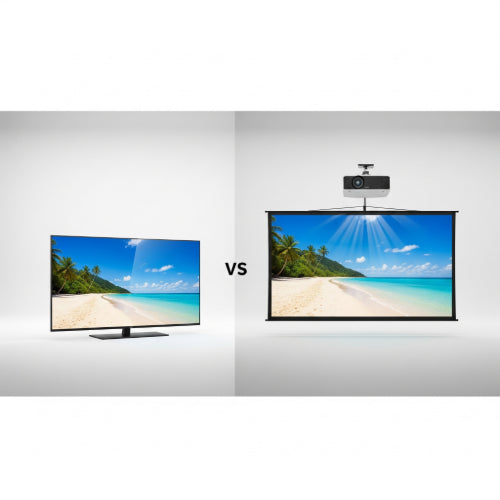
Televisions vs. Projectors: Which Should You Choose for Your Office?
In today's collaborative work environments, visual displays are essential for everything from video conferencing and presentations to displaying important announcements and fostering team engagement. When it comes to choosing a large-format display for your office, the decision often boils down to two main contenders: traditional televisions (LED/LCD TVs) and projectors.
Both technologies have their strengths and weaknesses, and the "best" choice heavily depends on your specific office needs, budget, and the characteristics of the space. Let's break down the key differences to help you make an informed decision.
1. Image Quality and Brightness
-
Televisions:
- Pros: Offer superior brightness, contrast, and color accuracy, especially in well-lit rooms. Resolutions (4K, 8K) are standard, providing crisp, clear images even up close. No "washout" from ambient light.
- Cons: Fixed screen size. Glare can sometimes be an issue in very bright rooms or with direct light sources.
-
Projectors:
- Pros: Can produce extremely large images (100+ inches diagonally), offering an immersive viewing experience.
- Cons: Image quality is highly dependent on ambient light. In a bright room, the image will appear washed out and faded. Optimal performance requires a darkened room. Contrast and black levels are generally not as good as a TV. Resolution varies widely by model.
Verdict: For critical viewing in varying light conditions, televisions generally win for sheer image quality and brightness. Projectors excel when a very large image is paramount and lighting can be controlled.
2. Screen Size and Scalability
-
Televisions:
- Pros: Available in a wide range of sizes, from smaller sets to massive 98-inch or even 110-inch commercial displays. The size is fixed once purchased.
- Cons: Limited by manufacturing capabilities for ultra-large sizes, and prices escalate sharply with screen size. Physical transportation and installation of very large TVs can be challenging.
-
Projectors:
- Pros: Highly flexible in terms of screen size, limited only by the projector's throw distance and the available wall/screen space. Can create images well over 100 inches, making them ideal for large conference rooms or auditoriums.
- Cons: Requires a flat, uniform surface (a projector screen is highly recommended for best results). The image size needs careful calibration.
Verdict: For sheer scalability and flexible image size, projectors are the clear winner. If you need a consistent, predefined large size, TVs are straightforward.
3. Installation and Portability
-
Televisions:
- Pros: Relatively straightforward to install (wall-mount or stand). Plug-and-play operation.
- Cons: Not portable once installed, especially larger sizes. Requires robust wall mounts for heavier sets.
-
Projectors:
- Pros: Many projectors are highly portable, making them excellent for training rooms, temporary setups, or offices with flexible layouts. Ceiling mounting can provide a clean, permanent installation.
- Cons: Requires careful placement, focus, and keystone correction for a perfect image. Wiring can be more complex (power to projector, HDMI to source). Often requires a screen.
Verdict: For portability and flexibility in various spaces, projectors often have an edge. For a fixed, permanent display, TVs are simpler to get up and running.
4. Cost Considerations
-
Televisions:
- Pros: Prices for large TVs have come down significantly, offering great value for screen size. No ongoing costs for bulb replacement.
- Cons: Very large commercial displays (90+ inches) can still be quite expensive.
-
Projectors:
- Pros: The initial cost of the projector itself can be lower than a comparably sized TV, especially for very large images.
- Cons: Total cost includes the projector, a screen (often crucial for good image quality), and potentially new bulbs (which have a finite lifespan and can be expensive to replace). Laser projectors mitigate bulb costs but have a higher upfront price.
Verdict: For overall budget-friendliness at moderate sizes, televisions often win. For ultra-large screen sizes, projectors can be more economical initially, but factor in ongoing bulb replacement costs.
5. Longevity and Maintenance
-
Televisions:
- Pros: Designed for long hours of operation. Generally low maintenance.
- Cons: Panel degradation over many years of continuous use.
-
Projectors:
- Pros: Modern projectors, especially laser models, offer very long lifespans with minimal degradation.
- Cons: Traditional lamp-based projectors require bulb replacements every few thousand hours, which is an ongoing maintenance cost and can cause downtime. Dust filters may need regular cleaning.
Verdict: Modern LED TVs and laser projectors offer excellent longevity. Traditional lamp projectors require more regular maintenance and recurring costs.
Which is Best for Your Office?
-
Choose a Television if:
- Your primary need is a bright, vibrant, and highly detailed image in a room that cannot be consistently darkened (e.g., a common area, lobby, small meeting room with natural light).
- You value simplicity, fixed installation, and a crisp display for video calls, digital signage, or presentations where screen size is adequate (up to ~98 inches).
- You want a consistent, high-quality viewing experience with minimal setup hassle.
-
Choose a Projector if:
- You need a truly massive screen size (100+ inches) that TVs cannot practically or affordably provide.
- You have a dedicated conference room, training room, or auditorium where you can control ambient lighting effectively.
- Portability or flexible display size is a key requirement for various spaces.
- Your budget for the initial setup for a very large image is a primary concern, even if it means potential ongoing bulb costs (for lamp models).
Conclusion
Both televisions and projectors are powerful visual tools for the modern office. There's no single "better" option; the ideal choice hinges on a careful evaluation of your specific requirements. Consider your room's lighting conditions, the desired screen size, your budget (both initial and ongoing), and how the display will primarily be used. By weighing these factors, you can select the display technology that best empowers your team and enhances your office's communication and collaboration capabilities.





