
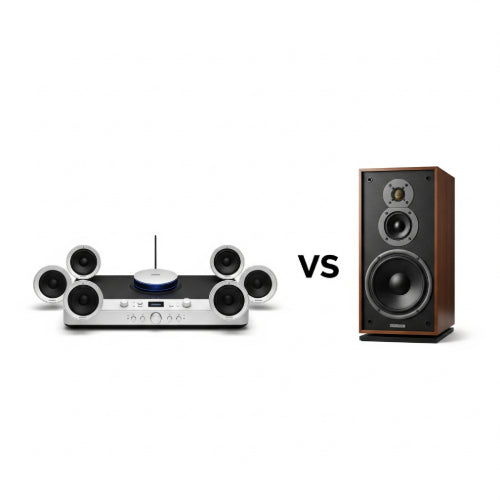
Sound Systems vs. Speakers: What’s the Difference for Your Office?
When setting up or upgrading your office, the audio experience might not be the first thing on your mind, but it plays a crucial role in productivity, communication, and even ambiance. Whether it's for video conferences, background music, or presentations, having the right audio setup is key. But often, the terms "sound system" and "speakers" are used interchangeably, leading to confusion. While closely related, they are not the same.
Let's break down the difference between sound systems and speakers to help you decide what's best for your office.
Understanding the Core Definitions
Speakers: At its most basic, a speaker is an individual transducer that converts electrical audio signals into sound waves. Think of it as the output device for sound. Speakers come in various forms and sizes, from small desktop speakers to large floor-standing units. They are the component that physically produces the sound you hear.
Sound Systems: A sound system, on the other hand, is a complete setup that typically includes multiple components working together to produce and manage audio. This almost always includes speakers, but also encompasses other essential elements like:
- Audio Source: The device providing the sound (e.g., a computer, microphone, media player, video conferencing unit).
- Amplifier/Receiver: A component that boosts the low-level audio signal from the source to a level powerful enough to drive the speakers. Many modern receivers also include tuners, input switching, and audio processing capabilities.
- Mixer: Especially in larger or more complex setups, a mixer allows you to combine and control multiple audio inputs (e.g., several microphones, a computer, a music player) before sending them to the amplifier.
- Processors/Equalizers: These components fine-tune the sound, adjusting frequencies, adding effects, or ensuring consistent volume levels.
- Cabling: The necessary wires and connections to link all the components together.
Key Differences for Your Office Environment
Now that we understand the definitions, let's look at how these differences manifest in an office setting:
1. Scope and Complexity:
- Speakers: Simple to set up. You plug them into an audio source (like your computer's headphone jack or USB port), and they produce sound. Ideal for personal use, a single workstation, or a small huddle room.
- Sound Systems: More complex, involving multiple interconnected components. Requires more planning for installation and configuration. Best suited for conference rooms, meeting halls, large open-plan offices, or spaces requiring integrated audio for various functions.
2. Functionality and Purpose:
- Speakers: Primarily designed for direct audio output from a single source. Good for individual computer audio, basic video calls, or listening to music at your desk.
- Sound Systems: Designed for comprehensive audio management. They can handle multiple audio inputs (e.g., a presenter's microphone, participants' voices from a video conference system, presentation audio) and route them to various speakers. They enable clearer communication in larger groups, better acoustics for presentations, and a more immersive experience for larger video calls.
3. Integration and Scalability:
- Speakers: Typically standalone units. If you need more sound, you might add more speakers, but integration is often limited.
- Sound Systems: Built with integration in mind. Components are designed to work together, and systems can be scalable. You can start with a basic system and add more microphones, speakers, or processing units as your office needs grow. They can also be integrated with video conferencing platforms, room control systems, and building automation.
4. Performance and Quality:
- Speakers: Quality varies widely. Basic computer speakers offer decent sound for casual use. High-quality active speakers can deliver impressive audio for their size.
- Sound Systems: When properly designed and installed, a sound system can offer superior audio quality, clarity, and coverage throughout a designated space. This is crucial for ensuring everyone in a large meeting room can clearly hear discussions or presentations.
5. Cost and Installation:
- Speakers: Generally more affordable and easy to install (plug-and-play).
- Sound Systems: A larger investment due to the multiple components and often professional installation requirements. However, this investment pays off in terms of functionality and a professional audio experience.
Which is Right for Your Office?
To decide, consider your specific needs:
-
For Individual Workstations or Small Huddle Rooms: A good pair of speakers (either standalone or integrated into monitors) connected directly to a computer will likely suffice. Look for active speakers that don't require a separate amplifier.
-
For Conference Rooms, Meeting Halls, or Large Open Offices: A dedicated sound system is almost always the better choice.
- If your primary need is video conferencing, look for integrated sound systems designed for this purpose, often including specialized microphones and DSP (Digital Signal Processor) units for echo cancellation and noise reduction.
- If you need to support presentations with multiple presenters, background music, or hybrid meetings with both in-person and remote participants, a full sound system with a mixer and appropriate amplification will provide the flexibility and quality required.
Conclusion
While speakers are an integral part of any audio setup, a sound system provides a complete, integrated, and often more powerful solution for the diverse audio needs of a modern office. Understanding this distinction will empower you to make informed decisions, ensuring your office is equipped with the right audio technology to foster clear communication, enhance productivity, and create a conducive work environment.





