
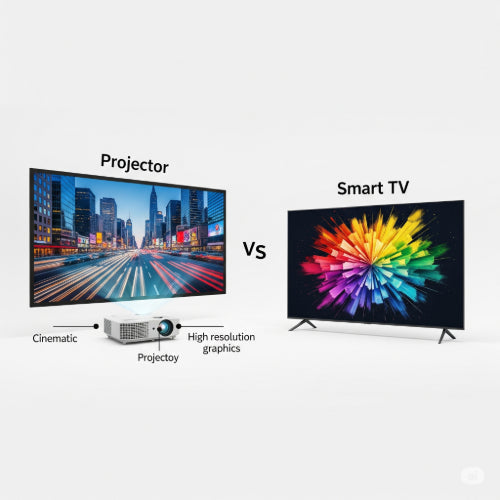
Bright Ideas or Big Screens? Projectors vs. Smart TVs for Conferences
In conference rooms, effective communication is key to successful meetings and presentations. A crucial element in this is the display technology used to share visuals. The traditional choice has often been a projector, but the rise of large smart TVs presents a compelling alternative. So, for your business or organization, which is the better option for your conference needs? Let's weigh the pros and cons.
Defining the Contenders for Your Conference Room:
-
Projectors: These devices project an image onto a screen or wall. They typically consist of a light source, lens, and image processing capabilities. Modern conference projectors often range from 3,000 to 5,000 lumens or more for clear visibility in well-lit rooms. Lamp life can vary widely, from 2,000-5,000 hours for traditional lamps to 20,000-30,000+ hours for LED or laser light sources.
-
Smart TVs: Large-screen televisions with built-in internet connectivity, smart operating systems (allowing access to apps), and various input/output ports. Common conference room TV sizes range from 55 inches up to 98 inches, with 4K (UHD) resolution being standard for larger screens.
Projectors: The Versatile Veteran of Presentations
Pros:
-
Scalable Screen Size: Projectors excel at creating very large images, easily adapting to different room sizes and audience numbers. Whether you're in a small training room or a larger hall, a projector can typically accommodate a screen size of 100-200 inches or even more.
-
Portability (for some models): While some projectors are ceiling-mounted, many portable models can be easily moved between conference rooms or even off-site for presentations. This flexibility can be valuable for organizations with multiple meeting locations.
-
Lower Cost per Inch: For very large displays (80 inches and above), projectors often offer a lower cost per screen inch compared to large smart TVs.
-
Flexibility in Placement: Projectors can often be positioned further away from the screen (standard throw) or very close (short/ultra-short throw), allowing for more flexible room layouts and minimizing shadows from presenters.
Cons:
-
Image Quality Dependent on Ambient Light: Projector images can be washed out in brightly lit rooms. Conference rooms that receive a lot of natural light might require blackout curtains or a high-brightness projector to maintain a clear image.
-
Setup and Calibration: Setting up a projector, aligning the image, and ensuring proper focus can sometimes be more involved than simply turning on a TV.
-
Maintenance: Projector lamps have a limited lifespan and require periodic replacement, adding to the overall cost of ownership. Dust can also be an issue, requiring occasional cleaning.
-
Additional Equipment: You typically need a separate projection screen, which adds to the cost and setup complexity.
-
Sound: Most projectors have weak built-in speakers, often requiring a separate sound system for clear audio, especially in larger conference settings.
Smart TVs: The User-Friendly and Feature-Rich Option
Pros:
-
Excellent Image Quality: Modern smart TVs offer bright, sharp images with vibrant colors and high contrast ratios, often performing well even in moderately lit conference rooms. 4K resolution is common, providing sharp text and detailed visuals.
-
Ease of Use: Smart TVs are generally very easy to set up and operate, similar to home televisions. Their intuitive interfaces make navigating menus and connecting devices straightforward for all users.
-
Built-in Smart Features: The integrated smart operating system allows for direct access to various apps for presentations, video conferencing (depending on the app and camera setup), and content sharing without needing a separate computer in some cases. Reliable Wi-Fi connectivity is crucial for these features.
-
Integrated Audio: Most smart TVs have decent built-in speakers that are often sufficient for small to medium-sized conference rooms, reducing the need for a separate audio system.
-
Multiple Input Options: Smart TVs offer a variety of HDMI ports and other inputs, making it easy to connect laptops, Blu-ray players, and other devices commonly used in presentations.
-
No Lamp Replacement: Unlike projectors, smart TVs don't have lamps that need replacing, potentially leading to lower long-term maintenance costs. TV panels typically have a longer operational lifespan than projector lamps.
Cons:
-
Limited Screen Size: While smart TVs are available in increasingly large sizes, they generally don't reach the massive screen sizes achievable with projectors. For very large audiences or expansive conference rooms, a TV might appear too small.
-
Higher Cost for Very Large Sizes: As screen size increases, the cost of smart TVs rises significantly, potentially exceeding the cost of a projector setup for very large displays.
-
Less Portable: Large smart TVs are considerably less portable than many projector models, making it difficult to move them between different meeting spaces.
-
Fixed Aspect Ratio: TVs have a fixed aspect ratio (typically 16:9), which might not always be ideal for all types of presentation content.
Making the Right Choice for Your Conference Room:
Consider these factors when deciding between a projector and a smart TV for your conference needs:
-
Room Size and Audience: For large rooms and big audiences, a projector's scalable screen size is often the better choice. For smaller to medium-sized rooms, a large smart TV can be perfectly adequate and offer better image quality.
-
Ambient Light: If your conference room has significant ambient light, a bright smart TV might be preferable to a standard projector, unless you can effectively control the lighting.
-
Budget: Factor in the initial cost, the cost of accessories (screen for projector, wall mount for TV), and potential long-term maintenance costs (lamp replacement for projectors).
-
Ease of Use and Setup: If user-friendliness and quick setup are priorities for your team, a smart TV is generally simpler to manage.
-
Portability Needs: If you need to move the display frequently between different meeting spaces, a portable projector is more convenient than a large smart TV.
-
Smart Features: If direct access to apps for presentations or video conferencing is important without relying on a separate computer, a smart TV offers an integrated solution (ensure reliable internet connectivity).
-
Audio Requirements: Consider if the built-in speakers of a smart TV will suffice for your typical audience size, or if you'll need a separate sound system regardless of your display choice.
Conclusion:
There's no single "best" option for all conference rooms.
-
Choose a Projector if: You need a very large, scalable screen size and portability is important, and you can control ambient light or invest in a high-brightness model.
-
Choose a Smart TV if: Image quality, ease of use, integrated smart features, and a cleaner setup are priorities, and your conference room size doesn't necessitate an exceptionally large display.
Often, the ideal solution involves assessing the specific needs of each conference room in your organization. You might find that projectors are best suited for larger training rooms, while smart TVs are perfect for smaller meeting spaces. By carefully considering these factors, you can equip your organization with the display technology that best facilitates effective communication and successful conferences.





