
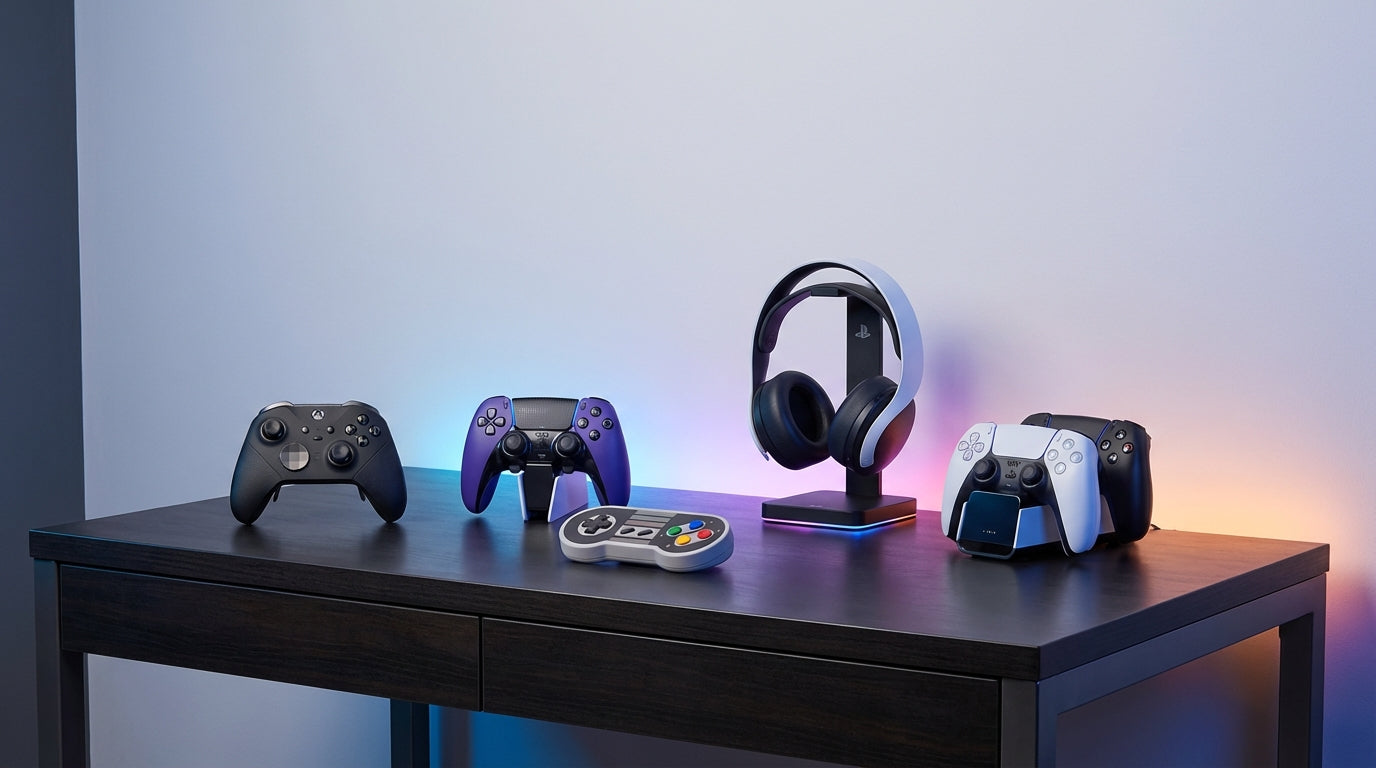
Gaming Controllers Buying Guide: How to Choose the Right Controller
Choosing the right gaming controller can make the difference between frustrating input lag and precise, responsive gameplay. With dozens of options spanning budget to professional-grade models, plus compatibility concerns across PC, console, and mobile platforms, finding the perfect controller feels overwhelming.
This guide breaks down what actually matters when buying gaming controllers and accessories. We'll cover the key features that impact performance, explain platform compatibility, and help you match controllers to your gaming style and budget.
At Tecisoft, we've helped countless gamers find controllers that enhance their experience, from casual players seeking comfort to competitive esports athletes demanding zero-compromise performance.
Key Features That Impact Your Gaming
Input Quality and Responsiveness
Analog Sticks (Thumbsticks):
- Standard potentiometer sticks: Most common but prone to stick drift over time
- Hall Effect magnetic sticks: Eliminate drift completely and last significantly longer—worth the premium for serious gamers
- Stick height and tension: Tall sticks offer more precision; adjustable tension helps fine-tune sensitivity
Triggers and Buttons:
- Standard membrane buttons: Adequate for most gaming
- Microswitch buttons: Faster actuation and tactile feedback—essential for fighting games and competitive shooters
- Trigger travel adjustment: Shorter pulls reduce response time in racing and FPS games
D-Pad Design:
- Plus-shaped: Better for fighting games and retro gaming
- Disc-style: More comfortable for general navigation
- Hybrid/swappable: Best of both worlds if available
Wireless vs Wired: The Real Trade-offs
Wired Controllers:
- Zero input lag and unlimited play time
- Best for competitive gaming and fixed desk setups
- No battery management or connection drops
- Generally $20-50 less than wireless equivalents
Wireless Controllers:
- Bluetooth: Convenient for multiple devices but higher latency
- 2.4GHz dongles: Near-wired performance with wireless freedom
- Battery life: Ranges from 8-40+ hours depending on features
- Polling rate: Higher rates (1000Hz+) reduce input lag for competitive play
Build Quality and Comfort
Ergonomics matter more than specs:
- Xbox-style: Asymmetrical sticks, comfortable for most hand sizes
- PlayStation-style: Symmetrical layout, preferred by some for precise movement
- Compact/travel: Smaller form factor for mobile gaming and portability
Durability indicators:
- Reinforced USB ports and stress points
- Quality of trigger and button mechanisms
- Warranty coverage (especially for premium models)
Platform Compatibility Guide
PC Gaming Controllers
Best overall compatibility:
- Xbox controllers work natively with Windows and most games
- PlayStation controllers require additional software but offer unique features
- Third-party PC controllers often provide the best value and customization
What to check:
- XInput support for maximum game compatibility
- Quality drivers and companion software
- Steam Input compatibility for extensive customization
Console Controllers
PlayStation (PS4/PS5):
- DualSense controllers offer advanced haptics and adaptive triggers
- Third-party options may lose exclusive features like haptic feedback
- Check for official licensing to ensure full compatibility
Xbox (One/Series X|S):
- Xbox Wireless controllers work seamlessly across Xbox and PC
- Licensed third-party controllers maintain full feature support
- Elite series offers professional-grade customization
Nintendo Switch:
- Pro Controller provides best experience for serious gaming
- Joy-Con alternatives offer better ergonomics for handheld play
- Many third-party options work only in specific modes
Mobile and Cloud Gaming
Key requirements:
- Bluetooth connectivity with low latency
- Compact size and good battery life
- Compatibility with iOS/Android and cloud gaming services
- Phone clips or built-in mounting for mobile play
Choosing by Gaming Style
Competitive Gaming
Priorities: Minimal input lag, precise control, durability
- Wired connection or high-polling-rate wireless (1000Hz+)
- Hall Effect sticks and triggers for consistency
- Microswitch buttons for faster actuation
- Customizable button mapping for optimal layouts
- Professional build quality to withstand intensive use
Casual Gaming
Priorities: Comfort, convenience, good value
- Wireless connectivity for couch gaming freedom
- Good ergonomics for extended sessions
- Platform versatility to work across multiple devices
- Reliable build quality without premium pricing
Retro and Fighting Games
Priorities: Precise D-pad, responsive buttons, authentic feel
- High-quality D-pad (plus-shaped preferred)
- Microswitch buttons for frame-perfect inputs
- Shorter button travel for rapid-fire techniques
- Optional: Arcade-style fight sticks for authentic experience
Racing and Flight Simulation
Priorities: Smooth analog control, trigger precision
- Hall Effect triggers for consistent, smooth input
- Adjustable trigger tension for brake/throttle control
- High polling rates for responsive steering
- Consider: Dedicated wheels or HOTAS for serious simulation
Essential Controller Accessories
Performance Enhancers
Thumbstick Upgrades:
- Kontrol Freeks: Extended sticks for improved precision
- Replacement caps: Different textures and heights for grip and control
- Stick extenders: Increase leverage for fine movements
Grip and Comfort:
- Controller grips: Textured covers for better hold
- Trigger extenders: Reduce finger strain during long sessions
- Ergonomic attachments: Back paddles for advanced control schemes
Charging and Storage
Power Management:
- Charging docks: Keep multiple controllers ready
- Battery packs: Extended play time for wireless controllers
- USB-C cables: Fast charging and data transfer
Organization:
- Controller cases: Protect during travel and storage
- Wall mounts: Display and organize your collection
- Cable management: Keep wired setups tidy
Multi-Device Solutions
Connectivity Tools:
- USB hubs: Manage multiple wired controllers
- Bluetooth adapters: Improve wireless performance on older PCs
- Platform adapters: Use controllers across incompatible systems
Budget and Value Guidelines
Entry Level ($25-60)
- Solid build quality and basic features
- Good for casual gaming and testing preferences
- Examples: Wired Xbox controller, basic third-party options
Mid-Range ($60-120)
- Wireless connectivity and premium build
- Hall Effect components in some models
- Best value for most gamers
- Examples: Xbox Wireless, DualSense, quality third-party wireless
Premium ($120-200+)
- Professional features and customization
- Hall Effect everything and advanced software
- Built for competitive gaming and enthusiasts
- Examples: Xbox Elite Series, DualSense Edge, high-end third-party
Frequently Asked Questions
Do wireless controllers have input lag?
Modern wireless controllers with 2.4GHz dongles have virtually no perceptible lag—often under 1ms difference from wired. Bluetooth connections can add 10-30ms of delay, which casual players won't notice but competitive gamers should avoid.
What's the difference between Hall Effect and regular analog sticks?
Hall Effect sticks use magnetic sensors instead of physical contacts, completely eliminating stick drift over time. While more expensive initially, they last significantly longer and maintain consistent precision throughout their lifespan.
Can I use PlayStation controllers on PC?
Yes, but you'll need additional software like DS4Windows or Steam Input for full compatibility. Some games support DualSense features like haptic feedback on PC, but most will treat it as a generic controller.
How important is polling rate for gaming?
For most gaming, 125Hz (standard) to 250Hz is perfectly adequate. Competitive players in fast-paced games may benefit from 1000Hz+ polling rates, which reduce input lag by a few milliseconds but won't dramatically change your performance.
Should I buy official or third-party controllers?
Official controllers guarantee full feature compatibility and reliable software support. Quality third-party controllers often offer better value, additional features, or specialized designs. Avoid cheap generic controllers as they typically have poor build quality and unreliable performance.
What accessories do I actually need?
For most players: a charging dock or extra cable, and a carrying case if you travel. Competitive players benefit from thumbstick extenders, grip enhancements, and possibly back paddle attachments for additional inputs.
Making Your Controller Decision
Choosing the right gaming controller comes down to matching features to your gaming style, ensuring platform compatibility, and balancing performance needs with budget constraints.
Your decision framework:
- Define your primary platform(s) and ensure full compatibility
- Identify your gaming style (competitive, casual, specific genres)
- Set a realistic budget including any desired accessories
- Prioritize must-have features (wireless, Hall Effect, customization)
- Read reviews focusing on build quality and long-term reliability
- Consider future needs like additional platforms or gaming evolution
Ready to level up your gaming setup? Explore our gaming controllers and accessories range at Tecisoft to find the perfect controller for your platform and play style, backed by expert guidance and reliable warranty support.
Ready to find the right solutions for your needs?
Explore Collection




