
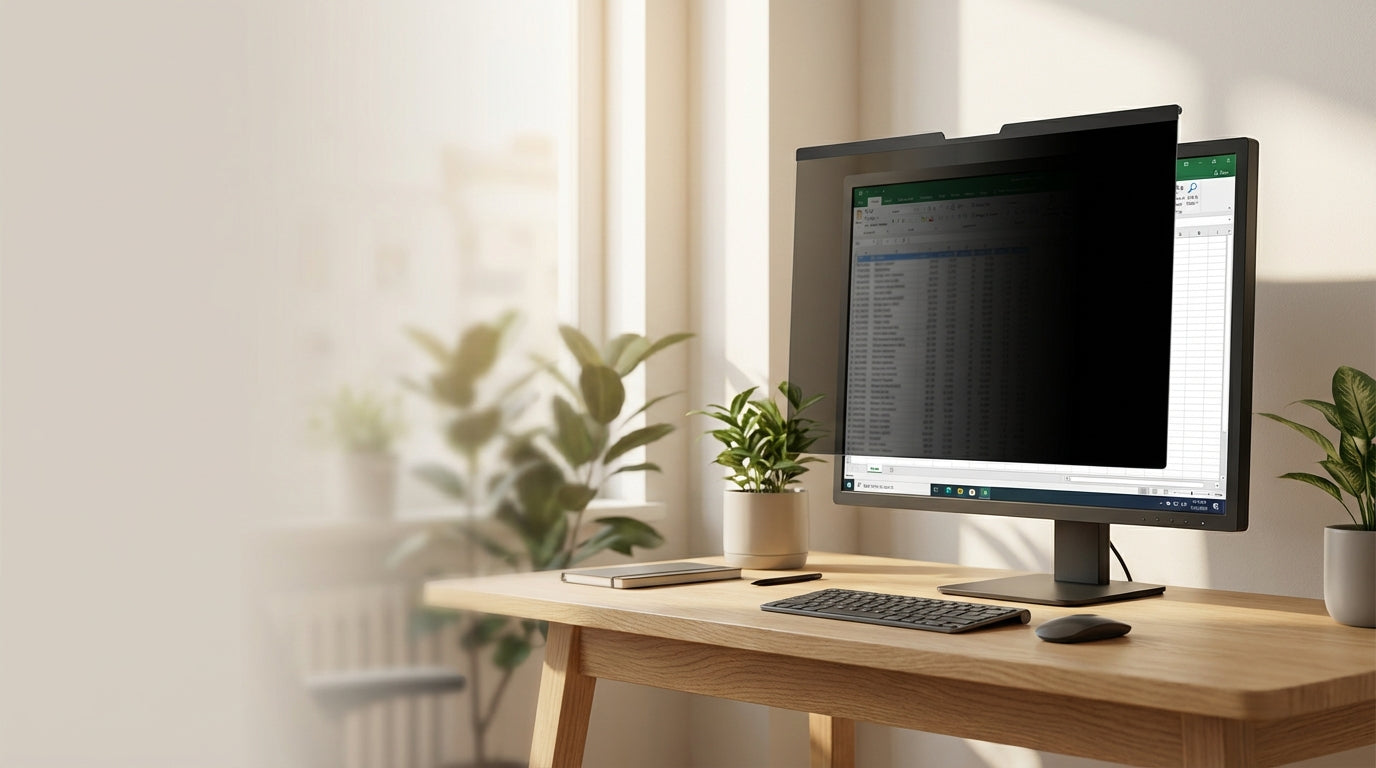
Display Privacy Filters: How to Choose the Right Screen Protection
Protect Your Screen Privacy at Work
Display privacy filters are essential tools for anyone working in shared spaces who needs to keep sensitive information away from prying eyes. Whether you're handling confidential business data, personal files, or simply want some visual privacy in an open office, these screen protectors create a one-way viewing experience that blocks side-angle visibility while maintaining clear front-facing view.
Choosing the right privacy filter involves more than just picking one that fits your screen. You need to consider installation methods, viewing angle requirements, durability, and additional features that match your work environment and habits. At Tecisoft, we help customers navigate these decisions to find privacy solutions that provide reliable protection without compromising their daily workflow.
Key Features That Matter Most
Screen Size and Compatibility
Getting the dimensions right is critical for effective privacy protection:
- Measure your viewable screen area (not the entire monitor frame)
- Record height, width, and diagonal measurements to ensure perfect fit
- Check your aspect ratio – common options include 16:9, 16:10, 4:3, and 3:2
- Account for bezel design – measure within the frame, not including borders
- Verify touchscreen compatibility if you use an interactive display
A poorly fitted filter creates gaps where others can see your screen or causes bubbling and distortion that affects your viewing experience.
Installation and Attachment Methods
Adhesive mounting provides the most secure attachment and best optical clarity:
- Bonds directly to your screen surface
- Eliminates air gaps that can cause visual distortion
- Stays in place during normal use
- More difficult to remove and reposition
Sliding tabs and clip-on systems offer flexibility:
- Easy to remove when you need full screen sharing
- Ideal for shared workstations or collaborative environments
- May create slight gaps that can affect privacy effectiveness
- Generally easier to clean and maintain
Magnetic and frame-based options work well for certain monitor types:
- Quick attachment and removal
- No adhesive residue concerns
- May not work with all screen designs
- Can be more expensive but offer long-term reusability
Privacy Angle and Viewing Control
Different privacy filters block viewing at different angles:
- 30-degree filters provide maximum privacy – only the person directly in front can see clearly
- 45-degree filters offer moderate privacy while allowing some collaborative viewing
- 60-degree filters provide basic privacy protection with wider acceptable viewing angles
Consider your work environment: tighter angles for sensitive data handling, wider angles if you occasionally need to share your screen with colleagues nearby.
Material Quality and Durability
PET (polyethylene terephthalate) filters are lightweight and flexible:
- Good for laptops and portable devices
- Resistant to cracking under normal use
- Easy to clean with standard screen cleaning methods
Tempered glass filters offer premium protection:
- Scratch-resistant surface that maintains clarity
- Rigid construction prevents flexing and distortion
- Better protection against accidental impacts
- Higher cost but longer-lasting performance
Anti-glare coatings reduce reflections:
- Helpful in bright office environments
- May slightly reduce color vibrancy
- Easier on the eyes during extended use
Additional Features to Consider
Blue Light Filtering
Many privacy filters now include blue light reduction technology:
- Reduces eye strain during long work sessions
- May improve sleep quality by limiting blue light exposure
- Slight color shift – screens appear warmer
- Particularly valuable for users who work late hours or in low-light conditions
Reversible Designs
Some filters offer different finishes on each side:
- Matte side reduces glare and reflections
- Glossy side maintains vivid colors and contrast
- Switch based on lighting conditions and personal preference
- Extends filter lifespan by distributing wear across both surfaces
Easy Removal and Reapplication
For users who need occasional full screen visibility:
- Tab-based systems for quick removal during presentations
- Magnetic mounting for instant on/off capability
- Adhesive that doesn't leave residue when properly removed
- Reusable designs that maintain effectiveness after multiple applications
Choosing for Different Work Scenarios
Home Office Workers
- Focus on blue light protection and anti-glare features
- Adhesive mounting works well for dedicated workstations
- Consider wider viewing angles if family members occasionally help with tech issues
Corporate Office Environments
- Prioritize strong privacy angles (30-45 degrees)
- Removable options useful for meetings and presentations
- Durable materials that withstand daily cleaning protocols
Shared Workstations
- Magnetic or clip-on systems for easy user changes
- Quick-release mechanisms for smooth transitions
- Robust construction to handle frequent installation and removal
Travel and Mobile Work
- Lightweight, flexible filters that won't add bulk
- Strong adhesive that stays secure during transport
- Compact storage when removed
Frequently Asked Questions
Do privacy filters affect screen brightness and color quality?
Most quality privacy filters reduce screen brightness by 10-20% and may slightly alter color temperature. Higher-end filters minimize these effects through advanced optical coatings. The privacy protection typically outweighs minor changes in display quality for most business users.
Can I use a privacy filter with an anti-glare screen protector?
Layering multiple screen protectors often creates optical problems including reduced clarity, bubble formation, and increased thickness that interferes with touch sensitivity. Choose a single privacy filter that includes anti-glare properties if you need both features.
How do I clean and maintain my privacy filter?
Use microfiber cloths with gentle screen cleaning solutions, avoiding alcohol-based cleaners that can damage coatings. Clean in circular motions rather than straight lines to prevent scratching. Remove and clean both the filter and screen periodically for best optical performance.
Will a privacy filter work with my curved monitor?
Standard flat privacy filters don't conform properly to curved screens, creating gaps and reducing effectiveness. Some manufacturers offer curved-specific filters, but selection is limited. Flat monitors generally provide better privacy filter compatibility.
Do privacy filters interfere with touchscreen functionality?
High-quality filters designed for touchscreens maintain full touch sensitivity and gesture recognition. Thicker or poorly designed filters may reduce responsiveness. Always verify touchscreen compatibility before purchasing if you use an interactive display.
How long do privacy filters typically last?
With proper care, quality privacy filters last 1-3 years depending on usage intensity, cleaning frequency, and environmental conditions. Signs it's time to replace include permanent scratches, reduced privacy effectiveness, or adhesive failure that creates viewing gaps.
Making Your Final Decision
Successful privacy filter selection comes down to three core factors: precise size matching, appropriate privacy angle for your environment, and installation method that fits your workflow.
Start by measuring your screen accurately and identifying whether you need permanent or removable installation. Consider your workspace privacy requirements – tighter angles for sensitive data, moderate angles for general business use. Factor in additional features like blue light filtering if you spend long hours at your screen.
Your selection checklist:
- Measure screen dimensions including aspect ratio
- Determine required privacy angle based on your workspace layout
- Choose installation method (permanent adhesive vs. removable)
- Decide on additional features (blue light filtering, anti-glare)
- Verify compatibility with your specific monitor or laptop model
- Check manufacturer warranty and return policies
Explore our comprehensive Display Privacy Filters range at Tecisoft to find the right screen protection solution for your workspace needs.
Ready to find the right solutions for your needs?
Explore Collection




