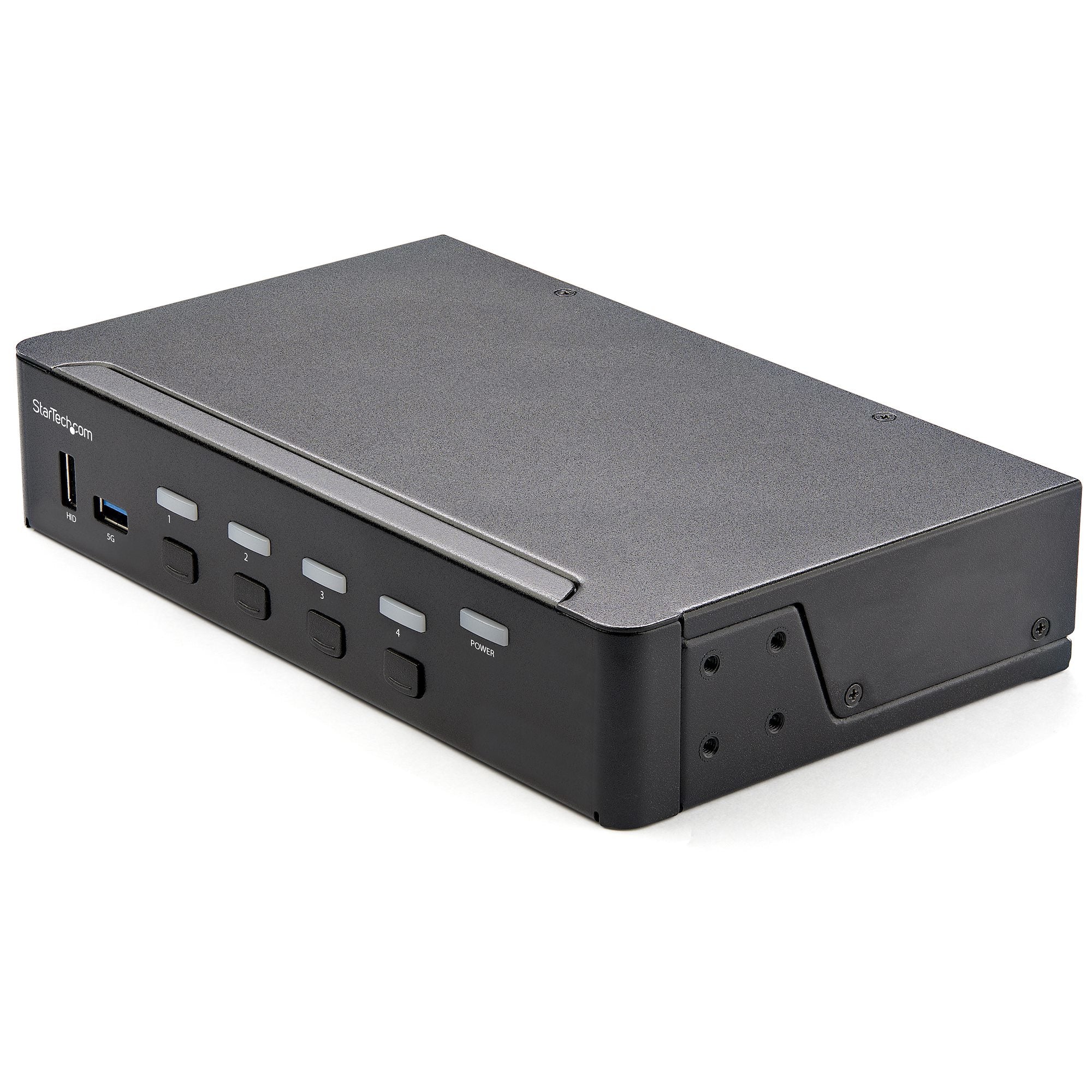
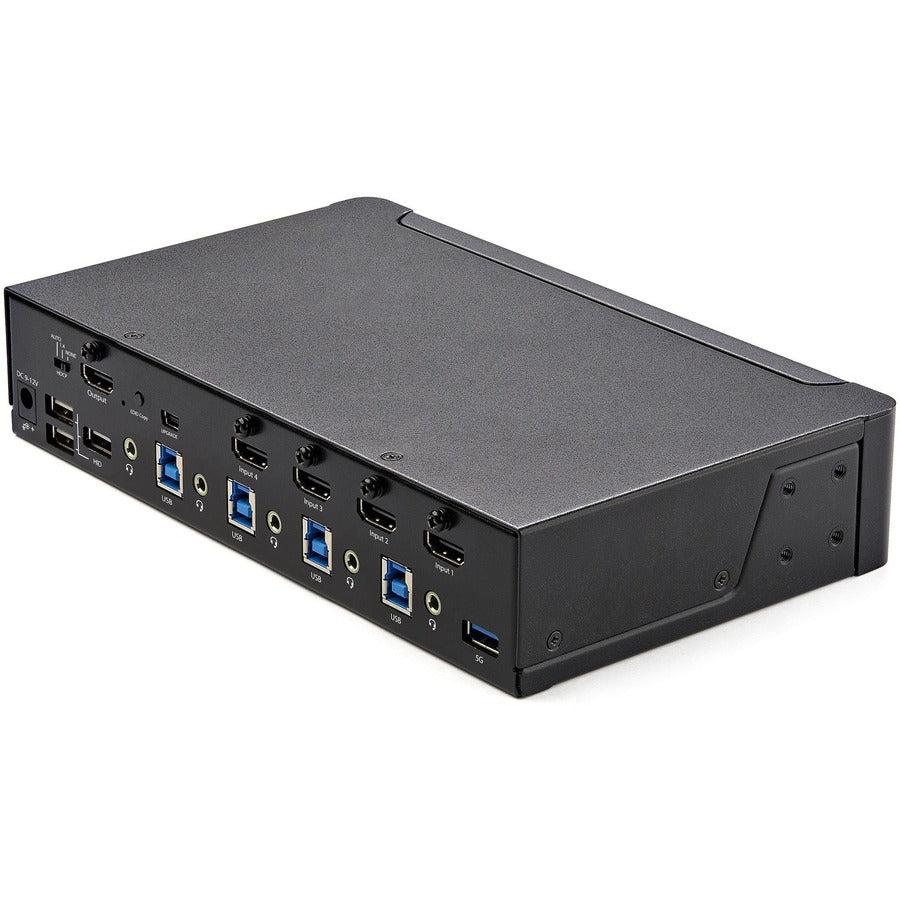
This 4K HDMI KVM switch is perfect for professionals and power users who need seamless control of multiple computers with 4 port switching capability. Our StarTech.com solution delivers:
-
4K 60Hz video support for crystal-clear ultra-high definition display output
-
USB 3.0 hub functionality enabling high-speed peripheral sharing between connected systems
-
EDID emulation technology ensuring proper display resolution detection and compatibility
-
Professional KVM switching for efficient multi-computer workspace management
Key Features
-
4K HDMI video switching supporting resolutions up to 3840x2160 at 60Hz
-
4-port design allowing control of up to four computers from one workstation
- Optimized for USB 3.0 peripheral sharing with high-speed data transfer rates
- Consistent EDID emulation preventing display resolution issues during switching
-
Hotkey switching with keyboard shortcuts for instant computer selection
-
Audio support with integrated HDMI audio switching
-
Plug-and-play operation requiring no additional software installation
-
Enterprise-grade construction built for professional environments
Technical Specifications
| Manufacturer |
StarTech.com |
| Model Number |
SV431HU34K6 |
| Type |
4K HDMI KVM Switch |
| Video Resolution |
Up to 4K (3840x2160) at 60Hz |
| Port Configuration |
4 HDMI Input Ports |
| USB Hub |
USB 3.0 Hub with SuperSpeed Data Transfer |
| EDID Support |
Advanced EDID Emulation |
| Audio Support |
HDMI Digital Audio Pass-through |
| Switching Method |
Push-button and hotkey switching |
| Power Requirements |
External power adapter included |
| Operating System |
Windows, macOS, Linux compatible |
| Compatible Systems |
Computers with HDMI output and USB connectivity |
Frequently Asked Questions
Q: What video resolutions does this 4K HDMI KVM switch support?
A: This professional KVM switch supports resolutions up to 4K (3840x2160) at 60Hz, including 1080p, 1440p, and all standard HD formats with full HDCP compliance.
Q: How does the USB 3.0 hub function with multiple computers?
A: The integrated USB 3.0 hub allows you to share keyboards, mice, and other USB peripherals between all connected computers. When you switch between systems, your USB devices automatically connect to the selected computer.
Q: What is EDID emulation and why is it important?
A: EDID emulation stores and maintains display information for each connected computer, preventing resolution changes or display detection issues when switching between systems — ensuring consistent 4K output quality.
Q: Can I switch between computers using keyboard shortcuts?
A: Yes. This KVM switch supports both front-panel push-button switching and convenient hotkey combinations, allowing instant computer selection without reaching for physical buttons.
4K HDMI KVM switch 4-port with USB 3.0 hub. EDID emulation technology for seamless multi-computer control and professional switching.