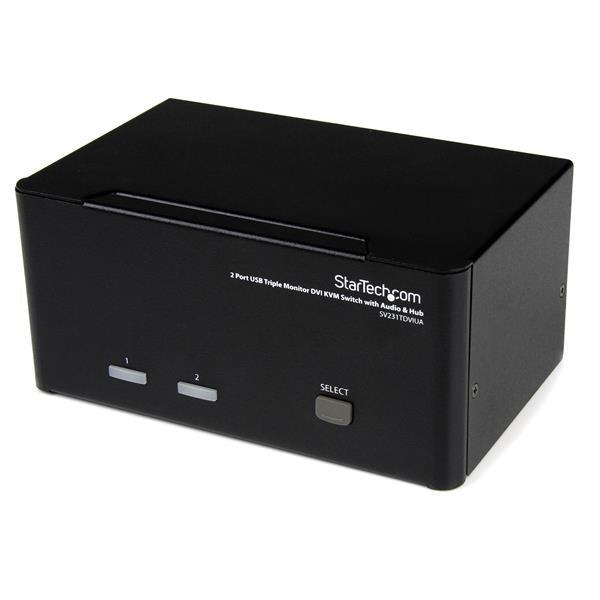
This DVI KVM switch triple monitor solution is perfect for professionals and power users who need seamless control over multiple computers with extensive display setups. Our computer monitor hub delivers:
-
Triple monitor support for maximum productivity and workflow efficiency
-
2 port KVM switch with cables for immediate plug-and-play setup
-
USB hub functionality enabling peripheral sharing across connected systems
-
Audio switching capability for complete multimedia workstation control
Key Features
-
Triple DVI monitor support for enhanced visual workspace
-
USB 2.0 hub with 2 ports for keyboard, mouse, and device sharing
- Integrated audio switching with microphone and speaker support
- Hot-key and push-button switching between computers
-
DVI-I dual link compatibility supporting resolutions up to 2048x1536
- No software installation required for immediate deployment
Technical Specifications
| Manufacturer |
StarTech.com |
| Model Number |
SV231TDVIUA |
| Type |
DVI KVM Switch Triple Monitor |
| Number of Computers |
2 |
| Number of Users |
1 |
| Video Resolution |
Up to 2048x1536 per monitor |
| Video Connectors |
6 x DVI-I Female (3 per computer) |
| USB Ports |
4 x USB-A (2 console, 2 hub) |
| Audio Support |
3.5mm stereo audio and microphone |
| Switching Method |
Push button and hotkey |
| Compatible Systems |
Windows, Mac, Linux systems with DVI output |
| Power |
External power adapter included |
Frequently Asked Questions
Q: Can this KVM switch support different monitor configurations across the connected computers?
A: Yes, each computer can drive up to three monitors independently. The triple monitor KVM switch allows each connected system to utilize its own monitor configuration while sharing the same physical displays.
Q: What types of DVI connections does this switch support?
A: This unit features DVI-I dual link connections supporting both digital and analog signals. It's compatible with DVI-D, DVI-I, and DVI-A cables for maximum flexibility with various graphics cards and monitors.
Q: How does the USB hub functionality work with connected devices?
A: The integrated USB 2.0 hub allows you to connect peripherals like keyboards, mice, and other USB devices that will automatically switch between computers along with video and audio — perfect for professional workstation setups.
Q: Does this KVM switch require any special drivers or software?
A: No software required. This plug-and-play KVM switch works immediately upon connection with Windows, Mac, and Linux systems. Simply connect your DVI monitor cables and USB peripherals for instant operation.
Professional DVI KVM switch for triple monitor setups. Control 2 computers with seamless switching, USB hub, and audio support. Plug-and-play installation.