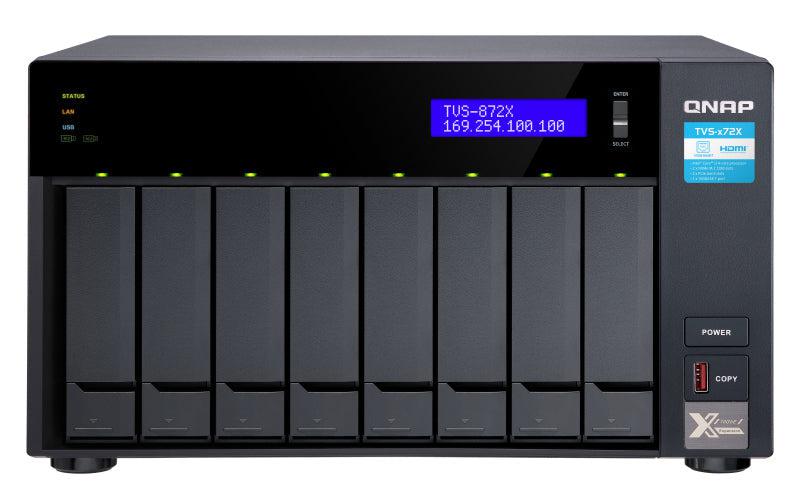
The QNAP TVS-872X-i3-8G-US is designed for small to medium businesses and IT professionals seeking reliable, scalable enterprise storage solutions. Providing high-performance network attached storage capabilities, this model is tailored for environments needing advanced data management and security. It is an ideal fit for virtualization applications, data centers, and sophisticated office settings.
-
Powerful Processing: Features an Intel® Core™ i3-8100 processor for handling intensive workloads with 8GB DDR4 RAM, expandable for customized performance.
-
Large Storage Capacity: Offers 8 bays that support up to 128TB storage capacity, suitable for extensive data storage needs.
-
Enhanced Networking: Includes dual 10GbE connectivity and dual Gigabit ports, ensuring fast data transfer and increased network throughput.
-
Sophisticated Features: Supports M.2 SSD caching and PCIe expansion, offering flexibility for performance optimization and future upgrades.
Technical Specifications
| Model |
TVS-872X-I3-8G-US |
| Type |
Network Attached Storage System |
| Processor |
Intel Core i3-8100 Quad-Core 3.6GHz |
| Memory |
8GB DDR4, expandable to 32GB |
| Drive Bays |
8 x 3.5/2.5-inch SATA |
| Network Ports |
2 x 10GbE SFP+, 2 x Gigabit Ethernet |
| USB Ports |
4 x USB 3.2 Gen 1 |
| RAID Support |
RAID 0, 1, 5, 6, 10, 50, 60, JBOD |
| Operating System |
QTS 5.0 |
| Expansion |
PCIe 3.0 slots for additional adapters |
| Applications |
Virtualization, Professional Data Management, Enterprise Backup Solutions |
Frequently Asked Questions
Q: What is the maximum storage capacity?
A: It supports up to 128TB using 8 x 16TB drives, ideal for data-intensive tasks and thorough data protection through RAID configurations.
Q: Does it support virtualization?
A: Yes, compatible with VMware, Citrix, and Microsoft Hyper-V, handling enterprise-grade virtualization efficiently.
Q: Is it suitable for cloud integration and advanced backups?
A: Featuring robust backup software and cloud sync capabilities including snapshot technology for improved disaster recovery strategies.
Q: How do I expand the system?
A: With PCIe slots available, you can incorporate multiple adapters to enhance networking capabilities and storage options.