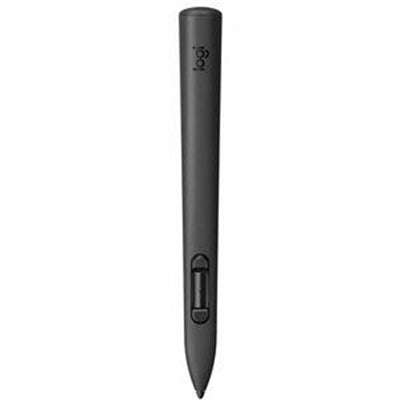
Logitech MX Ink MR Stylus for Meta Quest
The MX Ink MR stylus is engineered for creators, designers, and professionals who demand precision input in mixed-reality environments. This wireless pen controller transforms your Meta Quest headset into a powerful creative tool, enabling natural handwriting, drawing, and object manipulation with professional-grade pressure sensitivity. Whether you're sketching architectural designs, annotating 3D models, or interacting with immersive applications, the MX Ink delivers the responsiveness and comfort of a traditional pen in a fully wireless, VR-optimized form factor.
Key Features
- Pressure-sensitive input with 4096 levels for natural drawing and writing
- Lightweight pen-like ergonomic design for extended creative sessions
- Wireless connectivity optimized for Meta Quest mixed-reality performance
- Replaceable stylus tips for durability and customization
- Precise tracking and low-latency response in MR applications
- Compatible with Meta Quest 2, Quest Pro, and Quest 3 headsets
- Intuitive button controls for seamless application navigation
- Professional-grade accuracy for 3D modeling and design workflows
Technical Specifications
| Specification |
Details |
| Product Name |
MX Ink MR Stylus |
| Manufacturer |
Logitech |
| Part Number |
914-000085 |
| Compatibility |
Meta Quest 2, Quest Pro, Quest 3 |
| Connectivity |
Wireless (2.4GHz) |
| Pressure Levels |
4096 |
| Form Factor |
Pen-style controller |
| Tip Type |
Replaceable |
| Weight |
Lightweight ergonomic design |
| Battery Life |
Extended wireless operation |
Frequently Asked Questions
What is an MR stylus and how does it work with Meta Quest?
An MR stylus is a precision input device designed for mixed-reality environments. The MX Ink connects wirelessly to your Meta Quest headset, allowing you to draw, write, and interact with virtual objects using natural pen-like movements. The pressure sensitivity enables nuanced control, making it ideal for creative and professional applications.
Is the MX Ink wireless pen compatible with all Meta Quest models?
The MX Ink wireless pen controller is compatible with Meta Quest 2, Quest Pro, and Quest 3 headsets. Compatibility may vary with future models, so verify with your specific headset version before purchase.
Can I replace the stylus tips on the MX Ink?
Yes, the MX Ink features replaceable tips, allowing you to maintain optimal performance and customize your drawing experience. Replacement tips are available separately and can be easily swapped when worn.
What applications work best with the MX Ink MR stylus?
The MX Ink excels in creative and professional applications including 3D design software, digital art platforms, note-taking apps, architectural visualization tools, and any mixed-reality application requiring precise input and pressure sensitivity.