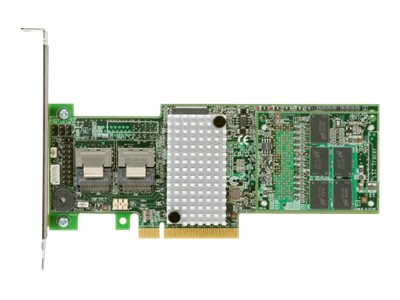
Lenovo ServeRAID M5110 - Storage controller (RAID) - 8 Channel - SATA 6Gb/s / SAS 6Gb/s - low profile - RAID 0, 1, 10 - PCIe 3.0 x8 - for System x3100 M5; x3300 M4; x3500 M4; x3530 M4; x3550 M4; x3630 M4; x3650 M4 BD
- Auto-resume on array rebuild or array reconstruction after the loss of system power
- Online Capacity Expansion
- Online RAID Level Migration
- Fast initialization for quick array setup
- Extensive online configuration options and advanced monitoring and event notification
The ServeRAID M5110 controller is a part of the ServeRAID M Series family of products that offers a complete server storage solution. These products are optimized to deliver the performance that is demanded by the ever-growing I/O requirements of today's enterprises. While M5110 comes as a small form factor PCIe adapter, it also shares a common set of upgrades, simplifying inventory management.
-
Auto-resume on array rebuild or array reconstruction after the loss of system power
Auto-resume uses non-volatile RAM (NVRAM) to save the rebuild progress during a host reboot or power failure to automatically resume from the last checkpoint. Auto-resume ensures that data integrity is maintained throughout the process. The card supports a number of features that are able to be implemented without rebooting the server. Applications, such as email and web server, benefit from avoiding downtime during the transition.
-
Online Capacity Expansion
Online Capacity Expansion (OCE) allows the capacity of a virtual disk to be expanded by adding new physical disks or making use of unused space on existing disks, without requiring a reboot.
-
Online RAID Level Migration
Online RAID Level Migration, which is also known as logical drive migration, provides the ability to migrate a virtual disk from any RAID level to any other RAID level without requiring a reboot. System availability and application functionality remain unaffected.
-
Fast initialization for quick array setup
Fast initialization quickly writes zeros to the first and last sectors of the virtual drive. This feature allows you to immediately start writing data to the virtual drive while the initialization is running in the background.
-
Extensive online configuration options and advanced monitoring and event notification
Management tools provide convenience for the configuration of logical volumes and alerting when errors have occurred or are about to occur.