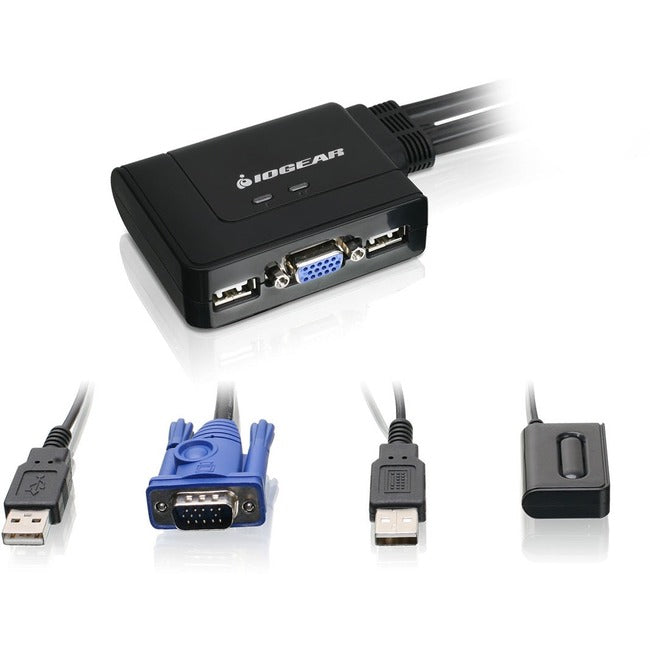
These KVM monitor switches are perfect for home office users, small businesses, and IT professionals who need to control multiple computers from a single workstation. Our IOGEAR GCS22U delivers:
-
Professional cables for KVM connectivity with built-in VGA and USB cables included
-
Advanced KVM switch cables USB design eliminating cable clutter and setup complexity
-
Remote port switching for convenient desktop control from anywhere within range
-
Multi-platform compatibility supporting Windows, Mac, Linux, and Sun systems
Key Features
-
2-port desktop switching to control multiple computers seamlessly
-
Built-in VGA and USB cables eliminating the need for separate connections
- Optimized for desktop workstation setup with compact form factor
- Consistent high-resolution VGA output up to 2048x1536 @ 65Hz
-
Remote port selector enabling convenient switching from up to 6 feet away
-
Hot-key switching support for quick computer selection via keyboard commands
-
Universal OS compatibility with plug-and-play installation
Technical Specifications
| Manufacturer |
IOGEAR |
| Model Number |
GCS22U |
| Type |
Desktop KVM Monitor Switch |
| Port Count |
2 Computer Connections |
| Video Interface |
VGA (DB-15) with Built-in Cables |
| Maximum Resolution |
2048x1536 @ 65Hz |
| USB Ports |
2 for Keyboard/Mouse (Built-in Cables) |
| Remote Control |
Wireless Remote Port Selector (6ft range) |
| Compatible Systems |
Windows, Mac OS, Linux, Unix, Sun |
| Power Requirements |
USB Bus Powered (No External Adapter) |
Frequently Asked Questions
Q: What makes these KVM monitor switches ideal for desktop use?
A: The GCS22U features integrated cables for KVM connections, eliminating cable clutter and simplifying setup. The compact design and wireless remote make it perfect for clean, organized workstation environments.
Q: Are the USB cables built into this KVM switch compatible with all systems?
A: Yes, the integrated KVM switch cables USB design provides universal compatibility with Windows, Mac, Linux, and Unix systems. The USB connections are plug-and-play with no drivers required.
Q: How does the remote port selector work with this KVM switch?
A: The wireless remote allows you to switch between connected computers from up to 6 feet away, providing convenient control without reaching for the switch unit. Perfect for desktop switching solutions where the KVM is mounted or positioned away from the user.
Q: What video quality can I expect from this 2-port KVM switch?
A: The GCS22U supports VGA resolutions up to 2048x1536 @ 65Hz, providing crisp, clear video quality for professional work. The built-in cables for KVM ensure reliable signal transmission without degradation.
KVM monitor switches for desktop use. IOGEAR GCS22U 2-port USB switch with built-in cables, remote control, and multi-platform support.