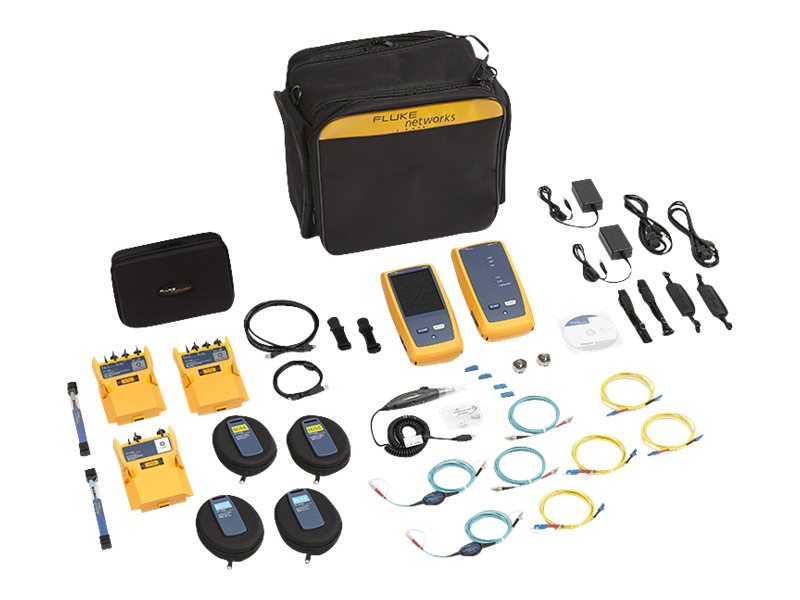
Fluke Networks OptiFiber Pro OTDR OFP2-CFP-QI-NW - Network tester kit
- Multiple wavelengths (850, 1300, 1310, 1490, 1550 and 1625 nm) support LAN, datacenters, PON, FTTx and outside plant applications
- Automated setup senses fiber characteristics and sets measurement parameters
- Manual Expert mode allows simple adjustments to automated settings for detailed testing
- EventMap automatically identifies events including connectors, splices, bends, and splitters
- Gesture-based interface allows fast, in-depth trace analysis
- SmartLoop OTDR technology tests two fibers in a single test eliminating the need to travel to the far end of the connection to perform tests
- Instantaneous on-board bi-directional averaging results
- Integrates with LinkWare Live to manage jobs and testers from any smart device
Fluke Networks' OptiFiber Pro Series OTDRs make novices and experts faster. Automated trace analysis and setup support applications including data centers, PON and outside plants. Advanced features include Manual Expert mode, pinch and zoom for in-depth trace analysis and SmartLoop for bi-directional testing.
-
SmartLoop OTDR
SmartLoop OTDR enables automated testing and analysis of two fibers in a single test while meeting standard requirements. This patented process automatically separates the two fibers for individual pass/fail analysis, display, and reporting. Not only does this cut the testing time by at least half, it also enables instant bi-directional averaged test results without moving the OTDR to the far end.
-
Splitter detection
OptiFiber Pro HDR is optimized for FTTx/PON testing through splitters. 1x16 and 1x32 are most commonly found today but OptiFiber Pro HDR is future proofed for testing even nx128 splitters. With its Discover function, you can automatically locate splitters and their ratios. Up to 3 cascaded splitters can be configured in the setup.
-
Macrobend detection
A bend in a fiber cable, if pulled around a sharp corner for instance, allows light to escape from the fiber's core. This macrobend may be a risk for mechanical or optical failure. OptiFiber Pro automatically identifies bends and their location by comparing the loss of an event at multiple wavelengths.
-
Expert Manual mode
Starting with settings from Auto OTDR mode, Expert Manual mode allows user to quickly experiment with settings to uncover details of interest.