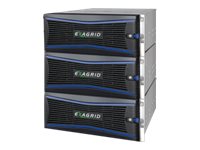
ExaGrid EX84-SEC - NAS server - 24 bays - 192 TB - rack-mountable - HDD - RAID 6 hot spare - RAM 128 GB - Gigabit Ethernet - 4U - refurbished
- No expansion of backup windows as data grows
- Seamless scalability with no forklift upgrades
- No obsolescence of previous model systems
- Data deduplication
- Support for heterogeneous backup applications and utilities
- Veritas Open Storage Technology (OST)
- Veeam Accelerated Data Mover
- Veeam Scale-Out Backup Repository (SOBR)
- Commvault
- Oracle RMAN channels
- Reliability and redundancy
- ExaGrid Retention Time-Lock for ransomware recovery
- RAID6 internal storage with consistency checking
- Flash-Backed RAID Cache
- Backup data checksums with automatic repair
- Offsite data protection for disaster recovery
ExaGrid provides tiered backup storage with a unique disk-cache Landing Zone, long-term retention repository, and scale-out architecture. ExaGrid's Landing Zone provides for the fastest backups, restores, and instant VM recoveries. The disk-cache Landing Zone tier allows for the fastest backups and restores. The retention repository tier offers low cost for long-term retention. ExaGrid's scale-out architecture includes full appliances and ensures a fixed-length backup window as data grows, eliminating expensive forklift upgrades and product obsolescence.
-
No expansion of backup windows as data grows
By adding full appliances, ExaGrid maintains consistently fast backup performance and a fixed length backup window as data increases.
-
Seamless scalability with no forklift upgrades
ExaGrid's scale-out approach avoids forklift upgrades by adding modular capacity with full servers to the existing system in full backup increments of 6, 10, 18, 27, 36, 52, or 84TB with up to 32 appliances in a single system that scales to 2.69PB full backup.
-
No obsolescence of previous model systems
All ExaGrid appliances can be seamlessly added to any existing ExaGrid deployment and can be mixed and matched with older appliances of any size, thereby eliminating obsolescence. Adding a new ExaGrid appliance is as simple as plugging it in and pointing backup jobs at the appropriate target. If any model is no longer offered, the models still work in a scale-out system with older and newer models, maintenance and support is always offered and maintenance and support will not go up more than 3% per year allowing organizations to get their full lifetime use out of all appliances in the system.
-
Data deduplication
ExaGrid's innovative approach to data deduplication minimizes the amount of data to be stored by using zone-level data deduplication across all received backups. ExaGrid's zone-level technology stores only the changed data at a granular level from backup to backup instead of storing full copies. ExaGrid uses zone stamps and similarity detection. This unique approach reduces the disk space required by an average of 20:1 and from 10:1 up to 50:1 depending on data type, retention and backup rotation delivering unparalleled performance for the fastest backups and restores.
-
Data backup performance
The ExaGrid system performs deduplication in parallel with backups by using idle system cycles. Termed "adaptive deduplication," this approach keeps deduplication out of the backup path, resulting in faster backups and a shorter backup window. Adaptive Deduplication gives full system resources to backups for the shortest backup window and uses idle cycles to perform deduplication and offsite replication, allowing data to be replicated offsite for a strong offsite recovery point (RPO) for update to data for disaster recoveries.
-
Data restore performance
Because ExaGrid's appliance allows each full backup to first land on the disk-cache Landing Zone before deduplication, the system maintains the most recent backup in its full, undeduplicated form for fast restores, Instant VM recoveries in seconds to minutes, and fast offsite tape copies. Since over 90% of restores and 100% of instant VM recoveries and tape copies are done from the most recent backup, this approach avoids the overhead incurred from "rehydrating" data during critical restores. As a result, restore, recovery, and copy times from an ExaGrid system are an order of magnitude faster than solutions that only store deduplicated data.
-
Support for heterogeneous backup applications and utilities
ExaGrid is able to support backup data from multiple sources, including a variety of backup applications and database dump utilities. Performing deduplication in the backup software limits the ability to have all data from all sources stored and deduplicated in a single target device. Unless 100% of your backup data passes through that particular backup application, a purpose-built disk-based backup appliance such as ExaGrid's is the ideal choice to meet the requirements of your entire environment.
-
Commvault
ExaGrid allows for Commvault deduplication to be turned on. ExaGrid further deduplicates the Commvault data by a factor of 3x greatly reducing the amount of backup storage required. ExaGrid can also allow users to turn Commvault deduplication off to increase backup performance while retaining the same cost storage as leaving Commvault deduplication on with ExaGrid's additional deduplication impact. ExaGrid support Commvault Spill & Fill for automatic job management where all jobs are sent to ExaGrid appliances in the system by Commvault automatically. Jobs can be sent to any appliance at any time as ExaGrid has both global deduplication across all appliances in the system and automatic load balancing of all long term retention data repositories.
-
Oracle RMAN channels
ExaGrid supports Oracle RMAN Channels targeted at multiple NAS shares across multiple appliances with global deduplication in a scale-out system. RMAN Channels automatically writes "sections" in parallel to all NAS shares and automatically redirects the next "section" based on available targets. RMAN Channels with ExaGrid has major advantages.
-
Reliability and redundancy
Organizations using a disk-based backup appliance to hold their invaluable backup data should carefully consider how the appliance is architected for reliability and redundancy. Compromises in a product's architecture or implementation may reduce product cost, but those savings are quickly negated by the risk and real cost to an organization of a loss of some or all backup data. ExaGrid's architecture and implementation have multiple facets of reliability and redundancy, allowing organizations that are considering disk-based backup appliances to make informed vendor selections.
-
ExaGrid Retention Time-Lock for ransomware recovery
ExaGrid's unique approach ransomware recovery is called Retention Time-Lock. It prevents hackers from deleting the backups and allows for retention points to be purged. The result is a strong data protection and recovery solution at a very low cost of storage. ExaGrid provides Tiered Backup Storage with a front-end disk-cache Landing Zone and separate Retention Tier containing all retention data. Data is written directly to the "network facing" ExaGrid disk-cache Landing Zone. Then it is tiered into a "non-network facing" long-term retention repository where it is stored as deduplicated data objects to reduce the storage cost of long-term retention data. As data is tiered to the Retention Tier, it is deduplicated and stored in a series of objects and metadata. As with other object storage systems, the ExaGrid objects and metadata never change allowing only for the creation of new objects or deletion of old objects when retention is reached.
-
RAID6 internal storage with consistency checking
All ExaGrid internal storage is accessed using an industry-leading PCI RAID controller at the RAID6 level of disk protection with a global "hot spare" disk. Since RAID6 keeps stripe parity on two disks, each ExaGrid appliance can tolerate the loss of up to two disk drives at the same time. The first lost disk drive will initiate a parity rebuild operation using the global hot spare as well as informing the backup administrator and (optionally) ExaGrid customer support of the failure. A replacement disk drive is dispatched quickly, typically allowing replacement of the failed disk the next business day. Loss of second disk does not result in loss of data since the remaining parity disk allows for data regeneration; this extends even longer the time available to replace the failed disk(s). During normal operation, the RAID controller does consistency checking of the data on its disks in the background, correcting any disk media errors using the parity disks.