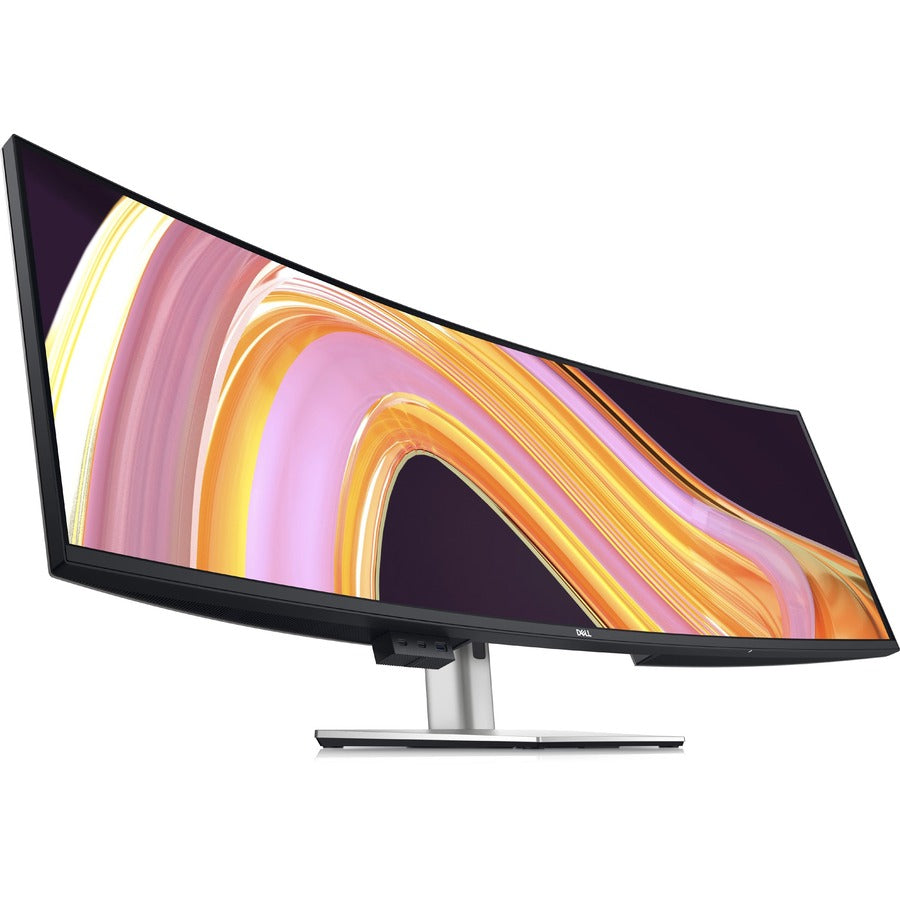
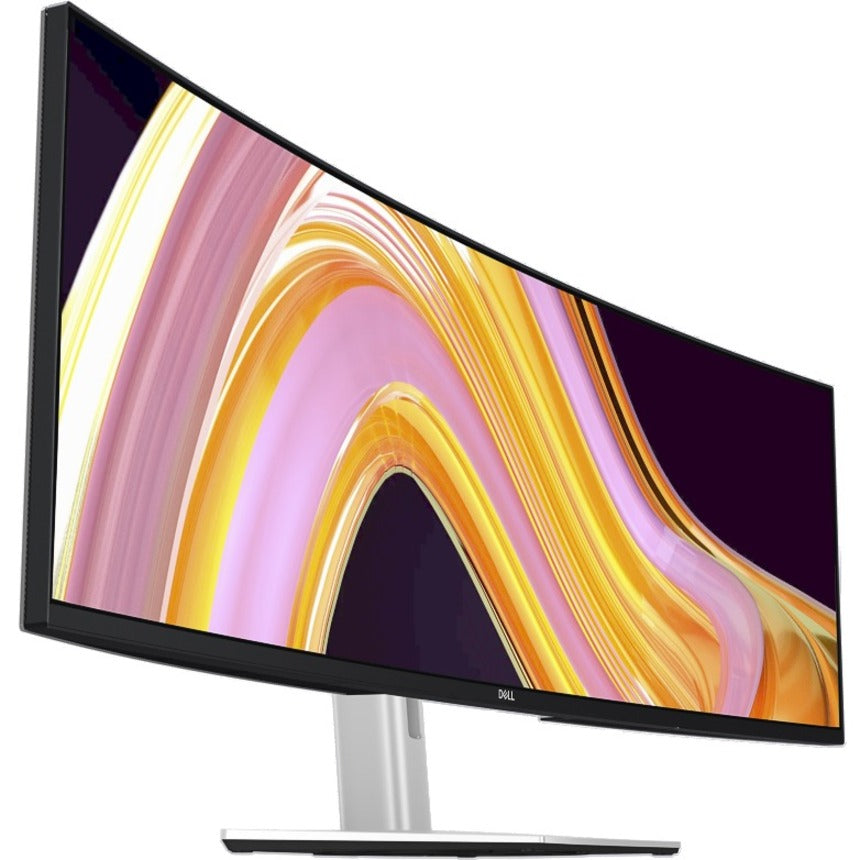
This dell computer monitor is perfect for financial professionals, creative professionals, data analysts, and power users requiring maximum screen real estate and connectivity. Our Dell UltraSharp U4924DW delivers:
-
49-inch curved display with Dual QHD resolution (5120x1440) providing expansive workspace equivalent to two 27-inch QHD monitors side-by-side
-
IPS Black technology delivering superior contrast ratios, deeper blacks, and exceptional color accuracy for professional applications
-
USB-C Hub with 90W power delivery enabling single-cable connectivity for laptops with charging, data transfer, and display output
-
Panoramic curved design reducing eye strain and providing immersive viewing experience for extended productivity sessions
Key Features
-
49-inch IPS Black panel with superior contrast and color reproduction for professional color-critical applications
-
Dual QHD 5120x1440 resolution providing exceptional detail and workspace for multitasking and complex workflows
- Optimized for professional productivity with extensive connectivity and ergonomic design for all-day comfort
- Consistent USB-C hub functionality with 90W power delivery supporting modern laptop docking solutions
-
Dell UltraSharp quality with factory color calibration and comprehensive warranty coverage
Technical Specifications
| Manufacturer |
Dell |
| Model Number |
U4924DW |
| Type |
49-Inch Curved UltraSharp Monitor with USB-C Hub |
| Screen Size |
49 inches diagonal |
| Resolution |
5120 x 1440 (Dual QHD) |
| Aspect Ratio |
32:9 ultrawide |
| Panel Type |
IPS Black Technology |
| Curvature |
1800R curved |
| Pixel Density |
109 PPI |
| Brightness |
400 cd/m² typical |
| Contrast Ratio |
2000:1 static (with IPS Black technology) |
| Color Gamut |
95% DCI-P3, 99% sRGB, 95% Adobe RGB |
| Color Depth |
10-bit (8-bit + FRC) |
| Colors |
1.07 billion colors |
| Viewing Angles |
178° horizontal / 178° vertical |
| Response Time |
5ms GtG (fast mode) |
| Refresh Rate |
60Hz |
| HDR Support |
HDR10, DisplayHDR 400 |
| Backlight |
LED edge-lit |
| Surface Treatment |
Anti-glare coating |
| USB-C Power Delivery |
90W (laptop charging) |
| Video Inputs |
1x DisplayPort 1.4, 1x HDMI 2.0, 1x USB-C (DP Alt Mode) |
| USB Hub |
1x USB-C upstream, 4x USB-A 3.2 downstream, 1x USB-B upstream |
| Audio |
3.5mm audio line out, built-in speakers (2x 5W) |
| Ethernet |
RJ45 Gigabit Ethernet (via USB-C) |
| KVM Switch |
2-port KVM functionality |
| Picture-by-Picture |
PBP and Picture-in-Picture support |
| Ergonomic Adjustments |
Height, tilt, swivel adjustable stand |
| Height Adjustment |
130mm (5.1 inches) |
| Tilt Range |
-5° to +15° |
| Swivel Range |
±20° |
| VESA Mount |
VESA 100x100mm compatible |
| Power Consumption |
95W typical, 180W maximum |
| Power Supply |
Internal, 100-240V AC |
| Operating Temperature |
0°C to 40°C (32°F to 104°F) |
| Storage Temperature |
-20°C to 60°C (-4°F to 140°F) |
| Humidity |
10% to 80% non-condensing |
| Dimensions |
47.7" x 18.5" x 11.4" (W x H x D) with stand |
| Weight |
26.5 lbs (12.0 kg) with stand |
| Certifications |
FCC, CE, RoHS, ENERGY STAR, TCO Certified |
| Warranty |
3-year Advanced Exchange Service and Premium Panel Guarantee |
| Compatible Systems |
Windows, macOS, Linux, Chrome OS |
49-Inch Panoramic Display Excellence
Expansive Workspace: 49-inch curved display provides equivalent screen real estate to dual 27-inch QHD monitors without bezels, enabling seamless multitasking and enhanced productivity for professional applications.
Immersive Curvature: 1800R curvature matches natural eye movement reducing head movement and eye strain during extended work sessions, providing comfortable viewing experience across the entire display width.
Future-Proof Investment: Large format display eliminates need for multiple monitor setups while providing flexibility for various application arrangements and workflow configurations.
Use Cases & Applications
Financial Trading and Analysis: Perfect for trading professionals requiring multiple data streams, charts, and analytical tools simultaneously visible for real-time decision making and market monitoring.
Creative Professional Work: Excellent for video editing, graphic design, and content creation with expansive timeline views, tool palettes, and preview areas visible simultaneously without window switching.
Data Analysis and Research: Ideal for data scientists, analysts, and researchers requiring multiple spreadsheets, databases, and visualization tools open concurrently for comprehensive analysis workflows.
Software Development: Suitable for developers needing extensive code editing workspace with debugging tools, documentation, and multiple application windows visible for efficient programming workflows.
Executive Productivity: Perfect for executives and managers requiring comprehensive dashboard views, communication tools, and document management across multiple applications for strategic oversight.
Dual QHD Resolution
Ultra-High Definition: Dual QHD resolution (5120x1440) delivers exceptional detail and clarity with 7.37 million pixels providing crisp text, detailed graphics, and precise visual elements.
Optimal Pixel Density: 109 PPI pixel density ensures sharp visual quality without requiring scaling, maintaining readability while maximizing workspace efficiency for professional applications.
Enhanced Productivity: High resolution enables detailed work with fine graphics, complex spreadsheets, and multiple documents simultaneously without compromising visual clarity or readability.
IPS Black Technology
Superior Contrast: IPS Black technology delivers 2000:1 contrast ratio, significantly higher than traditional IPS panels, providing deeper blacks and more vibrant colors for enhanced visual experience.
Professional Color Accuracy: 95% DCI-P3, 99% sRGB, and 95% Adobe RGB color space coverage ensures accurate color reproduction essential for color-critical professional applications and content creation.
Consistent Performance: IPS technology maintains color accuracy and contrast across wide viewing angles, ensuring consistent visual quality for collaborative work environments and varied viewing positions.
USB-C Hub Functionality
Single-Cable Solution: USB-C hub with 90W power delivery enables complete laptop docking through single cable connection, providing display output, data transfer, and laptop charging simultaneously.
Comprehensive Connectivity: Integrated hub includes multiple USB-A ports, Ethernet connection, and audio output, eliminating need for separate docking stations or adapters for complete workstation setup.
Modern Laptop Integration: Optimized for modern laptops with USB-C/Thunderbolt connectivity, providing seamless integration with MacBook Pro, Dell XPS, Surface, and other professional laptop models.
Professional Productivity Features
Picture-by-Picture Support: Advanced display management enables simultaneous input from multiple sources with customizable layout options for enhanced multitasking and workflow efficiency.
KVM Switch Functionality: Built-in 2-port KVM enables control of multiple computers through single keyboard and mouse setup, streamlining multi-system workflows and reducing desk clutter.
Dell Display Manager: Advanced software suite provides window management, application assignment, and productivity enhancement tools optimized for ultrawide display workflows.
Curved Computer Monitor Benefits
Enhanced Immersion: Curved computer monitor design provides more natural viewing experience by matching human peripheral vision, reducing eye strain and improving focus during extended work sessions.
Reduced Distortion: Curvature eliminates edge distortion common in large flat displays, maintaining consistent viewing distance and perspective across entire display width.
Improved Ergonomics: Curved design reduces need for head movement and eye refocusing, promoting better posture and reducing fatigue during long productivity sessions.
Cable Management and Connectivity
Organized Workspace: Integrated cable management system maintains clean workspace appearance while providing easy access to connectivity options for professional environments.
Versatile Inputs: Multiple input options including DisplayPort 1.4, HDMI 2.0, and USB-C ensure compatibility with various devices and future-proof connectivity requirements.
Daisy Chain Support: DisplayPort MST capability enables daisy chaining additional monitors for expanded multi-display configurations when required.
Dell UltraSharp Quality
Factory Calibration: Pre-calibrated color accuracy ensures optimal performance out-of-box with Delta E < 2 color accuracy for professional color-critical applications.
Premium Panel Guarantee: Dell's Premium Panel Guarantee protects against even single bright pixel defects, ensuring perfect display quality for professional environments.
Advanced Exchange Service: Comprehensive warranty includes next-business-day Advanced Exchange Service minimizing downtime for business-critical applications.
Energy Efficiency
ENERGY STAR Certification: Efficient LED backlight and intelligent power management reduce operational costs while maintaining high performance for sustainable computing operations.
Automatic Power Management: Smart power saving modes and ambient light sensing optimize energy consumption based on usage patterns and environmental conditions.
Eco-Friendly Materials: Constructed with environmentally responsible materials and packaging supporting corporate sustainability initiatives and environmental compliance.
Ergonomic Design
Full Adjustability: Comprehensive ergonomic adjustments including height, tilt, and swivel enable optimal viewing comfort and workplace ergonomics for extended use scenarios.
VESA Compatibility: Standard VESA mounting support enables professional monitor arms and wall mounting solutions for custom workspace configurations and space optimization.
Comfort Features: Flicker-free operation and blue light reduction features minimize eye strain and fatigue during extended work sessions and late-hour productivity.
Multi-Display Alternative
Dual Monitor Replacement: This solution eliminates bezels and complexity of dell computer dual monitor setup while providing equivalent or superior workspace area in single seamless display.
Simplified Management: Single display reduces complexity of multi-monitor configurations including driver management, scaling issues, and application window management across multiple screens.
Cost Effectiveness: Single ultrawide display often provides better value than dual monitor setups when considering monitor costs, mounting hardware, and desk space requirements.
Business Integration
Enterprise Management: Dell Command | Monitor enables centralized management and deployment of display settings across enterprise environments for consistent user experience.
Security Features: Built-in security features and enterprise-grade components ensure reliable operation and data protection in corporate environments.
Asset Management: Dell Asset Manager integration provides comprehensive asset tracking and lifecycle management for IT infrastructure planning and budgeting.
Content Creation Excellence
Video Editing Workflow: Expansive timeline view and tool palette arrangement enable efficient video editing with preview windows, effects panels, and media browsers simultaneously visible.
Graphic Design Productivity: Large canvas area and tool accessibility improve design workflow efficiency with multiple artboards, reference images, and design tools visible concurrently.
Color Critical Work: Professional color accuracy and wide color gamut support ensure reliable color reproduction for print, web, and video content creation applications.
Financial Trading Optimization
Multi-Market Monitoring: Simultaneous display of multiple trading platforms, news feeds, and analytical tools enables comprehensive market awareness and rapid decision making.
Real-Time Data Display: High refresh rate and minimal input lag ensure real-time data visualization essential for time-sensitive trading decisions and market analysis.
Workspace Efficiency: Eliminates window switching and application management overhead allowing focus on market analysis and trading execution without workflow interruption.
Software Development Enhancement
Code and Documentation: Side-by-side code editing and documentation viewing improves development efficiency with reference materials, debugging tools, and multiple file editing simultaneously.
Testing and Development: Multiple browser windows, testing environments, and development tools visible concurrently streamline web development and application testing workflows.
Collaboration Tools: Video conferencing, code review, and communication tools integrate seamlessly with development environment without interrupting coding workflow.
Competitive Advantages
Dell Professional Heritage: Decades of professional display expertise ensures proven reliability, comprehensive support, and continuous innovation for business-critical applications.
Integrated Hub Solution: Built-in USB-C hub functionality eliminates external docking station requirements while providing comprehensive connectivity in single elegant solution.
Performance Balance: Optimal combination of size, resolution, color accuracy, and connectivity provides comprehensive professional display solution without compromises.
Support and Warranty
Comprehensive Coverage: 3-year warranty with Advanced Exchange Service ensures minimal downtime and reliable support for business-critical display applications.
Global Support Network: Dell's worldwide support infrastructure provides local technical assistance and service support for international business deployments.
Professional Services: Dell Professional Services offer installation, configuration, and integration support for complex enterprise deployments and custom requirements.
Frequently Asked Questions
Q: What type of panel technology does the U4924DW use?
A: This dell computer monitor features advanced IPS Black technology providing superior 2000:1 contrast ratio, deeper blacks, and exceptional color accuracy with 95% DCI-P3 color space coverage for professional applications.
Q: How does the USB-C hub benefit users?
A: The USB-C hub with 90W power delivery enables single-cable laptop docking, providing display output, laptop charging, and access to multiple USB ports, Ethernet, and audio through one connection for streamlined workspace setup.
Q: What are the best use cases for a 49-inch curved monitor?
A: This curved computer monitor excels in financial trading, creative workflows, data analysis, software development, and executive productivity where expansive workspace, multitasking capability, and immersive viewing experience enhance efficiency.
Q: Does this monitor replace dual monitor setups?
A: Yes, the 49-inch Dual QHD display provides equivalent workspace to dual 27-inch QHD monitors without bezels, offering seamless multitasking while eliminating the complexity and cost of computer monitor hub configurations.
Q: What connectivity options are available?
A: The monitor includes DisplayPort 1.4, HDMI 2.0, USB-C with 90W power delivery, multiple USB-A ports, Ethernet, and audio connectivity, providing comprehensive modern workstation requirements in single display solution.
Q: Is this suitable for color-critical professional work?
A: Absolutely, with 95% DCI-P3, 99% sRGB, and 95% Adobe RGB color coverage, factory calibration with Delta E < 2 accuracy, and IPS Black technology, this monitor meets professional color-critical application requirements.
Dell UltraSharp U4924DW 49" curved USB-C hub monitor with Dual QHD resolution, IPS Black technology, and 90W power delivery for professional productivity.