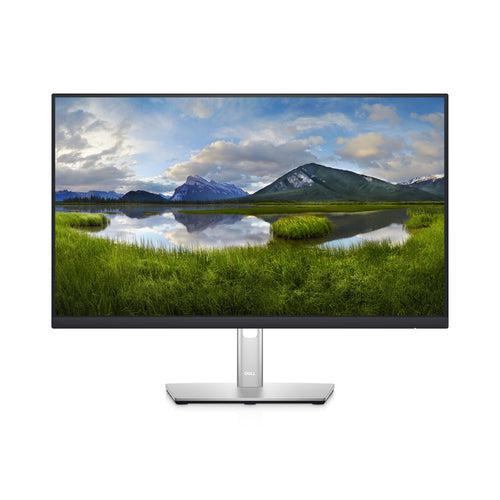
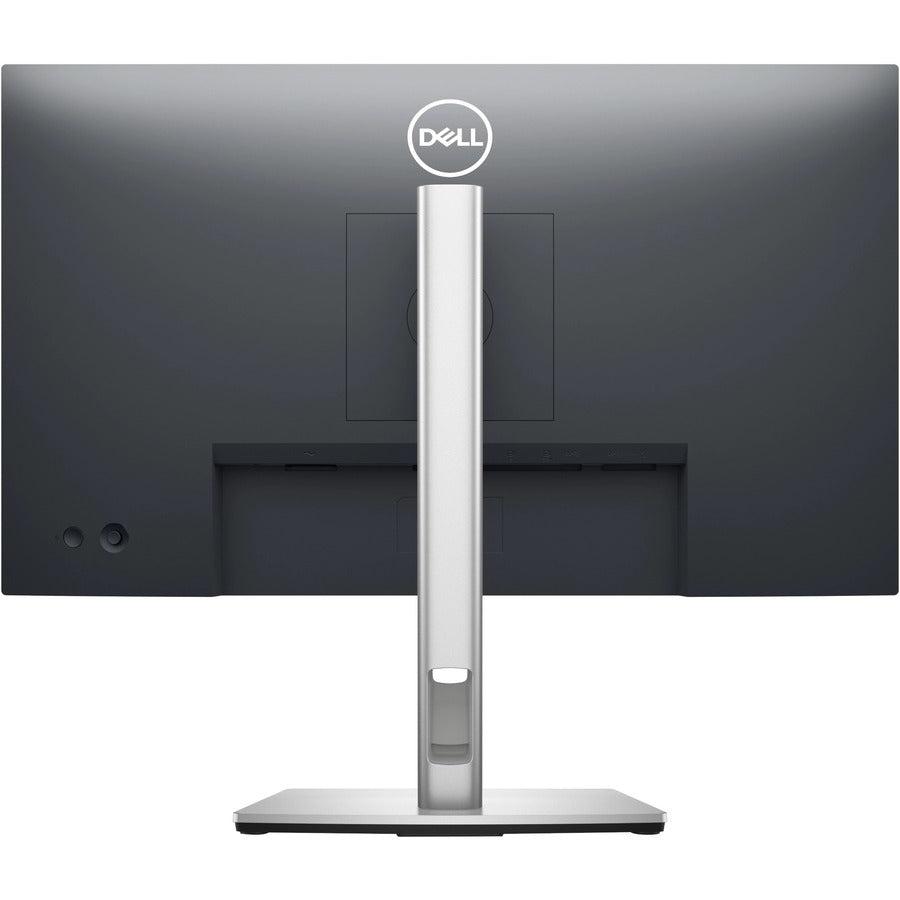
This USB-C hub monitor is perfect for professionals and hybrid workers who need a streamlined computer monitor hub solution. Our Dell P2422HE delivers:
-
Full HD IPS display with 1920x1080 resolution for exceptional visual clarity
-
Built-in USB-C connectivity providing power, data, and display through a single cable
-
ComfortView Plus technology reducing harmful blue light for extended work sessions
-
Integrated hub functionality with multiple ports for complete workspace connectivity
Key Features
-
Dell computer monitor with advanced IPS panel technology
-
24 inch IPS monitor delivering accurate colors and wide viewing angles
- Integrated USB-C display cable for single-cable laptop connection
- Built-in desktop docking station functionality with multiple USB ports
-
ComfortView Plus flicker-free screen for reduced eye strain
- Height-adjustable stand with tilt, swivel, and pivot capabilities
- Daisy-chain compatible for multi-monitor setups
Technical Specifications
| Manufacturer |
Dell |
| Model Number |
P2422HE |
| Display Size |
24 inches |
| Panel Type |
IPS (In-Plane Switching) |
| Resolution |
1920 x 1080 (Full HD) |
| Refresh Rate |
60Hz |
| Response Time |
8ms (gray to gray) |
| Brightness |
250 cd/m² |
| Contrast Ratio |
1000:1 |
| Color Coverage |
99% sRGB |
| Viewing Angles |
178° horizontal / 178° vertical |
| Connectivity |
USB-C (90W), HDMI, DisplayPort, USB-A Hub |
| USB Ports |
4x USB-A 3.2, 1x USB-C upstream |
| Power Delivery |
90W via USB-C |
| Adjustability |
Height, tilt, swivel, pivot |
| VESA Mount |
100 x 100mm |
| ComfortView Plus |
Hardware-based blue light reduction |
| Dimensions (with stand) |
21.26 x 18.78 x 8.23 inches |
| Weight |
13.89 lbs |
Frequently Asked Questions
Q: How does this USB-C hub monitor simplify my workspace setup?
A: The Dell P2422HE functions as a complete computer monitor hub with 90W USB-C power delivery, allowing you to connect, charge, and display from your laptop using just one USB-C display cable.
Q: What makes the ComfortView Plus technology different from software blue light filters?
A: ComfortView Plus uses hardware-based blue light reduction that maintains color accuracy while protecting your eyes, unlike software filters that can distort colors during extended work sessions.
Q: Can this monitor work as a desktop docking station replacement?
A: Yes, with 4 USB-A ports, USB-C connectivity, and 90W power delivery, this desktop docking station monitor eliminates the need for separate docking hardware while providing full connectivity.
Q: Is this 24 inch IPS monitor suitable for color-critical work?
A: Absolutely. With 99% sRGB color coverage and 24 inch IPS monitors technology providing 178° viewing angles, it's ideal for graphic design, photo editing, and professional content creation.
Q: How does the daisy-chain feature work for multi-monitor setups?
A: The DisplayPort 1.4 with MST support allows you to connect multiple monitors in series, perfect for creating efficient multi-monitor workstations without complex cable management.