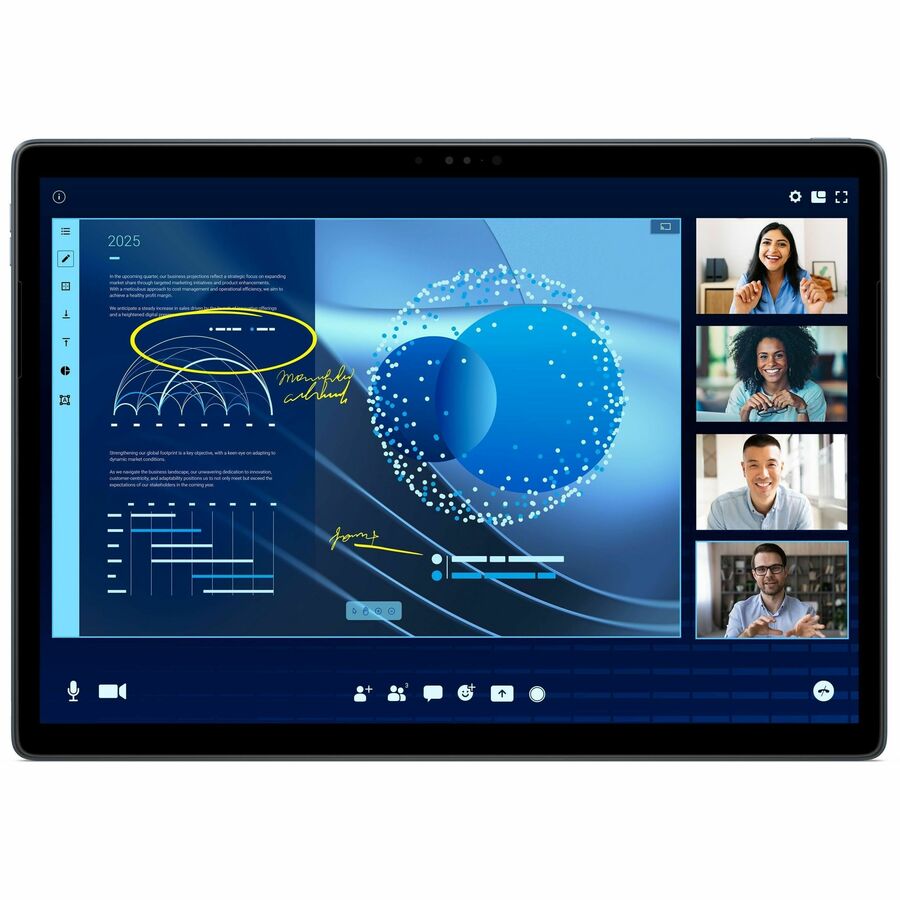
Dell Latitude 7350 Tablet - 13" 3K - vPro Technology - 16 GB - 512 GB SSD - Windows 11 Pro represents a sophisticated blend of high-performance computing and portability, meticulously engineered for professionals who prioritize reliability, security, and efficiency in their daily operations. This device is designed to meet the rigorous demands of modern business environments, offering a superior user experience through its advanced hardware and software integration.
The centerpiece of the Latitude 7350 is its vibrant 13-inch display featuring a 2880 x 1920 resolution with In-plane Switching (IPS) technology. This ensures exceptional color accuracy and wide viewing angles, making it ideal for tasks that require precise visual detail, such as graphic design, data analysis, and high-level presentations. The display’s clarity and color fidelity support productivity and reduce eye strain during extended use.
At the core of this tablet lies the Intel® Core™ Ultra 7 Dodeca-core (12 Core) 164U processor, a cutting-edge hybrid architecture that integrates three distinct processing units: CPU, GPU, and NPU. This triad enables the Latitude 7350 to efficiently distribute workloads, resulting in seamless multitasking, accelerated AI processing, and optimized power consumption. Such architecture is particularly advantageous for professionals who rely on resource-intensive applications, ensuring smooth performance without compromising battery longevity.
Complementing the processor is 16 GB of RAM and a 512 GB solid-state drive (SSD), providing ample memory and rapid data access to support complex software suites and large file storage. The inclusion of Windows 11 Pro as the operating system enhances the device’s security posture and compatibility with a broad spectrum of enterprise applications. Furthermore, the integration of Intel vPro technology elevates the Latitude 7350’s capabilities by enabling advanced remote management, hardware-based security features, and streamlined IT administration—critical elements for corporate IT infrastructures.
For communication and collaboration, the tablet is equipped with an 8-megapixel front-facing camera, delivering clear and professional-quality video conferencing experiences. The device’s AI acceleration capabilities contribute significantly to productivity by reducing power consumption by up to 38% during AI-enhanced collaboration tools such as Zoom. Additionally, it accelerates creative workflows by enabling 132% faster on-device AI photo editing with Adobe applications and strengthens security measures by detecting malware with less than 1% CPU utilization when using CrowdStrike.
Key Specifications:
- Display: 13" 2880 x 1920 IPS Technology
- Processor: Intel® Core™ Ultra 7 Dodeca-core (12 Core) 164U
- Memory: 16 GB RAM
- Storage: 512 GB SSD
- Operating System: Windows 11 Pro
- Camera: 8 Megapixel Front Camera
- Technology: vPro for enhanced security and management
Frequently Asked Questions:
-
Who is the Dell Latitude 7350 Tablet best suited for?
It is designed for business professionals and enterprise users who require a powerful, portable device with advanced security features and remote management capabilities to support demanding workflows.
-
How does the Intel Core Ultra processor benefit users?
The hybrid architecture of the Intel Core Ultra 7 processor efficiently manages multiple simultaneous workloads, enhancing overall performance and extending battery life, which is essential for mobile productivity.
-
What advantages does vPro technology provide?
Intel vPro technology offers enhanced security, remote management, and IT control features that are vital for maintaining corporate data integrity and simplifying device administration across large organizations.
-
Is the display suitable for detailed visual work?
Yes, the 13" 3K IPS display provides high resolution and accurate color reproduction, making it well-suited for creative professionals and tasks requiring meticulous visual precision.
-
How does the AI acceleration improve productivity?
AI acceleration optimizes power consumption and processing efficiency during collaboration, creative editing, and security tasks, thereby improving overall productivity and user experience.