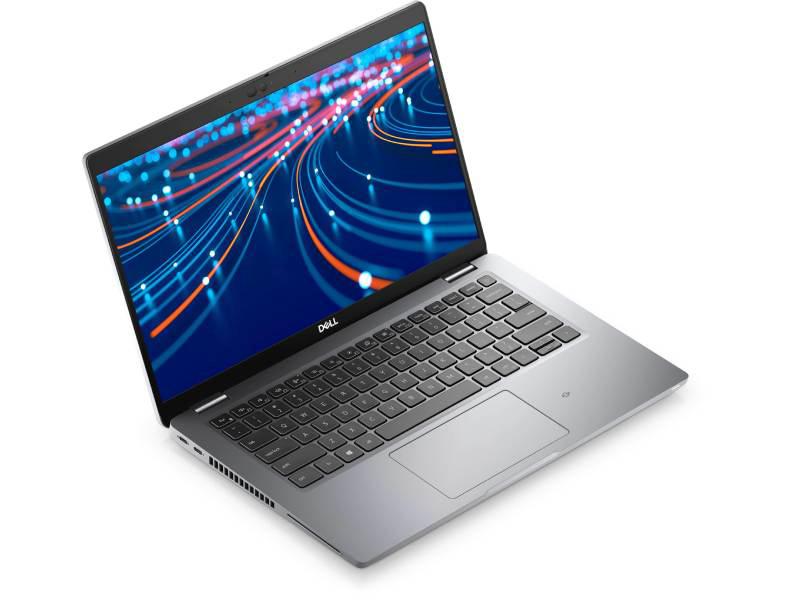
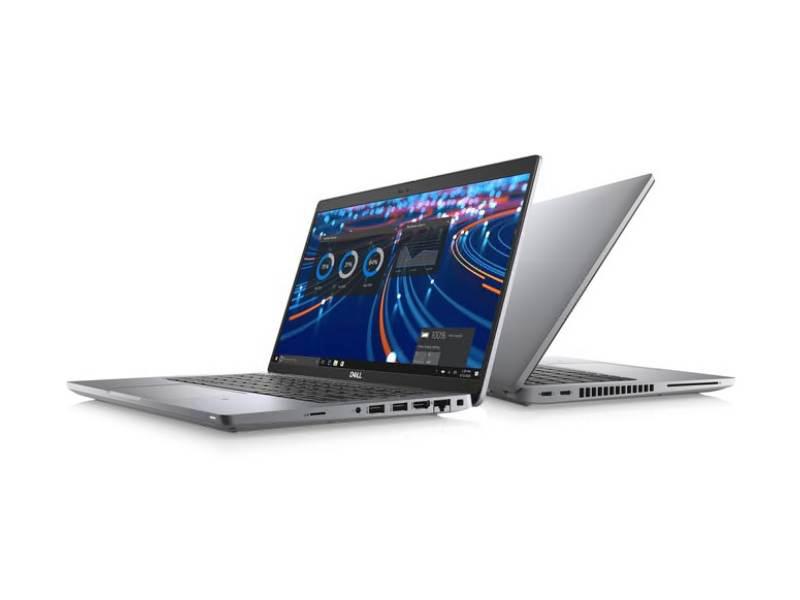
Dell Y3NXM-TOUCH – Latitude 5420 14" FHD Touch | i5-1145G7 vPro | 16GB | 512GB | Windows 10 Pro
The Dell Latitude 5420 Y3NXM-TOUCH is a premium 14-inch business-class touchscreen laptop designed to meet the rigorous demands of modern professionals. It combines robust security features, advanced performance capabilities, and a highly portable design to support productivity in diverse work environments. Equipped with an 11th Gen Intel® Core™ i5-1145G7 vPro® processor, 16GB DDR4 RAM, and a high-speed 512GB PCIe NVMe SSD, this laptop ensures seamless multitasking and efficient handling of complex business applications, virtual collaboration, remote access, and cloud-based workloads.
Featuring a Full HD 1920×1080 14" touchscreen with an IPS panel, Intel Iris Xe graphics for crisp visuals, and Windows 10 Pro for enterprise-grade functionality, the Latitude 5420 Y3NXM-TOUCH is tailored for executives, remote professionals, IT administrators managing device fleets, and power users who require a dependable, secure, and mobile computing solution.
Who is the Dell Latitude 5420 Y3NXM-TOUCH for?
This configuration is ideally suited for:
-
Business professionals & executives – Rely on consistent and responsive performance for applications such as Excel, Outlook, Microsoft Teams, Zoom, and web-based tools, complemented by enterprise-level security and vPro manageability features.
-
Remote & hybrid workers – Benefit from integrated webcam functionality, dual Thunderbolt 4 ports, Wi-Fi 6 connectivity, and gigabit Ethernet to maintain reliable connections whether working from home, the office, or on the move.
-
Field engineers & consultants – Utilize the 14" FHD touchscreen, durable chassis construction, and robust battery options to effectively perform on-site tasks, capture notes, and review technical diagrams.
-
IT departments – Leverage vPro support, hardware-level security features, and the standardized Latitude platform to streamline deployment, management, and maintenance of device fleets.
Key Features & Benefits
-
11th Gen Intel Core i5-1145G7 vPro (up to 4.4 GHz) – Featuring 4 cores, 8 threads, and 8MB cache, this processor delivers responsive and efficient performance tailored for multitasking and demanding business workloads.
-
14" FHD (1920×1080) IPS Touchscreen – The anti-glare Full HD panel offers wide viewing angles and supports 10-point touch input, facilitating intuitive navigation and precise annotation for enhanced user interaction.
-
16GB DDR4 3200 MHz Memory – Provides ample RAM capacity to efficiently run multiple browser tabs, office productivity suites, conferencing applications, and specialized line-of-business software concurrently.
-
512GB PCIe NVMe SSD – High-speed solid-state storage ensures rapid system boot times and swift application launches, contributing to overall system responsiveness.
-
Intel Iris Xe Graphics – Delivers smooth and vibrant graphics performance suitable for Full HD video playback, professional presentations, and light creative tasks.
-
Business-ready connectivity – Equipped with 2× Thunderbolt 4 (USB-C), 2× USB-A 3.2 Gen 1, HDMI 2.0, RJ-45 Ethernet, microSD card reader, and audio jack ports to support a wide range of peripherals and docking solutions.
-
Windows 10 Pro – Incorporates enterprise-grade features including BitLocker encryption, domain join capabilities, and Group Policy management to enhance security and administrative control.
-
Lightweight 14" chassis – Weighing approximately 3.0 lb (1.37 kg) and featuring a slim profile, the laptop is designed for effortless portability and travel convenience.
Detailed Specifications – Dell Latitude 5420 Y3NXM-TOUCH
Model:
Processor & Graphics
Memory & Storage
Display
-
Size: 14.0"
-
Resolution: Full HD 1920×1080
-
Type: IPS, anti-glare, touchscreen (10-point touch)
-
Aspect ratio: 16:9
Operating System
Connectivity & Ports
-
USB / Thunderbolt
-
Video out: 1 × HDMI 2.0
-
Networking:
-
Other:
Camera & Audio
Dimensions & Weight
-
Width: 12.65 in (321.35 mm)
-
Depth: 8.35 in (212.0 mm)
-
Height: 0.76 in (front) – 0.82 in (rear)
-
Weight (max): ≈3.03 lb (1.37 kg)
FAQs – Dell Latitude 5420 Y3NXM-TOUCH
1. Can the Dell Latitude 5420 Y3NXM-TOUCH be upgraded to Windows 11 Pro?
Yes. The 11th Gen Intel Core i5-1145G7, TPM 2.0, and UEFI firmware meet Microsoft’s Windows 11 requirements, allowing an upgrade from Windows 10 Pro to Windows 11 Pro when organizational readiness permits.
2. Is the RAM upgradeable beyond 16GB?