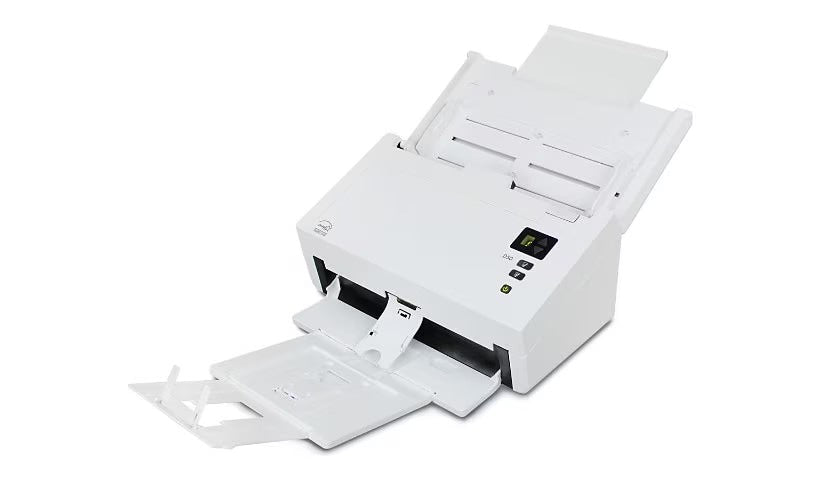
The VISIONEER D50-U is a high-speed office scanner designed for professionals who demand fast, reliable digitization of legal-size documents. Built for busy environments, it combines robust paper handling with crisp image quality to streamline workflows across banking, healthcare, government, and manufacturing settings.
-
Max Document Size: Scans up to 8.5 x 14 inches (legal size), accommodating standard paperwork, receipts, and forms.
-
Speed and Throughput: 70 ppm / 140 ipm at 300 dpi for black & white and grayscale; 50 ppm / 100 ipm in color.
-
Resolution: 300 dpi native resolution for sharp, legible scans.
-
Connectivity: USB 3.1 interface provides fast, stable data transfer.
-
Autoload Feature: Batch scanning with unattended operation to keep work flowing.
-
Image Enhancement: Integrated software optimizes contrast, clarity, and readability without extra steps.
-
Design: Compact footprint designed to fit smaller offices and workspaces.
-
Operating System Compatibility: Supports both Windows and Mac environments.
The D50-U empowers teams to transform stacks of paper into searchable, shareable digital files with minimal downtime. Its strong paper handling reduces jams, while the autoload feature and fast USB 3.1 transfer speed keep batch scanning moving. The result is cleaner records, faster retrieval, fewer physical storage needs, and improved compliance across sectors that rely on accurate documentation.
Specifications
-
Document size: Up to 8.5 x 14 in (legal size)
-
Resolution: 300 dpi
-
Scan speed: 70 ppm / 140 ipm (B&W/Grayscale), 50 ppm / 100 ipm (Color)
-
Connectivity: USB 3.1
-
Autoload: Yes (unattended batch scanning)
-
Image Enhancement: Integrated software
-
Compatibility: Windows and Mac
Frequently Asked Questions
-
What types of documents can the D50-U scan? It supports legal-size papers, receipts, and business cards.
-
Is the scanner compatible with Windows and Mac? Yes, it supports both Windows and Mac operating systems.
-
Does it require special drivers or software? It comes with integrated image enhancing software and standard drivers for easy installation.
-
How does the autoload feature work? The autoload function enables batch scanning without manual intervention, improving workflow efficiency.
-
What maintenance is needed? Regular cleaning of the scanner glass and rollers is recommended to maintain optimal performance.