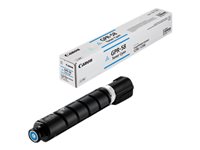
Canon Original GPR-58 Cyan Toner 2183C003AA
The Canon GPR-58 Cyan Toner is the authentic replacement cartridge for Canon imageRUNNER ADVANCE multifunction printers. Designed for high-volume office environments, this cyan toner cartridge delivers vibrant color output and reliable performance across compatible Canon models. Whether you're managing a busy print room or maintaining consistent document quality, the GPR-58 ensures professional results with every print job.
This original Canon toner is engineered for the imageRUNNER ADVANCE DX C256iF II, C256iF III, C356iF II, and C356iF III series, providing seamless compatibility and optimal print quality. Choose genuine Canon supplies to maximize printer lifespan and maintain warranty coverage.
Key Features
- Original Canon GPR-58 cyan toner for imageRUNNER ADVANCE printers
- Compatible with DX C256iF II, C256iF III, C356iF II, and C356iF III models
- Delivers vibrant cyan color output for professional documents
- High-yield performance for high-volume printing environments
- Genuine Canon manufacturing ensures reliability and print quality
- Maintains printer warranty and optimal device performance
Technical Specifications
| Specification |
Details |
| Manufacturer |
Canon |
| Part Number |
2183C003AA |
| Product Type |
Cyan Toner Cartridge |
| Color |
Cyan |
| Compatible Printers |
imageRUNNER ADVANCE DX C256iF II, C256iF III, C356iF II, C356iF III |
| Cartridge Series |
GPR-58 |
Frequently Asked Questions
What printers does the Canon GPR-58 cyan toner work with?
The Canon GPR-58 cyan toner cartridge is compatible with imageRUNNER ADVANCE DX C256iF II, C256iF III, C356iF II, and C356iF III multifunction printers. Always verify your printer model before purchasing to ensure proper compatibility.
Is this an original Canon toner cartridge?
Yes, the GPR-58 with part number 2183C003AA is an original Canon toner manufactured by Canon. Using genuine Canon supplies protects your printer warranty and ensures consistent, high-quality color output.
How do I replace the cyan toner in my imageRUNNER ADVANCE printer?
Refer to your printer's user manual for detailed replacement instructions. Generally, access the toner compartment, remove the empty cartridge, and insert the new GPR-58 cyan toner until it clicks into place. Run a test print to confirm proper installation.
Why choose original Canon toner over third-party alternatives?
Original Canon toner delivers superior print quality, reliability, and maintains your printer's warranty. Genuine cartridges are optimized for Canon printers and reduce the risk of hardware damage or print defects.