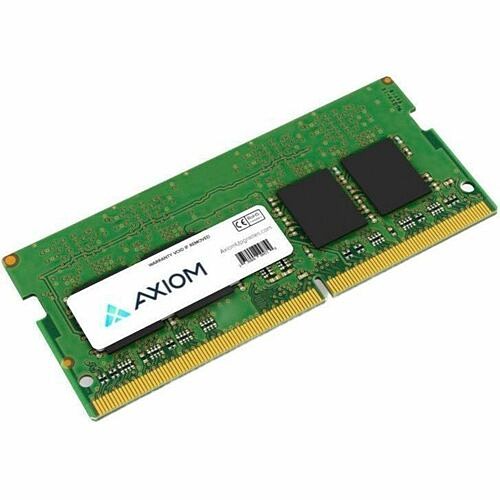
The Axiom 32GB DDR5-6000 SODIMM (AX56000S48D/32G) is a high-performance memory upgrade designed for professionals who need reliable power in compact devices. It delivers substantial capacity and fast data transfer to boost productivity in laptops and small form factor PCs.
-
Capacity: 32GB total memory for efficient multitasking and handling large data sets
-
Speed: DDR5-6000 data rate for quicker data movement and snappier application performance
-
Form Factor: SODIMM, ideal for laptops, ultrabooks, and other small, space-constrained systems
-
Brand & Reliability: AXIOM memory engineered for quality and long-term durability
-
Compatibility: Supports latest platforms that require high-speed memory
This memory module helps professionals reduce load times and smooth workloads across demanding tasks. Expect quicker boot and resume times, faster app launches, and more responsive multitasking when working with resource-heavy tools like video editing software, virtualization labs, large spreadsheets, and development environments—all in mobile or compact setups.
Specs
-
Capacity: 32GB
-
Memory Type: DDR5-6000
-
Form Factor: SODIMM
-
Part Number: AX56000S48D/32G
-
Brand: AXIOM
FAQ
-
What is AX56000S48D/32G? A 32GB DDR5-6000 SODIMM memory module from AXIOM, designed to upgrade portable and compact systems.
-
Which devices can use this module? Laptops, ultrabooks, and other small form factor PCs that include a DDR5 SODIMM slot and support high-speed memory.
-
What performance improvements should I expect? You’ll experience faster data transfers, quicker application loading, and smoother multitasking, especially with data-heavy tasks like video editing, virtualization, and large datasets.
-
How do I install it? Power off the device, discharge static, open the memory compartment, orient the module to match the key notch, press down gently until the latches click, and reseal the system. If in doubt, consult your device’s service manual or a professional.
-
Should I pair this with another identical module? For best dual-channel performance, use it in a system with matching memory speeds and capacities. If adding to existing RAM, aim for compatible speed and latency to maximize efficiency and stability.