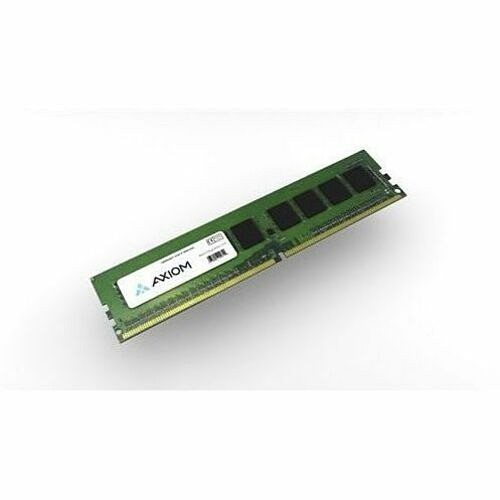
The AXIOM A9TF2AA-AX 16GB DDR5-5600 ECC UDIMM is a purpose-built memory upgrade for HP systems, delivering reliable speed and data integrity for demanding professional workloads.
-
Capacity: 16GB DDR5 memory module
-
Memory Type: DDR5-5600 ECC UDIMM
-
ECC: Error Correction Code to help detect and correct memory errors
-
Form Factor: UDIMM, designed for HP desktop, workstation, and server memory slots
-
Compatibility: HP-optimized module, model A9TF2AA-AX by AXIOM
-
Vendor: AXIOM memory with a focus on reliability for professional environments
AXIOM 16GB DDR5-5600 ECC UDIMM for HP enhances system reliability and speed, supporting smoother multitasking, faster data access, and stable performance under heavy workloads. The ECC capability helps minimize data corruption risks in mission-critical tasks, making it well-suited for virtualization, engineering software, databases, and other resource-intensive applications. With DDR5’s higher bandwidth and improved efficiency, you’ll notice more responsive performance in everyday tasks and complex workloads alike.
Specs
-
Brand: AXIOM
-
Model: A9TF2AA-AX (A9TF2AA)
-
Type: DDR5 ECC UDIMM
-
Capacity: 16GB
-
Speed: 5600 MT/s
-
Form Factor: UDIMM
-
ECC: Yes
-
Compatibility: HP systems that support DDR5 ECC UDIMMs
FAQ
-
What are the key specifications of this memory module? 16GB capacity, DDR5-5600 speed, ECC support, UDIMM form factor, HP-optimized with model A9TF2AA-AX by AXIOM.
-
Why should I choose ECC memory? ECC memory actively detects and corrects memory errors, reducing the risk of data corruption and system instability in critical workloads.
-
Is this module compatible with my HP system? It is designed for HP devices that accept DDR5 ECC UDIMMs; confirm your motherboard or system supports DDR5 and ECC UDIMMs before upgrading.
-
How does DDR5-5600 improve performance? DDR5-5600 provides higher bandwidth and improved efficiency compared to older generations, enabling faster data access and better multitasking capabilities while maintaining reliability via ECC.
-
How do I install the memory module? Power down the system, unplug it, discharge static, align the UDIMM with the slot, firmly seat it until it clicks, and power back on to verify recognition in BIOS/UEFI.