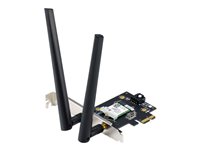
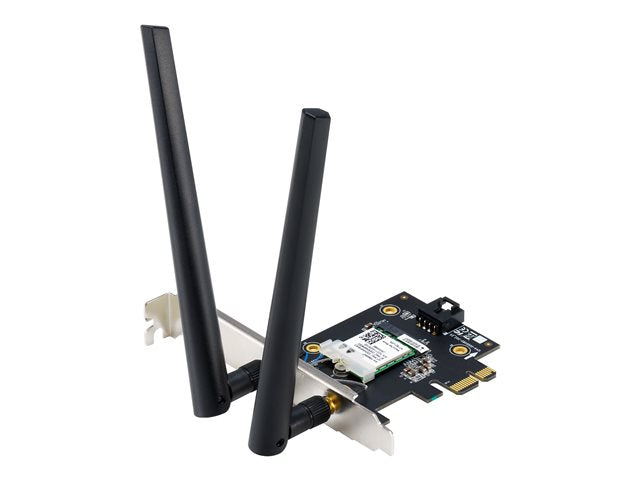
Experience next-level wireless connectivity with the ASUS BE6500 Tri-Band PCI-E WiFi 7 adapter. Designed for power users and professionals, it delivers ultra-fast, reliable wireless performance for demanding home and office networks.
-
WiFi Standard: 802.11be (WiFi 7) tri-band support, delivering high throughput and lower latency across multiple bands
-
Bluetooth: Version 5.4 for improved device pairing, range, and stability
-
Security: WPA3 encryption to protect your data and privacy on modern networks
-
Advanced Technologies: OFDMA and MU-MIMO enable efficient communication across many devices
-
Multi-link Operation: Manages multiple wireless links simultaneously to enhance connection stability
These features reflect ASUS’s engineering focus on performance, security, and future-proof networking.
The ASUS PCE-BE6500 PCI-E adapter is ideal for power users who run bandwidth-intensive tasks or multi-device environments. With WiFi 7 (802.11be) tri-band capability, you can experience smoother gaming, quicker file transfers, and steadier video conferencing even when others in your network are streaming or downloading. The built-in Bluetooth 5.4 expands peripheral options for keyboards, mice, headsets, and audio devices, while WPA3 provides strong encryption on busy networks. For households or small offices that rely on multiple wireless devices, OFDMA, MU-MIMO, and Multi-link Operation work together to maximize throughput and minimize interference.
Specs
-
Model: PCE-BE6500
-
Interface: PCI-E
-
WiFi Standard: 802.11be (WiFi 7)
-
Bluetooth Version: 5.4
-
Security: WPA3
-
Key Technologies: OFDMA, MU-MIMO, Multi-link Operation
FAQ
-
Is this adapter compatible with Windows and Linux systems?
The provided product details do not specify operating system compatibility. Please consult ASUS support or the driver download pages for official OS compatibility and driver availability.
-
What is the maximum wireless speed supported?
The description confirms WiFi 7 (802.11be) capability, which enables very high throughput, but the exact maximum speed is not listed here and depends on router capabilities and environment. Refer to ASUS’ official specifications for precise numbers.
-
Does it support backward compatibility with older WiFi standards?
Backward-compatibility details are not specified in the provided information. Typical WiFi 7 adapters support older standards, but please verify with ASUS documentation for this model.
-
How does Multi-link Operation improve connectivity?
Multi-link Operation enhances stability by managing multiple wireless links simultaneously, helping maintain steady performance in multi-device environments. This is highlighted in the product’s feature set.
-
What are the installation requirements for the PCI-E slot?
The product specifies an PCI-E interface but does not detail slot width or version. In typical setups, a PCI-E slot on a desktop motherboard is required; refer to the ASUS manuals or support page for exact slot compatibility.