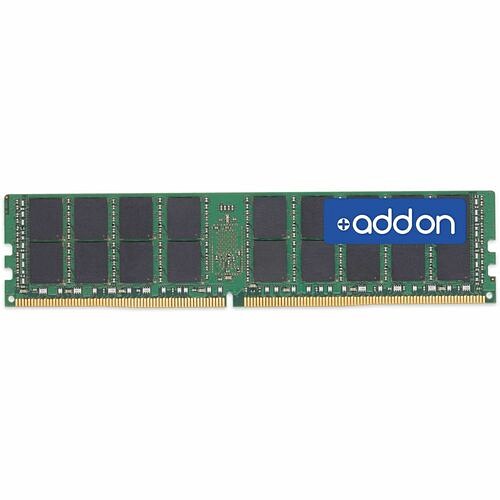
Meet ADD-ON 16GB DDR4-3200MHz Dual Rank memory module—designed for servers and high-end workstations that demand reliable, fast memory for multitasking and data-intensive applications.
-
Capacity: 16GB DDR4 memory for responsive multitasking and larger working datasets
-
Speed: 3200MHz data rate for fast data transfer and improved application load times
-
Rank: Dual Rank x8 configuration to optimize memory bandwidth and efficiency
-
Voltage: 1.2V operation for energy efficiency and cooler system operation
-
Pins: 288-pin RDIMM form factor for compatible server/workstation motherboards
-
Type: DDR4 RDIMM, JEDEC-standard compliant memory
-
Latency: CL17 timing balanced for stability and performance
-
Brand: ADD-ON reliability and compatibility designed for enterprise-grade systems
This module is tailored for systems that demand dependable memory with robust error handling and stable operation under load. By leveraging a dual-rank design, it enhances memory access efficiency compared with single-rank options, making it well-suited for virtualization, database workloads, and large-scale applications on servers or high-end workstations. The 1.2V power profile helps reduce overall energy consumption in dense configurations, while maintaining consistent performance across demanding tasks.
Specs
-
Capacity: 16GB
-
Type: DDR4 RDIMM (JEDEC standard-compliant)
-
Speed: 3200MHz
-
Rank: Dual Rank x8
-
Voltage: 1.2V
-
Pin count: 288-pin
-
Latency: CL17
FAQ
-
Is this memory compatible with my motherboard? A: Check your motherboard’s specifications for DDR4 288-pin RDIMM support.
-
Can I use this module in a desktop PC? A: It is primarily designed for servers and workstations supporting RDIMM.
-
Does it support ECC? A: This model supports JEDEC standard but verify ECC compatibility with your system.
-
What is the difference between Dual Rank and Single Rank? A: Dual Rank offers improved performance by accessing two sets of memory chips, increasing potential bandwidth and capacity efficiency.
-
How many modules can I install? A: Refer to your system’s maximum supported memory slots and capacity.