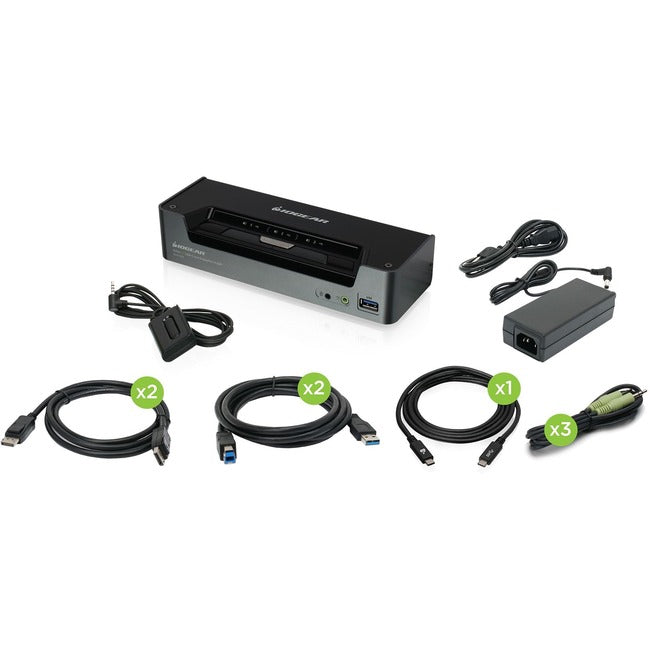
This 3-port KVMP switch is perfect for professionals and power users who need multi-computer desktop control with 4K resolution support. Our USB 3.0 hub integration delivers:
-
4K DisplayPort switching that supports ultra-high-definition displays
-
USB 3.0 docking station functionality for fast peripheral sharing
-
Multi-monitor support ensuring seamless workflow transitions
-
Desktop switching solution for professional workstation environments
Key Features
-
3-port connectivity to control multiple computers from single workspace
-
4K DisplayPort support up to 3840x2160 at 60Hz resolution
- Integrated USB 3.0 hub for high-speed peripheral sharing
- Consistent hotkey switching for instant computer transitions
-
Audio switching capability with microphone and speaker support
-
Plug-and-play installation requiring no software drivers
- Advanced EDID emulation for stable display detection
Technical Specifications
| Manufacturer |
IOGEAR |
| Model Number |
GCS1953 |
| Type |
3-Port KVMP Switch |
| Video Support |
4K DisplayPort up to 3840x2160 @ 60Hz |
| USB Ports |
4x USB 3.0 ports for peripheral sharing |
| Audio Support |
Microphone and speaker switching |
| Compatible Systems |
Windows, Mac, Linux with DisplayPort output
|
| Switching Methods |
Push button, hotkey combinations |
| Cable Length |
6ft DisplayPort and USB cables included |
| Power |
Bus powered via USB connections |
Frequently Asked Questions
Q: Does this support true 4K resolution at 60Hz refresh rate?
A: Yes, this 4K DisplayPort switch supports full 3840x2160 resolution at 60Hz, perfect for professional 4K monitor setups.
Q: Can I share USB 3.0 devices between all connected computers?
A: Absolutely, the integrated USB 3.0 hub allows you to share keyboards, mice, storage devices, and other peripherals across all three computers.
Q: Is this compatible with Mac and PC systems?
A: Yes, it works with any system that has DisplayPort output including Windows PCs, Macs, and Linux systems — no driver installation required.
Q: Does it support audio switching along with video?
A: Yes, the unit includes audio switching capability for both microphone input and speaker output, providing complete multimedia control.
Q: How do I switch between connected computers?
A: You can switch using the front panel push button or convenient hotkey combinations (Ctrl+Ctrl+1/2/3) for instant transitions.