
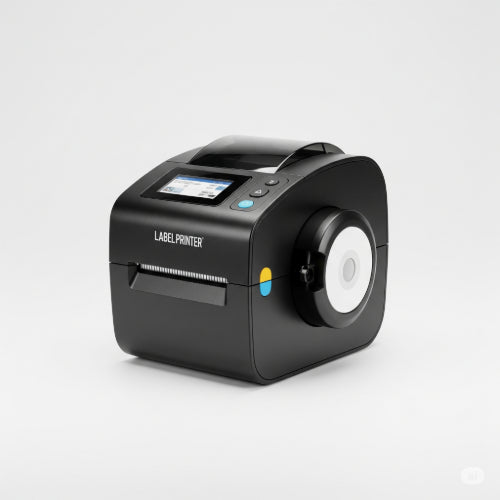
Stick it to Inefficiency: How a Label Printer Can Revolutionize Your Business
In the grand scheme of business technology, a label printer might seem like a minor player. But underestimate its power at your peril! These compact devices are efficiency superheroes, capable of cutting down manual effort, reducing errors, and bringing a new level of organization to almost every corner of your business.
If you're still relying on handwritten labels, spreadsheets for tracking, or generic printed sheets, you're missing out on a significant opportunity to boost productivity. Here’s how a label printer can become an indispensable asset for your business efficiency:
The Core Benefits of Integrating a Label Printer
- Time Savings: Imagine generating professional shipping labels in seconds, or quickly organizing inventory with scan-ready barcodes. The speed of a label printer drastically reduces the time spent on manual labeling, freeing up your team for more critical tasks.
- Accuracy & Error Reduction: Human error is inevitable with manual processes. Label printers produce clear, consistent, and scannable labels, virtually eliminating mistakes in shipping addresses, product identification, and tracking.
- Professionalism & Branding: Crisp, custom-printed labels instantly elevate your business's image. Whether it's a package going out the door or a product on a shelf, a professional label speaks volumes about your attention to detail. You can even incorporate your logo for subtle branding.
- Enhanced Organization: From filing systems to warehouse shelves, labels bring order to chaos. When everything is clearly marked, finding items becomes faster, and misplacements become rarer.
- Cost-Effectiveness: While there's an initial investment, the long-term savings in time, reduced errors, and optimized inventory management often far outweigh the cost. Specialized label printers also use thermal technology, meaning no expensive ink cartridges are needed.
Where a Label Printer Shines: Business Applications
The versatility of a label printer truly makes it a star player across various departments:
1. Shipping & Logistics: The Obvious Game-Changer
- Shipping Labels: Integrate with your e-commerce platform or shipping software (e.g., Shopify, FedEx Ship Manager, UPS WorldShip) to print professional, scannable shipping labels instantly. This ensures correct addresses, tracking numbers, and reduces postage errors.
- Return Labels: Easily generate return labels to include in shipments or send upon request, streamlining the returns process for customers.
- Fragile/Handle with Care: Print custom labels for special handling instructions.
2. Inventory Management & Warehousing: Precision at Your Fingertips
- Barcode Labels: Generate unique barcodes for every product, SKU, or bin location. This enables rapid scanning for inventory counts, stock rotation, and order fulfillment, drastically improving accuracy and speed.
- Shelf & Bin Labels: Clearly mark shelves, bins, and aisles for easy identification of products and stock locations.
- Asset Tagging: Label company assets (laptops, equipment, furniture) with unique IDs for easy tracking and inventory.
3. Office & Administration: Declutter and Streamline
- Filing Systems: Create neat, uniform labels for folders, binders, and storage boxes, making document retrieval a breeze.
- Cable Management: Label network cables, power cords, and equipment connections to simplify troubleshooting and setup.
- Mailroom Efficiency: Print labels for outgoing mail, inter-office correspondence, and package delivery points.
4. Retail & Point of Sale: Clear Pricing and Information
- Price Tags: Print professional price tags for products, including barcodes, descriptions, and special offer details.
- Product Information Labels: Create labels for items that require specific details, such as ingredients, allergens, or care instructions.
- Promotional Labels: Quickly generate labels for sales, discounts, or new arrivals.
5. Food Service & Hospitality: Safety and Organization
- Date Labels: For food prep, "use by" dates, and "prep dates" to ensure food safety compliance.
- Allergen Labels: Clearly mark dishes with potential allergens.
- Takeout & Delivery Labels: Add customer names, order numbers, and special instructions to takeout packaging.
Tips for Maximizing Label Printer Efficiency
- Choose the Right Printer: Thermal transfer printers are durable and great for long-lasting labels (e.g., asset tags), while direct thermal printers are more common for shipping labels and receipts (no ink needed!).
- Integrate with Software: Connect your label printer to your existing CRM, inventory management system, e-commerce platform, or shipping software for seamless data transfer.
- Batch Printing: Print multiple labels at once to save time, especially for large shipping runs or inventory updates.
- Custom Templates: Create and save custom label templates for frequently used label types to ensure consistency and speed.
- Proper Maintenance: Keep your label printer clean and use high-quality labels designed for your specific model to prevent jams and ensure clear prints.
Investing in a label printer might seem like a small step, but its ripple effect on business efficiency, accuracy, and professionalism can be enormous. It’s time to stop sticking with old habits and start sticking to smarter, more streamlined operations. Your business (and your employees) will thank you!





