
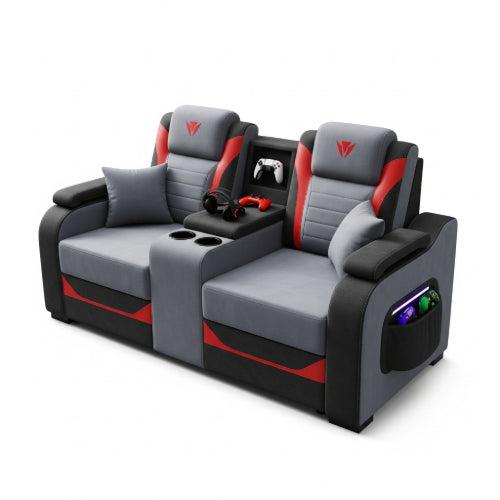
Level Up Your Comfort: Best Practices for Using Gaming Chairs in Office Environments
Whether you're powering through work tasks from your home office in beautiful Daet or navigating a busy workspace in the heart of Bicol, the importance of a comfortable and supportive chair cannot be overstated. Gaming chairs, with their racing-inspired aesthetics and focus on ergonomics, have become an increasingly common sight in office settings. However, simply swapping out your old office chair isn't enough. To truly maximize the benefits of a gaming chair and avoid potential pitfalls, it's crucial to adopt best practices for their use.
Why the Shift to Gaming Chairs in Offices?
Gaming chairs often boast features that traditional office chairs sometimes lack or offer at a higher price point:
- High Backrest: Providing support for the entire spine, including the neck and head.
- Adjustable Lumbar and Headrest Pillows: Allowing for personalized support for the natural curvature of the spine.
- Reclining Functionality: Offering the option to lean back and reduce pressure on the lower back during breaks.
- Adjustable Armrests: Enabling users to find the optimal height and angle for their arms and shoulders.
- Overall Ergonomic Design: Designed for long hours of sitting, often with a focus on posture and support.
However, these features are only beneficial if used correctly. Improper use can lead to discomfort and even exacerbate musculoskeletal issues.
Best Practices for Optimizing Your Gaming Chair in the Office
-
Master the Adjustments: Gaming chairs are highly customizable. Take the time to understand and utilize all the adjustable features:
- Seat Height: Your feet should be flat on the floor or a footrest, with your thighs parallel to the ground.
- Armrest Height: Your arms should rest comfortably on the armrests with your shoulders relaxed. Aim for your elbows to be at a 90-degree angle when typing.
- Lumbar Support: Position the lumbar pillow to support the natural curve of your lower back. Experiment with the height and depth to find the most comfortable position.
- Headrest: The headrest should support the natural curve of your neck when you're sitting upright. Adjust its height accordingly.
- Recline: While the recline function is great for short breaks, avoid working in a fully reclined position for extended periods, as it can strain your back. Use a slight recline (around 100-110 degrees) for focused work.
-
Maintain Proper Posture: Even the best chair can't compensate for poor posture.
- Sit Upright: Avoid slouching. Engage your core muscles and maintain a neutral spine.
- Keep Your Feet Flat: Resist the urge to cross your legs, as this can misalign your hips and spine.
- Monitor Position: Ensure your monitor is at arm's length and the top of the screen is at or slightly below eye level. This helps prevent neck strain. You might need to adjust your desk height or use monitor risers in conjunction with your chair adjustments.
-
Take Regular Breaks: No chair, no matter how ergonomic, is designed for continuous sitting.
- Micro-Breaks: Every 20-30 minutes, take a short 20-second break to stand up, stretch, or simply change your posture.
- Longer Breaks: Every hour, aim for a 5-10 minute break to walk around and move your body. This helps improve circulation and reduces muscle stiffness, especially important in a climate like ours in Bicol where humidity can sometimes make prolonged sitting feel more tiring.
-
Utilize the Pillows Wisely: The lumbar and headrest pillows are there for a reason. Don't just leave them to the side. Experiment with their placement to find the optimal support for your body. Remember, everyone's spinal curvature is slightly different.
-
Consider Your Desk Height: An ergonomic chair is only part of the equation. Your desk height needs to complement your chair adjustments. If your desk is too high or too low, it can negate the benefits of your gaming chair. Consider an adjustable standing desk if possible, or use risers for your monitor and keyboard.
-
Listen to Your Body: Pay attention to any discomfort or pain you experience. If your gaming chair isn't alleviating discomfort or is even causing new issues, reassess your adjustments and consider if it's the right chair for your specific needs. What works for one person might not work for another.
-
Keep it Clean: Regular cleaning will not only keep your workspace hygienic but also maintain the quality and comfort of your chair, especially in a tropical climate where dust and moisture can be factors.
Adapting to the Local Context
In Daet and other parts of Bicol, access to specific high-end gaming chair brands might be limited compared to larger metropolitan areas. When choosing a gaming chair for office use here, prioritize:
- Breathable Materials: Opt for chairs with good airflow to combat the warmer climate. Mesh or breathable fabrics can be more comfortable for extended use.
- Durability: Consider the local environment and choose a chair built to withstand regular use.
- Available Support: Check for local suppliers who can offer after-sales support or replacement parts if needed.
Conclusion: Finding Your Comfort Zone
Gaming chairs can be a valuable addition to your office setup, offering enhanced ergonomics and personalized support. However, maximizing their benefits requires a conscious effort to understand and utilize their features correctly. By following these best practices and considering the specific needs of your work environment in Bicol, you can level up your comfort, boost your productivity, and ensure a healthier and more enjoyable workday. Remember, the goal is to create a workspace that supports your well-being, wherever you may be working from.





