
How to Pick the Best Graphics Card for Your PC Build
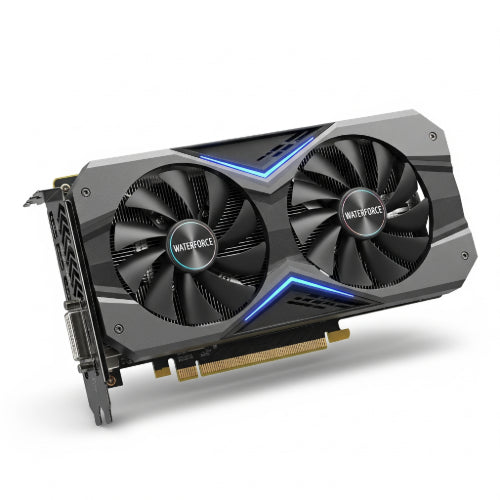
When it comes to building a PC, especially for gaming, content creation, or demanding visual tasks, the graphics card (GPU) often takes center stage. Also known as the video card, the GPU is a specialized electronic circuit designed to rapidly manipulate and alter memory to accelerate the creation of images, videos, and animations. It's the powerhouse that renders everything you see on your screen, from immersive game worlds to intricate design projects.
Choosing the best graphics card can be the most impactful decision for your PC's performance, but with countless models and technical jargon, it can also be the most daunting. This guide will help you navigate the options and pick the perfect GPU for your PC build.
1. Define Your Needs and Budget
Before diving into specs, clearly define what you need your PC to do and how much you're willing to spend.
-
Gaming:
- Resolution: Are you playing at 1080p, 1440p, or 4K? Higher resolutions demand significantly more GPU power.
- Refresh Rate: Do you have a high refresh rate monitor (144Hz, 240Hz, etc.)? To take full advantage, you'll need a GPU that can consistently push high frame rates.
- Game Fidelity: Do you want to play all games on Ultra settings with ray tracing, or are you happy with High/Medium settings to save cost?
- Content Creation/Workstation: Are you primarily doing video editing, 3D rendering, graphic design, or AI/machine learning? Certain applications benefit more from specific GPU architectures (e.g., NVIDIA's CUDA cores for many professional applications).
- General Use/Light Gaming: If you're mostly Browse, doing office work, and playing indie games, you might not even need a dedicated GPU, as integrated graphics in CPUs can suffice.
2. Understand the Key Specifications
Familiarize yourself with these crucial GPU specs:
- GPU Chip/Architecture: This is the core processor of the graphics card. NVIDIA (GeForce RTX/GTX) and AMD (Radeon RX) are the two main manufacturers, each with their own architectures (e.g., NVIDIA's Ada Lovelace, AMD's RDNA 3). Newer architectures generally offer better performance and efficiency.
-
VRAM (Video Random Access Memory): This is the dedicated memory on the graphics card where textures, frames, and other graphical data are stored.
- 8GB: Good for 1080p gaming and light 1440p.
- 12GB-16GB: Recommended for serious 1440p and entry-level 4K gaming, or demanding content creation.
- 20GB+: Essential for high-end 4K gaming, professional 3D rendering, and large datasets in content creation.
- Clock Speed (MHz/GHz): The speed at which the GPU's processor cores run. Higher clock speeds generally mean better performance, but it's not the only factor.
- CUDA Cores (NVIDIA) / Stream Processors (AMD): These are the processing units within the GPU. More cores/processors typically mean more parallel processing power.
- Ray Tracing Cores (NVIDIA RTX) / Ray Accelerators (AMD RX): Dedicated hardware units for accelerating ray tracing, a lighting technique for more realistic visuals.
- Tensor Cores (NVIDIA RTX): Specialized cores for AI and machine learning tasks, primarily used for DLSS (Deep Learning Super Sampling) which boosts frame rates.
3. Performance Tiers: What to Expect at Different Price Points
Graphics cards typically fall into performance tiers based on their price and capabilities.
-
Entry-Level (e.g., NVIDIA RTX 3050/4060, AMD RX 6600/7600):
- Best For: 1080p gaming at medium-high settings, esports titles at high refresh rates, light content creation.
-
Mid-Range (e.g., NVIDIA RTX 4070/4070 SUPER, AMD RX 7700 XT/7800 XT):
- Best For: Excellent 1080p gaming at high settings, strong 1440p gaming, good for many content creation tasks. This is often the "sweet spot" for value.
-
High-End (e.g., NVIDIA RTX 4080 SUPER, AMD RX 7900 XTX):
- Best For: High refresh rate 1440p gaming, solid 4K gaming at high settings, serious content creation.
-
Enthusiast/Flagship (e.g., NVIDIA RTX 4090):
- Best For: Uncompromising 4K gaming with ray tracing, professional-grade content creation, and AI/ML development. These are the most powerful and most expensive cards.
4. Consider Ecosystem Features
Both NVIDIA and AMD offer unique features that might sway your decision:
-
NVIDIA:
- DLSS (Deep Learning Super Sampling): AI-powered upscaling technology that boosts frame rates with minimal image quality loss. Very effective.
- Ray Tracing Performance: Generally considered to have stronger ray tracing performance.
- CUDA: Superior for many professional applications like Adobe Premiere Pro, Blender, etc.
- NVIDIA Broadcast/Reflex: Tools for streamers and competitive gamers.
-
AMD:
- FSR (FidelityFX Super Resolution): An open-source upscaling technology that works on a wider range of GPUs (including NVIDIA).
- Smart Access Memory (SAM): Allows AMD CPUs to directly access the full VRAM of AMD GPUs, potentially boosting performance.
- Adrenalin Software: Comprehensive driver suite with various gaming features.
5. Power Supply (PSU) and Case Compatibility
- PSU Wattage: Graphics cards are power-hungry. Ensure your power supply has enough wattage to support your chosen GPU and other components. Check the GPU manufacturer's recommended PSU wattage.
- Physical Size: Graphics cards can be very long and thick. Make sure your PC case has enough clearance for the GPU's length and width, and that you have enough PCIe slots.
- Cooling: More powerful GPUs generate more heat. Ensure your case has good airflow and consider adequate case fans to keep temperatures in check.
6. Check Reviews and Benchmarks
Once you've narrowed down your options, the most crucial step is to consult independent reviews and benchmarks.
- Real-World Performance: Look for benchmarks of your target games or applications at your desired resolution and settings.
- Reputable Sources: Refer to tech websites (e.g., TechRadar, Tom's Hardware, PC Gamer) and YouTube channels (e.g., Gamers Nexus, Hardware Unboxed, JayzTwoCents) known for their thorough and unbiased testing.
- Cooling and Noise: Reviews will often cover how well the specific model's cooler performs and how noisy it gets under load.
Conclusion
Picking the best graphics card for your PC build is a strategic decision that balances your performance needs, budget, and desired features. By understanding the core specifications, considering the two main manufacturers, evaluating performance tiers, and consulting real-world benchmarks, you can confidently select a GPU that will be the heart of your powerful new machine, delivering the visual experience you've been dreaming of. Happy building, and happy gaming!





