
Fortifying Your Digital Frontier: How to Choose the Right Firewall for Your Office Network
In today's interconnected business world, your office network is both your greatest asset and your most vulnerable point. Every day, it faces a relentless barrage of threats: malware, phishing attempts, ransomware, unauthorized access, and more. Without a robust defense, your sensitive data, critical operations, and hard-earned reputation are constantly at risk. This is where the unsung hero of network security steps in: the firewall.
A firewall acts as your network's digital bouncer, meticulously inspecting all incoming and outgoing traffic and blocking anything that doesn't meet your predefined security rules. But simply having "a" firewall isn't enough; choosing the right firewall for your specific office needs is paramount. A misstep here can leave gaping holes in your defenses.
Let's break down how to select the best firewall to protect your office network.
Understanding the Basics: What Does a Firewall Do?
At its core, a firewall creates a barrier between your internal, trusted network and untrusted external networks (like the internet). It analyzes data packets based on a set of rules to determine whether to allow, block, or log the traffic.
Historically, firewalls focused on basic packet filtering. Modern firewalls, however, have evolved into sophisticated security powerhouses.
Types of Firewalls for Office Networks
While there are many classifications, for office environments, you'll primarily encounter these types:
-
Software Firewalls (Host-Based):
- What they are: Installed directly on individual computers (e.g., Windows Defender Firewall, third-party antivirus suites).
- Pros: Cost-effective for small scale, provides per-device protection.
- Cons: Protects only the device it's installed on; labor-intensive to manage across many devices; not effective for protecting network devices like printers or IoT.
- Best for: Supplemental protection on individual workstations, but not sufficient as the primary network defense.
-
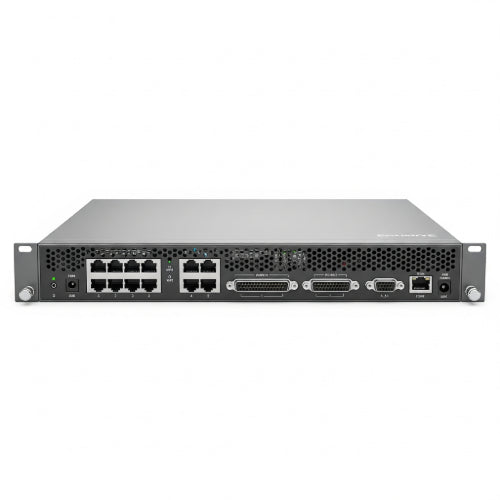
Hardware Firewalls (Network-Based):
- What they are: Dedicated physical appliances positioned at the perimeter of your network (usually between your router/modem and your internal network switch).
- Pros: Protects all devices on the network, centralized management, robust performance, often includes advanced features.
- Cons: Higher upfront cost, requires some networking knowledge to configure.
- Best for: The primary security layer for virtually all office networks.
-
Unified Threat Management (UTM) Appliances:
- What they are: Hardware firewalls that consolidate multiple security functions into a single device (e.g., firewall, intrusion prevention system (IPS), antivirus gateway, VPN, content filtering, anti-spam).
- Pros: Simplified management (one interface for multiple functions), comprehensive protection, often more cost-effective than buying separate solutions.
- Cons: Can be a single point of failure; performance might degrade if all features are heavily utilized simultaneously.
- Best for: Small to medium-sized businesses looking for an all-in-one security solution without managing multiple products.
-
Next-Generation Firewalls (NGFW):
- What they are: A more advanced evolution of UTMs. NGFWs go beyond traditional port/protocol inspection to include deeper packet inspection (Layer 7), application awareness and control, integrated IPS, threat intelligence integration, and often sandboxing capabilities.
- Pros: Superior threat detection, granular control over applications, better protection against sophisticated attacks (e.g., zero-day exploits).
- Cons: Highest cost, requires more expertise to configure and manage, can impact network performance if not properly sized.
- Best for: Medium to large enterprises, organizations handling sensitive data, or those facing advanced persistent threats.
Key Factors When Choosing Your Office Firewall:
-
Network Size and User Count:
- Small Office (1-10 users): A robust consumer-grade router with a built-in firewall, or a basic hardware firewall/entry-level UTM might suffice.
- Medium Office (10-100 users): A dedicated hardware firewall or a mid-range UTM is usually necessary. Look for models with sufficient throughput.
- Large Office (100+ users): An NGFW or a high-end UTM with advanced features and scalable performance is crucial.
-
Security Features Required:
- Basic: Stateful packet inspection, NAT.
- Intermediate: VPN capabilities (for remote access), intrusion prevention/detection (IPS/IDS), basic content filtering.
- Advanced: Application control, web filtering (granular), sandboxing, advanced malware protection, SSL/TLS inspection, integrated threat intelligence.
-
Performance and Throughput:
- Measured in Mbps (Megabits per second) or Gbps (Gigabits per second).
- Look at the "firewall throughput," "IPS throughput," and "VPN throughput."
- Crucial: Don't just look at the maximum throughput. Consider the effective throughput when all desired security features (like IPS and SSL inspection) are enabled, as these can significantly reduce performance. Ensure it can handle your current and future internet speed.
-
Scalability:
- Will your office grow? Can the firewall handle more users, higher bandwidth, or additional security features down the line without needing a complete replacement?
- Look for models that support modular upgrades or have sufficient headroom.
-
Ease of Management:
- Small Offices: A user-friendly web interface is important.
- Larger Offices: Centralized management consoles, API integration, and robust reporting features become vital. Consider if your IT staff has the expertise to manage complex systems.
- Managed Security Service Providers (MSSPs): If you lack in-house expertise, consider engaging an MSSP to manage your firewall for you.
-
Budget:
- Firewall costs vary widely, from a few hundred dollars to tens of thousands.
- Remember to factor in not just the upfront hardware cost, but also ongoing costs for licenses, security subscriptions (for threat intelligence, IPS updates, etc.), and support.
- Think of it as an investment in business continuity and data protection, not just an expense.
-
Vendor Reputation and Support:
- Choose reputable brands known for strong security research and timely updates (e.g., Cisco, Fortinet, Palo Alto Networks, Sophos, Check Point, SonicWall).
- Evaluate their customer support options, documentation, and community forums.
The Right Firewall: Your First Line of Defense
Choosing the right firewall is a foundational step in securing your office network. It requires a clear understanding of your network's size, your security posture requirements, and your budget. Don't underestimate its importance; in today's threat landscape, a well-chosen and properly configured firewall is the indispensable guardian of your digital assets and the continuity of your business operations. Protect your digital frontier wisely.





