
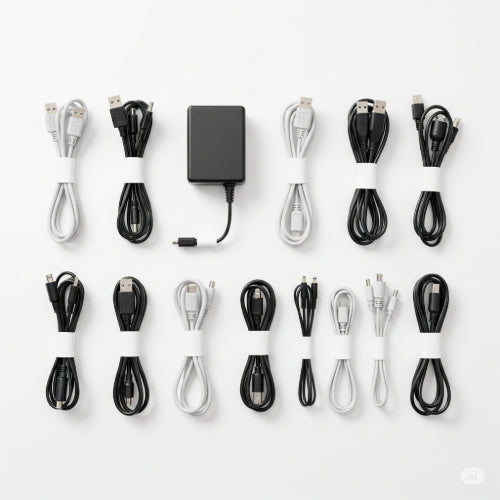
Conquer the Cable Jungle: The Best Ways to Organize Cords and Wires in Your Office (Even Here in Our Archipelago!)
Let's face it, no matter how minimalist our aesthetic or how paperless we aim to be, cords and wires are a persistent reality in our modern offices, even right here in Daet, Bicol! That tangled mess behind your desk isn't just unsightly; it can be a tripping hazard, make troubleshooting a nightmare, and even restrict airflow, potentially affecting your devices.
The good news is, reclaiming your workspace from the clutches of cable chaos is entirely achievable with a few smart strategies and readily available tools. Whether you're working from a sprawling office in the city center or a cozy home setup in our beautiful region, these tips will help you tame the tangle and create a neat, organized, and more productive environment.
1. Survey the Scene and Declutter First:
Before you even think about organizing, take a good look at the current state of your cords.
- Identify the Culprits: What devices are creating the most cable clutter? Computers, monitors, chargers, lamps, peripherals – make a mental (or actual) list.
- Unplug and Assess: Carefully unplug each cord and see where it leads. Are there any redundant or unused cables you can safely remove and store or recycle? This initial declutter can make a huge difference.
2. Bundle and Conquer with Ties and Wraps:
This is your first line of defense against sprawling wires.
- Velcro Cable Ties: These are reusable, gentle on cables, and incredibly versatile for bundling small groups of cords. They're easy to adjust as your setup changes. You can find these in many hardware stores and online retailers across our islands.
- Reusable Silicone Ties: Another excellent option for bundling, offering a bit more flexibility and often in fun colors for easy identification.
- Cable Sleeves or Wraps: These fabric or neoprene tubes encase multiple cables running in the same direction, like those going to your monitor or under your desk. They create a much cleaner visual and offer some protection to the wires.
3. Hide and Route with Clips, Channels, and Trays:
Take advantage of surfaces to keep cords out of sight and out of mind.
- Adhesive Cable Clips: These small, often plastic or silicone clips stick to the underside of your desk, along walls, or furniture legs to hold individual cables in place and prevent them from dangling.
- Cable Channels or Raceways: These are longer, often snap-on channels that can be mounted under your desk or along baseboards to conceal multiple cables running along a longer path. They offer a more permanent and very tidy solution.
- Under-Desk Cable Trays: These metal or plastic trays attach beneath your desk surface, providing a hidden "shelf" to tuck away power strips, excess cable length, and even small adapters. This keeps everything off the floor and out of sight.
4. Elevate and Organize on Your Desk:
Don't forget the visible cords on your desk surface.
- Monitor Risers with Cable Management: Many monitor stands come with built-in channels or compartments to route keyboard, mouse, and monitor cables neatly.
- Desk Grommets: These inserts fit into holes drilled in your desk, allowing cables to pass through cleanly from the surface to underneath, perfect for charging cables or connecting peripherals to a desktop tower.
- Adhesive Cable Holders: Small, often magnetic or silicone holders that stick to your desk to keep charging cables from slipping off the edge.
5. Power Up Smartly:
Power strips can be a source of major cable chaos if not managed properly.
- Hide Power Strips in Boxes: Decorative cable management boxes are designed specifically to conceal power strips and their unruly collection of plugs and cords, making a big visual difference.
- Mount Power Strips Under Your Desk: Use strong adhesive strips or screws to attach power strips to the underside of your desk, keeping them off the floor and easier to manage.
6. The Finishing Touches: Labeling and Maintenance:
Organization is an ongoing process.
- Label Everything: Invest in a label maker or use simple tags to identify both ends of each cable. This is a lifesaver when you need to disconnect or troubleshoot something later.
- Regular Check-ups: Periodically take a few minutes to ensure your cable organization is still working effectively and address any new tangles or additions.
Adapting to Our Local Context:
When choosing your cable management tools here in our region, consider factors like humidity and the availability of specific products in local stores or through reliable online retailers that ship to our area. Durable materials that can withstand our climate are a good investment.
By implementing these strategies, you can transform your office from a cord-cluttered chaos into a haven of order and productivity, right here in Daet, Bicol, or wherever you're working in our beautiful archipelago. Take control of your cables, and you'll be amazed at the difference it makes to your workspace and your peace of mind!





