
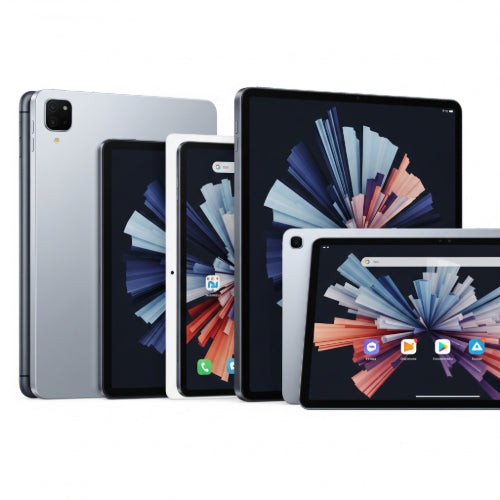
Beyond the Couch: What to Look for in a Tablet for Remote Work
Remote work has shifted from a temporary solution to a permanent fixture for many, and with that comes the need for versatile and portable tools. While laptops remain a staple, tablets are increasingly proving their worth as powerful, lightweight, and incredibly capable devices for getting work done on the go. But with a sea of options available, how do you choose the best tablet for your remote work needs?
It's about more than just entertainment; it's about productivity. Here are the key features to prioritize when selecting your remote work tablet:
1. Performance that Powers Your Workflow
Gone are the days when tablets were just for casual Browse. Modern tablets pack serious processing power. Look for:
- Robust Processor: For demanding tasks like video conferencing, graphic design, or complex spreadsheets, you'll want a tablet with a high-performance chip. Apple's M-series chips (M2, M3, M4 in iPads) and top-tier Snapdragon processors (in Android tablets like the Samsung Galaxy Tab S series) are excellent examples of what to aim for. These ensure smooth multitasking and responsiveness.
- Sufficient RAM: Aim for at least 8GB of RAM for comfortable multitasking. If you frequently jump between many applications or work with large files, 12GB or even 16GB will provide a noticeable performance boost.
2. Display: Your Window to Productivity
The screen is where you'll spend most of your time, so it's crucial:
- Size Matters: While portability is key, a larger screen often enhances productivity. Tablets ranging from 11 to 13 inches offer a good balance for detailed work without being cumbersome. Larger tablets (like the Samsung Galaxy Tab S10 Ultra at 14.6 inches) can almost fully replace a laptop screen.
- High Resolution and Quality: A sharp, vibrant display reduces eye strain and makes text and images clear. Look for resolutions like 2K (2560x1600) or higher, and consider OLED/AMOLED displays for superior contrast and color accuracy.
- Brightness: If you work outdoors or in brightly lit environments, a high-nit display is essential for visibility.
3. Battery Life: Stay Powered Up, Anywhere
The essence of remote work is flexibility, and a dead battery defeats the purpose.
- All-Day Endurance: Prioritize tablets that offer at least 8-10 hours of real-world battery life on a single charge. This allows you to work through meetings, emails, and projects without constantly searching for a power outlet.
4. Connectivity: Stay Connected, Always
Reliable internet access is non-negotiable for remote work:
- Wi-Fi 6E (or Wi-Fi 7): For the fastest and most stable Wi-Fi connections, ensure your tablet supports the latest Wi-Fi standards.
- Optional 5G/LTE: If you frequently work outside of Wi-Fi zones, a cellular-enabled tablet is a game-changer. This allows you to connect to the internet using a mobile data plan, ensuring you're always online.
- USB-C Port: A versatile USB-C port is crucial for connecting external displays, charging, and transferring data quickly. Thunderbolt compatibility on higher-end models further expands connectivity options.
5. Accessories: Transforming Your Tablet into a Workstation
To truly leverage a tablet for remote work, certain accessories are almost mandatory:
- Detachable Keyboard: This is perhaps the most important accessory, transforming your tablet into a near-laptop experience for typing documents, emails, and reports. Look for keyboards with a comfortable key travel and a responsive trackpad.
- Stylus/Pen Support: For note-taking, sketching, annotating documents, or creative tasks, a high-quality stylus (like the Apple Pencil or Samsung's S Pen) can significantly enhance your workflow.
- Protective Case: Remote work often means working from different locations, so a durable case is essential to protect your investment.
6. Operating System and Ecosystem: Compatibility and Apps
The OS dictates your app availability and overall user experience:
- iPadOS: Apple's iPads offer a vast ecosystem of well-optimized apps, strong performance, and excellent accessory integration. If your workflow heavily relies on specific apps or you're already in the Apple ecosystem, an iPad is a strong contender.
- Android: Android tablets, particularly high-end Samsung Galaxy Tabs, offer more customization, multi-window capabilities, and often more open file management. They integrate seamlessly with Android phones.
- Windows: Microsoft Surface Pro models run full Windows, offering the most familiar desktop experience and full compatibility with traditional Windows applications. These are ideal for users who need specific Windows software for their work.
7. Storage: Don't Run Out of Space
Remote work often involves a lot of files, documents, and media:
- Minimum 128GB: Start with at least 128GB of internal storage.
- Cloud Integration: While internal storage is important, seamless integration with cloud storage services (Google Drive, Dropbox, OneDrive) can expand your accessible storage significantly.
- Expandable Storage (microSD): Some Android tablets offer microSD card slots, allowing you to easily and affordably expand your storage.
Choosing the right tablet for remote work is about finding the sweet spot between portability, power, and practicality. By focusing on these key features, you can select a device that not only keeps you productive but also enhances your remote work experience.





