
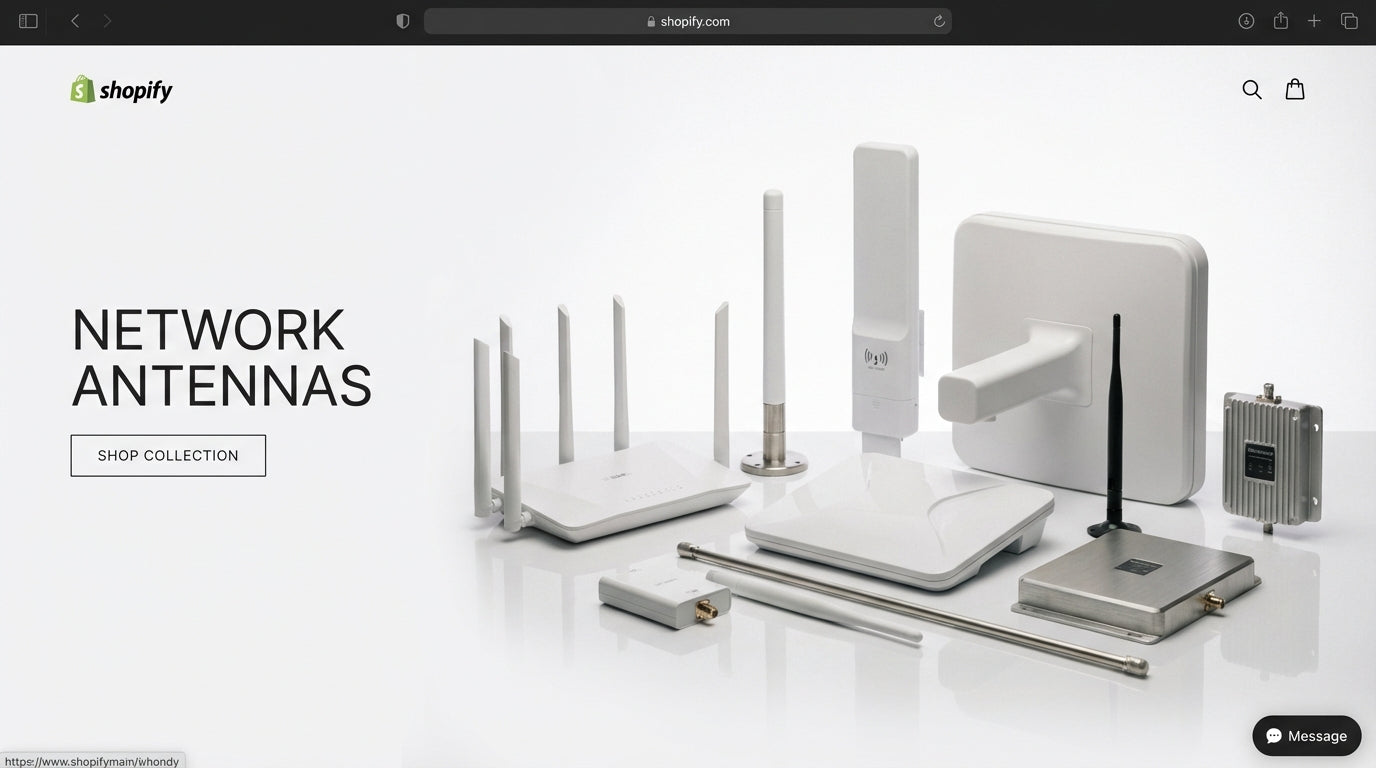
Network Antennas Buying Guide: How to Choose the Right Wireless Antenna
Network Antennas Buying Guide: How to Choose the Right Wireless Antenna
Choosing the right network antenna can make the difference between reliable connectivity and frustrating dead zones. With options ranging from simple omnidirectional models to high-gain directional arrays, many IT managers and business owners feel overwhelmed by the technical specifications and deployment considerations.
This guide breaks down the key antenna types, performance characteristics, and real-world applications to help you select the right wireless antenna for your specific needs. Whether you're upgrading Wi-Fi coverage, establishing point-to-point links, or improving cellular connectivity, we'll walk through the practical decision points that matter most.
Tecisoft's network antenna selection covers the full spectrum from indoor Wi-Fi upgrades to enterprise-grade outdoor installations, backed by technical expertise to help you choose correctly the first time.
Understanding Antenna Types and Coverage Patterns
Omnidirectional Antennas: 360-Degree Coverage
Omnidirectional antennas radiate signals equally in all horizontal directions, creating a donut-shaped coverage pattern. This makes them ideal when client devices or signal sources are distributed around the antenna location.
Key specifications:
- Gain range: 2-5 dBi for indoor models, 5-12 dBi for outdoor installations
- Coverage pattern: 360° horizontal, with vertical beamwidth narrowing as gain increases
- Frequency bands: 2.4 GHz, 5 GHz, 6 GHz for Wi-Fi; cellular bands from 600 MHz to 6 GHz
Best applications:
- Indoor office Wi-Fi where access points are centrally located
- Outdoor hotspots serving users from multiple directions
- Cellular connectivity in urban areas with multiple base station options
- IoT deployments where device locations vary
Trade-offs to consider:
- Lower directional gain compared to focused antennas
- May pick up interference from unwanted directions
- Higher-gain omnis sacrifice vertical coverage for horizontal reach
Directional Antennas: Focused Performance
Directional antennas concentrate RF energy in specific directions, offering better range and signal quality within their coverage area while reducing interference from other directions.
Panel and Sector Antennas (Semi-Directional)
Key specifications:
- Gain range: 7-12 dBi for indoor panels, 12-18 dBi for outdoor sectors
- Beamwidth: Typically 45-120° horizontal coverage
- Frequency support: Dual-band Wi-Fi or wideband cellular (600 MHz-3.8 GHz)
Ideal for:
- Covering long hallways, warehouses, or corridor-like spaces
- Outdoor sector coverage for parking lots or campus areas
- Point-to-multipoint wireless links
High-Gain Directional (Yagi, Dish, High-Gain Panels)
Key specifications:
- Gain range: 15-30+ dBi depending on design
- Beamwidth: Very narrow, often under 30° for dishes
- Applications: Long-distance point-to-point links, fixed wireless access
Best for:
- Building-to-building connections
- Remote site connectivity with known base station direction
- Situations requiring maximum range and interference rejection
Frequency Bands and Selection Criteria
Wi-Fi Frequency Considerations
2.4 GHz band:
- Better wall penetration and range
- More susceptible to interference from other devices
- Three non-overlapping channels in North America
5 GHz band:
- Higher throughput potential with more available channels
- Less interference but shorter range than 2.4 GHz
- Standard for modern business Wi-Fi deployments
6 GHz band (Wi-Fi 6E/7):
- Highest throughput with abundant spectrum
- Shortest range, mostly line-of-sight applications
- Requires compatible client devices
Cellular and Private Network Bands
Sub-1 GHz (600-960 MHz):
- Excellent building penetration
- Long range but limited bandwidth
- Good for rural or challenging RF environments
Mid-band (1.7-2.7 GHz):
- Balance of coverage and capacity
- Most common for business LTE and 5G deployments
High-band (3.3-4.2 GHz including CBRS 3.5 GHz):
- Higher data rates but more line-of-sight dependent
- Increasingly important for private 5G networks
Antenna Gain and Performance Trade-offs
Understanding dBi Ratings
Antenna gain, measured in dBi (decibels isotropic), indicates how much the antenna focuses RF energy compared to a theoretical point source:
- 2-5 dBi: Standard indoor coverage with good vertical spread
- 6-9 dBi: Moderate focusing, good for most business applications
- 10-15 dBi: Significant directional gain, requires careful positioning
- 15+ dBi: Highly focused, primarily for point-to-point links
Real-World Performance Factors
Higher gain doesn't always mean better coverage:
- Omnidirectional antennas with higher gain create flatter coverage patterns
- May create dead zones directly above or below the antenna
- Can increase interference from distant sources
Practical selection rules:
- Match antenna gain to coverage area shape and client distribution
- Consider building materials and obstacles in the signal path
- Factor in regulatory limits that may require reducing transmit power with high-gain antennas
Connector Types and Cable Considerations
Common Business Connector Standards
RP-SMA (Reverse Polarity SMA):
- Standard on most business Wi-Fi equipment
- Compact size suitable for indoor installations
- Limited to shorter cable runs due to loss characteristics
N-Type:
- Robust, weatherproof design for outdoor installations
- Lower loss characteristics for longer cable runs
- Standard for professional outdoor antenna systems
SMA (Standard):
- Common on cellular modems and some professional equipment
- Various gender configurations (male/female)
Cable Loss Management
Critical considerations:
- Signal loss increases with cable length and frequency
- 5-6 GHz applications particularly sensitive to cable loss
- Use shortest practical cable runs and specify low-loss coax for outdoor installations
- Factor cable loss into overall link budget calculations
Mounting and Installation Guidelines
Indoor Mounting Options
Ceiling mount:
- Optimal for omnidirectional coverage in open office spaces
- Provides even signal distribution across floor area
- Standard approach for most business Wi-Fi deployments
Wall mount:
- Suitable for directional antennas covering specific areas
- Consider antenna pattern when positioning on walls
- Account for potential signal blockage behind mounting surface
Outdoor Installation Considerations
Pole and mast mounting:
- Specify pole diameter compatibility (typically 1-2 inch range)
- Consider wind loading and structural requirements
- Plan for cable routing and weatherproofing
Alignment requirements for directional antennas:
- Higher gain antennas require more precise aiming
- Account for both horizontal and vertical positioning
- Consider seasonal factors that might affect line-of-sight
Matching Antennas to Business Scenarios
Small Office/Home Office (SOHO)
Typical needs:
- Reliable Wi-Fi coverage throughout workspace
- Possible cellular backup connectivity
- Cost-effective solutions with easy installation
Recommended approach:
- Start with integrated access point antennas (2-4 dBi omni)
- Add external omnidirectional antennas only if coverage gaps exist
- Consider dual-band antennas for Wi-Fi 5/6 deployments
Medium Business (25-100 employees)
Typical requirements:
- Multiple access points with coordinated coverage
- Possible outdoor Wi-Fi for parking or break areas
- Redundant internet connectivity (cellular backup)
Strategic considerations:
- Use directional antennas to shape coverage and reduce interference
- Plan antenna placement to minimize overlap between access points
- Consider sector antennas for outdoor coverage areas
Enterprise and Specialized Deployments
Complex scenarios:
- Warehouse and industrial environments
- Campus-wide connectivity
- Point-to-point building links
- High-density user environments
Advanced antenna solutions:
- High-gain directional antennas for building-to-building links
- Specialized industrial antennas for harsh environments
- Array antennas for stadium and venue applications
Regulatory and Compliance Considerations
EIRP Limitations
Effective Isotropic Radiated Power (EIRP) regulations limit the combination of transmitter power and antenna gain:
- Higher-gain antennas may require reducing transmit power
- Different rules apply to different frequency bands
- Point-to-point links often have higher EIRP allowances
Professional Installation Requirements
Some installations may require:
- Licensed technician for certain frequency bands
- Structural engineering analysis for large outdoor antennas
- Coordination with other spectrum users (particularly CBRS)
Frequently Asked Questions
What's the difference between antenna gain measured in dBi versus dBd?
dBi measures gain compared to an isotropic (point source) antenna, while dBd compares to a dipole antenna. Since dipoles have about 2.15 dB gain over isotropic antennas, you can convert by adding 2.15 to dBd values to get dBi. Most modern specifications use dBi as the standard.
Can I use the same antenna for both 2.4 GHz and 5 GHz Wi-Fi?
Many modern antennas are designed as dual-band or even tri-band (including 6 GHz) models. However, performance characteristics like gain and pattern may vary between bands. Check the antenna specifications to ensure it covers your required frequencies with acceptable performance across the entire range.
How do I calculate if a high-gain antenna will improve my wireless link?
Antenna gain improves your link budget, but other factors matter too. A 6 dB gain increase roughly doubles your effective range in ideal conditions, but obstacles, interference, and path loss vary significantly. Use link budget calculators that account for frequency, distance, obstacles, and required signal levels for your specific application.
What's the maximum cable length I can use between my radio and antenna?
Cable loss depends on frequency, cable type, and acceptable signal degradation. For Wi-Fi applications, try to keep runs under 50 feet with standard coax, or use low-loss cable for longer distances. At 5-6 GHz, every 3 dB of cable loss effectively halves your radiated power, so minimize cable length or use amplifiers for very long runs.
Do I need different antennas for indoor versus outdoor use?
Outdoor antennas require weather-resistant construction (IP65/67 ratings), UV-stable materials, and robust connectors. They often have different mounting hardware and may use N-type connectors instead of SMA. Indoor antennas prioritize aesthetics and compact size but lack environmental protection needed for outdoor deployment.
How do I determine the optimal mounting height for my antenna?
Mounting height affects both coverage area and interference. For omnidirectional antennas, higher mounting generally increases coverage radius but may create near-field dead zones. Directional antennas need height appropriate for their intended coverage area and clear line-of-sight to targets. Factor in obstacles, building heights, and antenna pattern when planning installation height.
Making Your Final Antenna Selection
Successful antenna selection requires matching technical specifications to real-world deployment requirements. Start by clearly defining your coverage goals, client device locations, and performance requirements before diving into technical specifications.
Essential selection checklist:
- Map your coverage area and identify client device locations
- Determine required frequency bands and compatibility with existing equipment
- Calculate link budgets for critical connections
- Verify connector compatibility and plan cable routing
- Consider environmental factors and mounting requirements
- Check regulatory compliance for your specific application
Browse our comprehensive Network Antennas range at Tecisoft to find solutions matched to your specific deployment needs, backed by technical support to ensure optimal performance.
Ready to find the right solutions for your needs?
Explore Collection




