
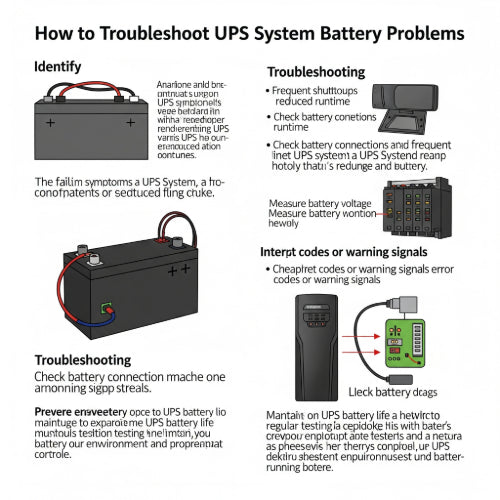
The Silent Sentinel Fails: How to Troubleshoot UPS System Battery Problems
Your Uninterruptible Power Supply (UPS) system is the unsung hero of your office, silently guarding against power outages and fluctuations that can wreak havoc on sensitive electronics and valuable data. But what happens when your silent sentinel starts to falter? Often, the culprit is a battery problem.
A failing UPS battery can turn a reliable backup system into a useless brick when you need it most. Don't wait for the lights to go out to discover your UPS isn't up to the task. Here's a guide to common UPS battery issues and how to troubleshoot them.
When Good Batteries Go Bad: Recognizing the Symptoms
Before diving into solutions, it's crucial to identify the signs of a struggling UPS battery:
-
Short Runtime During Power Outage: The most obvious sign. If your UPS used to power your devices for 10 minutes but now only lasts 2, the battery capacity is severely degraded.
-
Constant Beeping or Alarm: Many UPS units have audible alarms to indicate a battery fault, an overloaded condition, or that the battery is low.
-
"Replace Battery" Indicator Light: Most modern UPS systems have a dedicated LED indicator or a message on an LCD screen signaling a battery that needs attention.
-
Swollen Battery Casing: A very clear and dangerous sign. If the battery casing appears swollen or bulging, it's a critical safety hazard and needs immediate replacement. Do not attempt to charge or use it.
-
Unusual Odor: A sulfuric or burnt smell coming from the UPS can indicate a leaking or severely damaged battery.
-
UPS Not Charging Battery: The battery indicator shows low charge, even after being plugged in for an extended period.
-
Frequent Transfer to Battery Power (Sensitivity Issues): While sometimes a utility power issue, if your UPS frequently switches to battery mode during minor voltage fluctuations, it could be struggling to regulate incoming power, a task the battery helps with.
Step-by-Step Troubleshooting for UPS Battery Problems
Once you suspect a battery issue, follow these steps to diagnose and potentially resolve it:
1. Check the Obvious: Power and Connections
-
Is the UPS Plugged In? This sounds basic, but ensure the UPS is securely plugged into a live wall outlet, not a surge protector (unless it's a dedicated UPS-compatible surge strip).
-
Are All Cables Secure? Verify that all power cables going to and from the UPS, including the internal battery connectors (if accessible), are firmly seated.
-
Reset the UPS: Most UPS units have a reset button or require a full power cycle. Unplug the UPS from the wall, disconnect all connected devices, hold the power button down for 10-15 seconds (to drain any residual charge), then plug it back in and reconnect devices.
2. Interpret the Error Codes/Indicators
-
Consult the Manual: Your UPS manual is your best friend. It will explain what specific beeping patterns, flashing lights, or LCD messages mean. These often point directly to a battery fault, overload, or other system errors.
-
Battery Test Function: Many UPS units have a self-test button or a function in their management software that performs a battery test. Run this test and observe the results.
3. Test the Battery Runtime (Carefully!)
-
Perform a Controlled Load Test: With non-critical devices connected, unplug the UPS from the wall. Note how long the UPS powers the connected devices. If the runtime is significantly shorter than expected (based on the UPS's specifications and the connected load), the battery is likely failing. Do not perform this test with critical servers or equipment that cannot tolerate a sudden shutdown.
-
Measure Battery Voltage (Advanced): If you're comfortable and have a multimeter, you can measure the voltage of the battery (or battery pack) when disconnected from the UPS. A fully charged 12V UPS battery should read around 13-13.5V. If it's significantly lower, it indicates a problem. Only attempt this if you know what you are doing, as batteries can be dangerous.
4. Inspect the Battery Itself
-
Visual Inspection: If your UPS allows for user-replaceable batteries, carefully open the battery compartment (refer to your manual for instructions). Look for any signs of swelling, bulging, leakage, or corrosion on the terminals. If you see any swelling or leakage, do NOT touch the battery with bare hands and replace it immediately.
-
Clean Terminals: If you notice light corrosion, you can carefully clean the battery terminals with a wire brush or a baking soda and water solution (ensure the battery is disconnected first and thoroughly dry before reconnecting).
5. Consider the Battery's Age
-
Lifespan: UPS batteries (typically sealed lead-acid) have a finite lifespan, usually 3-5 years under normal operating conditions. High temperatures, frequent discharges, and constant charging can shorten this lifespan.
-
Replacement Schedule: If your UPS battery is within or past this age range and exhibiting symptoms, it's highly probable that it needs replacement. Even if it seems to be working, proactive replacement is good practice for critical systems.
When to Replace the Battery
In most cases, if your troubleshooting points to a weak or failing battery, the solution is straightforward: battery replacement.
-
Check Compatibility: Ensure you purchase the correct replacement battery or battery pack specifically designed for your UPS model. Using incompatible batteries can damage the UPS or pose a safety risk.
-
Follow Manufacturer Instructions: Always follow the UPS manufacturer's instructions for battery replacement. It's usually a simple process of unplugging the old one and plugging in the new.
-
Recycle Responsibly: UPS batteries contain hazardous materials. Never dispose of them in regular trash. Take them to an electronics recycling center or a facility that accepts lead-acid batteries.
Proactive Maintenance: Extend Your UPS Battery's Life
While batteries do have a lifespan, you can maximize it with good practices:
-
Maintain Optimal Temperature: Keep your UPS in a cool, well-ventilated area. High temperatures significantly degrade battery life.
-
Avoid Overloading: Do not connect more devices than the UPS is rated for.
-
Regular Self-Tests: Run the UPS's self-test function periodically (e.g., once a month or quarter) to monitor battery health.
-
Don't Deep Discharge Frequently: Try to avoid letting your UPS batteries fully drain during frequent or long power outages, as this can shorten their lifespan.
-
Replace Proactively: For critical systems, consider replacing batteries every 3-4 years, even if they haven't explicitly failed, to ensure continued reliability.
Your UPS is a vital component of your office's continuity plan. By understanding how to troubleshoot and maintain its battery, you can ensure it's ready to protect your equipment and data when the unexpected happens.





