
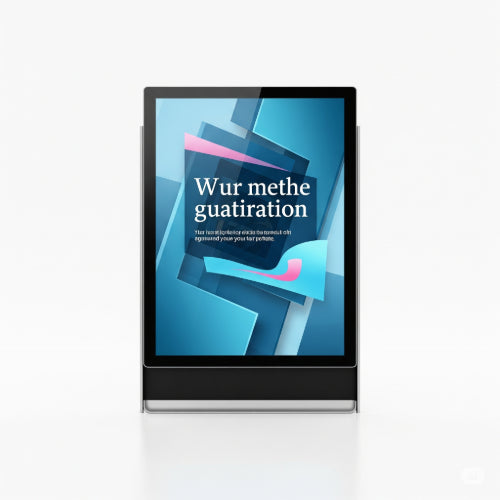
The Power of Pixels: How to Set Up and Maintain Digital Signage
Digital signage has transformed how businesses communicate, advertise, and inform. From sleek menu boards in restaurants to dynamic information displays in corporate lobbies, digital signs are captivating audiences and delivering messages with impact. But how do you get started, and more importantly, how do you keep them running smoothly?
Here's your comprehensive guide to setting up and maintaining effective digital signage:
Part 1: Setting Up Your Digital Signage System
Setting up digital signage involves a few key components working in harmony.
1. Choose Your Hardware: The Essentials
- Display Screens: These are your canvases. Consider size, resolution (1080p is standard, 4K is increasingly popular), brightness (especially for window displays), and whether you need commercial-grade screens designed for 24/7 operation. Consumer TVs can work for less demanding applications, but commercial displays offer better durability, warranties, and features.
- Media Player: This is the "brain" that sends content to your screen. It can be a small, dedicated box, a stick PC, or sometimes built directly into smart commercial displays (System-on-Chip or SoC). Ensure it's powerful enough to handle your content (e.g., 4K video, complex animations).
- Mounting Solution: Wall mounts, ceiling mounts, floor stands – choose one that fits your space, audience viewing angles, and safety requirements. Ensure it's sturdy and rated for the weight of your display.
- Networking: Reliable internet connectivity (Ethernet is preferred, Wi-Fi can work if signal is strong) is crucial for remote content updates and management.
2. Select Your Software: The Content Engine
This is where the magic happens. Digital signage software allows you to create, schedule, and manage your content from a central location.
- Cloud-Based (SaaS): Most popular due to ease of use, accessibility from anywhere, and regular updates. You pay a monthly or annual subscription.
- On-Premise: Software installed on your own servers. Offers more control but requires more IT expertise and upfront investment.
-
Features to Look For:
- Content Creation Tools: Templates, drag-and-drop interfaces for images, videos, text, widgets (weather, social media feeds).
- Scheduling: Ability to schedule content to play at specific times, days, or even based on events.
- Multi-Zone Layouts: Divide your screen into different sections for various content.
- Remote Management: Update content, monitor screen status, and troubleshoot from your office or home.
- Analytics: Track content performance and viewer engagement.
- Security: Robust user permissions and data encryption.
3. Content is King: What to Display
Once your hardware and software are ready, it's all about compelling content.
- Keep it Short and Punchy: Digital signage is about quick glances. Use concise text and engaging visuals.
- High-Quality Visuals: Use high-resolution images and videos. Blurry content looks unprofessional.
- Dynamic and Varied: Mix static images with videos, animations, and widgets to keep viewers engaged. Avoid stale content.
- Call to Action (CTA): If you're promoting something, tell viewers what to do next (e.g., "Visit our website," "Ask a staff member").
- Relevance: Tailor content to your audience and location. A waiting room might show health tips, while a retail store focuses on promotions.
Part 2: Maintaining Your Digital Signage for Longevity and Performance
Setting up is half the battle; maintaining your system ensures its continued effectiveness.
1. Regular Content Updates
This is paramount. Stale content is ignored content.
- Schedule Updates: Create a content calendar and stick to it. Daily, weekly, or monthly updates depending on your business.
- Keep it Fresh: Rotate promotions, update news, change designs seasonally.
- A/B Test Content: If your software allows, test different messages or layouts to see what resonates best with your audience.
2. Hardware Health Checks
Physical maintenance is crucial for display longevity.
- Cleaning: Gently clean screens regularly with a soft, microfiber cloth and a screen-safe cleaner. Avoid harsh chemicals.
- Ventilation: Ensure displays and media players have adequate airflow. Overheating can significantly shorten their lifespan. Check that vents aren't blocked by dust or debris.
- Cable Management: Keep cables tidy and secure to prevent accidental disconnections or damage.
- Power Cycles: Occasionally power cycling the media player and display can resolve minor glitches, similar to rebooting a computer.
3. Software and Firmware Updates
Just like your computer, your digital signage software and media player firmware need to be kept current.
- Enable Auto-Updates: If your software offers it, enable automatic updates to benefit from new features and security patches.
- Check Firmware: Regularly check your media player manufacturer's website for firmware updates. These often improve stability and performance.
4. Remote Monitoring and Troubleshooting
Leverage your software's capabilities to stay on top of issues.
- Status Dashboards: Most good digital signage software provides a dashboard showing the online/offline status of your players and screens. Monitor this regularly.
- Alerts: Set up email or SMS alerts for critical issues like a player going offline.
- Remote Access: Use remote access features to troubleshoot minor software issues or push content updates without needing to be on-site.
- Network Stability: Ensure your internet connection remains stable and robust. Intermittent connectivity can cause content to buffer or displays to go offline.
5. Contingency Planning
Be prepared for the unexpected.
- Content Backups: Always have backups of your digital signage content.
- Redundancy: For mission-critical displays, consider having a spare media player ready to swap out.
- Support Contacts: Keep contact information for your hardware and software vendors handy.
Digital signage is a powerful tool, but its effectiveness hinges on proper setup and diligent maintenance. By following these guidelines, you can ensure your pixelated messages continue to shine bright and engage your audience for years to come.





