
The Essential Guide to Setting Up Digital Signage in Your Business
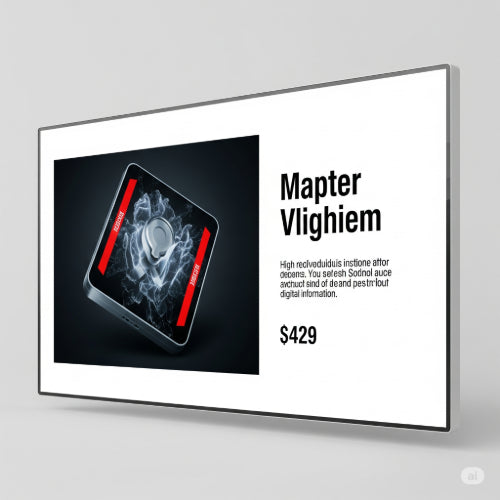
In today's visually-driven world, captivating your audience is key, and traditional static signs are increasingly giving way to dynamic and engaging digital displays. Digital signage is a powerful communication tool that allows businesses to display a wide range of content on screens, from advertisements and promotions to informative messages, wayfinding, and live updates.
Whether you're looking to boost sales, enhance customer experience, or improve internal communications, digital signage offers a flexible and impactful solution. This guide will walk you through the essential steps to setting up digital signage in your business.
1. Define Your Goals: What Do You Want to Achieve?
Before you buy any hardware, clarify your objectives. What specific problems are you trying to solve, or what outcomes do you hope to achieve with digital signage?
- Marketing & Sales: Promote products/services, showcase special offers, drive impulse buys, display testimonials.
- Customer Experience: Provide wayfinding, share FAQs, offer entertainment, show queue times, build brand loyalty.
- Internal Communications: Display company announcements, KPI dashboards, employee recognition, safety messages.
- Information & Wayfinding: Show event schedules, room availability, directions, public transport information.
Your goals will dictate the type of content you create, the screens you choose, and their placement.
2. Choose Your Hardware: Screens and Players
The hardware components are the physical foundation of your digital signage system.
-
Display Screens:
- Commercial vs. Consumer: Commercial-grade displays are designed for 24/7 operation, offer better brightness, wider viewing angles, and come with longer warranties. While more expensive upfront, they are a better long-term investment for continuous use. Consumer TVs are suitable for light, intermittent use.
- Size & Resolution: Match the screen size to your viewing distance and environment. Full HD (1080p) is standard, but 4K displays offer stunning clarity, especially for large screens or detailed content.
- Orientation: Decide if you need portrait or landscape orientation.
- Brightness: Consider ambient lighting. Higher nits (cd/m²) are needed for bright retail spaces or window displays.
-
Media Players: These are small computers that connect to your screens and run the digital signage software.
- Dedicated Players: Offer robust performance, specialized features, and higher reliability.
- Smart Displays: Some commercial displays have integrated media players, simplifying setup but potentially limiting software flexibility.
- System-on-Chip (SoC) Displays: Similar to smart displays, these have processing power built-in, reducing external hardware.
- Consider: Processing power (for complex content), connectivity (Wi-Fi, Ethernet, HDMI), and operating system compatibility with your chosen software.
3. Select Your Digital Signage Software (CMS)
This is the "brain" of your operation, allowing you to create, schedule, and manage your content remotely.
- Cloud-Based vs. On-Premise: Cloud-based (SaaS) solutions are generally easier to set up, manage from anywhere, and offer subscription models. On-premise solutions give you more control but require IT infrastructure.
- Ease of Use: Look for intuitive drag-and-drop interfaces for content creation and scheduling.
-
Features:
- Content Management: Support for images, videos, web pages, social media feeds, widgets (weather, news).
- Scheduling: Day-parting, recurring schedules, content expiry.
- Playlist Management: Create sequences of content.
- Remote Management: Monitor screen status, troubleshoot remotely.
- User Permissions: For larger teams.
- Analytics: Track content performance.
- Integrations: With POS, inventory, or other business systems.
- Scalability: Choose a solution that can grow with your business if you plan to add more screens in the future.
4. Plan Your Content Strategy: What Will You Display?
Engaging content is what makes digital signage effective.
- Keep it Concise & Visual: Digital signs are often viewed briefly. Use strong visuals, short text, and clear calls to action.
- Mix it Up: Rotate content frequently to keep it fresh and prevent "screen blindness." Combine promotions with useful information, entertainment, or brand storytelling.
- Design for Readability: Use legible fonts, contrasting colors, and adequate white space.
- Call to Action (CTA): Tell your audience what you want them to do (e.g., "Scan for 10% off," "Ask a team member," "Visit our website").
- Dynamic Content: Leverage live feeds (news, social media, weather), countdowns, and animated graphics to increase engagement.
- Optimize for Orientation: Design content specifically for landscape or portrait screens.
5. Installation and Network Configuration
This involves the physical setup and connecting your system.
- Mounting: Securely mount your displays in visible locations, considering viewing angles, glare, and power access. Professional installation is recommended for large or complex setups.
- Network Connectivity: Connect your media players to the internet via Wi-Fi or Ethernet. A stable, reliable network connection is crucial for content delivery and remote management.
- Power: Ensure readily available power outlets for all displays and media players.
6. Testing and Deployment
Before going live, thoroughly test your setup.
- Content Playback: Verify all content plays correctly and smoothly.
- Scheduling: Confirm your content schedules are working as intended.
- Remote Access: Test remote content updates and monitoring capabilities.
- Display Quality: Check for dead pixels, screen uniformity, and optimal brightness.
7. Maintenance and Evolution
Digital signage is not a "set it and forget it" solution.
- Regular Updates: Keep your software and media player firmware updated for security and new features.
- Content Refresh: Continuously update your content to keep it relevant and engaging. Analyze performance metrics to see what resonates.
- Troubleshooting: Have a plan for quick troubleshooting if a screen goes down.
- Expand & Evolve: As your business grows, consider expanding your digital signage network or integrating new features.
Conclusion
Digital signage is a powerful investment that can transform how your business communicates with customers and employees. By carefully defining your goals, choosing the right hardware and software, crafting compelling content, and maintaining your system, you can unlock the full potential of this dynamic communication tool and drive significant value for your business. Embrace the digital revolution and let your screens do the talking!





