
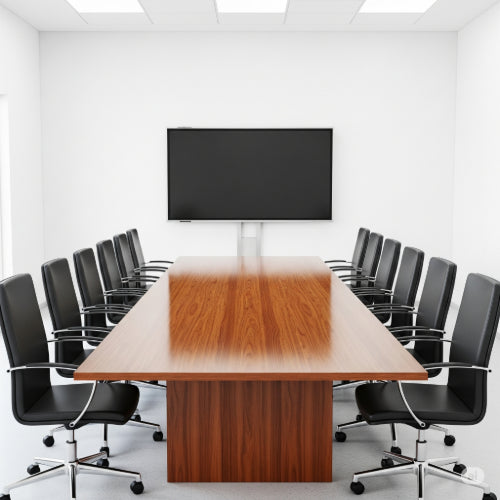
Level Up Your Meetings: The Best Ways to Optimize Your Conference Room Setup
The conference room is a vital hub for collaboration, decision-making, and client interactions. A poorly designed or outdated setup can lead to frustrating technical glitches, disengaged participants, and ultimately, unproductive meetings. Investing in an optimized conference room is an investment in your team's efficiency and communication effectiveness.
Whether you're upgrading an existing space or designing a new one, here are the best ways to optimize your conference room setup for seamless and successful meetings:
1. Prioritize Crystal-Clear Audio:
- Problem: Difficulty hearing speakers, echo, background noise – all contribute to meeting fatigue and missed information.
-
Solution:
- Acoustic Treatment: Consider adding acoustic panels, ceiling tiles, or even strategically placed soft furnishings (like curtains or rugs) to absorb sound and minimize echo.
- Quality Microphones: Invest in microphones designed for conference rooms. Options include tabletop mics, gooseneck mics, and ceiling microphones, depending on the room size and layout. Wireless options offer flexibility.
- Reliable Speakers: Ensure your speakers provide clear and even sound distribution throughout the room. Consider integrated speaker systems or soundbars designed for conferencing.
2. Ensure High-Quality Video Conferencing:
- Problem: Grainy video, poor lighting, and awkward camera angles can detract from virtual meetings.
-
Solution:
- High-Resolution Webcam: Choose a webcam with at least 1080p resolution and a wide-angle lens to capture all participants. Pan-tilt-zoom (PTZ) cameras offer more control for larger rooms.
- Proper Lighting: Optimize the room's lighting to avoid shadows and ensure everyone is clearly visible. Natural light is great, but supplement it with soft, diffused artificial lighting. Avoid having a bright window directly behind participants.
- Strategic Camera Placement: Position the camera at eye level for a more natural and engaging experience for remote attendees. Consider multiple camera setups for larger rooms.
3. Simplify Content Sharing:
- Problem: Fumbling with cables, incompatible connections, and delays getting presentations on screen disrupt the flow of meetings.
-
Solution:
- Wireless Presentation Systems: Invest in a wireless presentation system (like Barco ClickShare, Mersive Solstice, or Airtame) that allows participants to easily share their screens from laptops, tablets, or smartphones without the need for cables.
- Centralized Control System: A touch panel or control system can simplify the process of switching between inputs, adjusting volume, and managing the overall AV setup.
- Multiple Input Options: Ensure you have accessible and clearly labeled ports for HDMI, USB, and other necessary connections as a backup.
4. Optimize the Physical Space:
- Comfortable Seating: Invest in ergonomic chairs that are comfortable for extended meetings. Consider chairs with wheels for easy movement.
- Flexible Table Arrangements: Modular tables can be reconfigured to suit different meeting sizes and formats. Consider options that allow for boardroom style, U-shape, or classroom setups.
- Adequate Space: Ensure there is enough room for participants to move comfortably and for equipment to be placed without feeling cramped.
- Accessibility: Design the room to be accessible for all participants, including those with disabilities.
5. Integrate Technology Seamlessly:
- User-Friendly Interface: Choose technology that is intuitive and easy for everyone to use, regardless of their technical expertise. Provide clear instructions or quick-start guides.
- Reliable Network Connection: A strong and stable wired or wireless network connection is crucial for uninterrupted video conferencing and content sharing.
- Consider Unified Communications (UC): Integrate your conferencing hardware with your UC platform (like Zoom, Microsoft Teams, or Google Meet) for a consistent and streamlined experience.
6. Don't Forget the Extras:
- Whiteboard or Digital Display: A whiteboard or interactive digital display is essential for brainstorming and visual collaboration.
- Visible Power Outlets: Ensure there are easily accessible power outlets for laptops and other devices.
- Clear Signage: Make sure the conference room is clearly labeled and easy to find.
- Temperature Control: Maintain a comfortable temperature in the room.
7. Test and Train:
- Regular Testing: Before important meetings, always test your audio, video, and content sharing systems to identify and resolve any potential issues.
- User Training: Provide training to your team on how to use the conference room technology effectively.
By focusing on these key areas, you can transform your conference room into a highly effective and productive space that fosters seamless communication and collaboration, ultimately leading to better meeting outcomes.





