
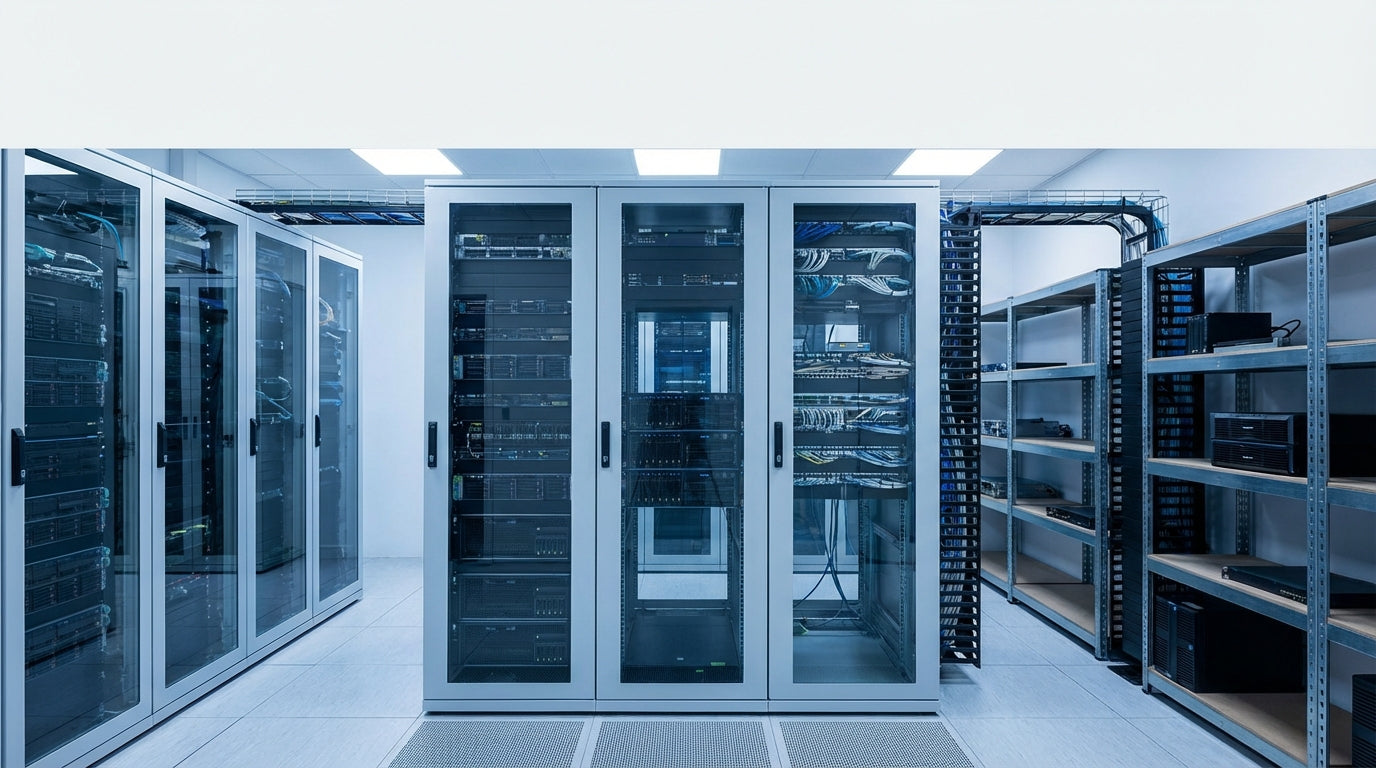
Server Racks & IT Equipment Organizers: Complete Buying Guide
Finding the Right IT Storage Solution for Your Business
Choosing the right server rack or IT equipment organizer can feel overwhelming when you're dealing with rack units, cable management, and cooling requirements all at once. Whether you're setting up a small business server closet or expanding an enterprise data center, the wrong choice leads to overheating equipment, cable chaos, and costly do-overs.
This guide breaks down the key decisions you need to make: rack size and type, mounting options, security features, and cable management solutions. We'll help you match your specific setup to the right equipment without getting lost in technical specifications.
At Tecisoft, we've helped countless businesses choose reliable racks and organizers that grow with their IT needs while keeping equipment properly cooled and organized.
Key Specs to Compare in Server Racks
Rack Units and Sizing
Rack height is measured in "U" units, where 1U equals 1.75 inches. Here's what works for different scenarios:
- 6U-12U wall-mount racks: Perfect for small offices with basic networking gear, patch panels, and small switches
- 24U-42U floor racks: Standard choice for growing businesses with multiple servers, UPS systems, and network equipment
- 48U+ enterprise racks: High-density setups in dedicated server rooms or data centers
Depth matters more than most buyers realize. Shallow racks (600-800mm) work for network switches and patch panels, but servers typically need 800-1200mm depth. Always verify your equipment depth plus space for cables and airflow.
Weight Capacity and Construction
Don't underestimate how heavy IT equipment gets:
- Wall-mount racks: Usually support 60-150 lbs (adequate for switches and patch panels)
- 2-post open frame: 300-800 lbs (good for lighter servers and network gear)
- 4-post enclosed racks: 1,500-3,000+ lbs (handles heavy servers, UPS systems, and storage arrays)
Steel construction with adjustable mounting rails gives you the most flexibility as your equipment mix changes.
Ventilation and Cooling Features
Poor airflow kills servers. Look for these cooling features:
- Perforated front and rear doors (65-80% perforation rate)
- Removable side panels for easy access and cross-ventilation
- Cable management that doesn't block airflow paths
- Blanking panels to prevent hot air recirculation in unused rack spaces
Full enclosures with doors provide better airflow control than open frames, especially in mixed-use spaces.
Choosing the Right Rack Type for Your Setup
Wall-Mount Racks: Small Office Solutions
Best for: 1-25 employees with basic networking needs
Typical use cases:
- Network switches and patch panels
- Small business routers and modems
- Basic UPS units
- Telecommunications equipment
Key advantages: Space-efficient, secure, keeps equipment off floors and desks
Watch out for: Weight limits and heat buildup in enclosed spaces
Open Frame Racks: Flexibility and Access
Best for: IT environments where you need frequent equipment access
Pros:
- Easy cable management from all sides
- Lower cost than enclosed racks
- Excellent ventilation
- Adjustable depth for different equipment
Cons:
- No physical security
- No dust protection
- Limited cable concealment
Enclosed Server Cabinets: Professional Installations
Best for: Dedicated server rooms and professional environments
Security features:
- Locking front and rear doors
- Removable side panels with locks
- Sturdy construction for high-value equipment
Airflow benefits:
- Controlled air paths prevent hot spots
- Split rear doors for cable access without airflow disruption
- Integration with rack cooling systems
Cable Management Solutions That Actually Work
Built-in Cable Management
Look for racks with integrated features:
- Vertical cable managers on sides or rear
- Horizontal cable organizers between equipment
- Cable entry points at top and bottom
- Adequate depth for power and data cables behind equipment
Preventing Cable Chaos
Simple rules that save hours later:
- Plan cable paths before installing equipment
- Use velcro ties, not zip ties (equipment changes frequently)
- Separate power and data cables to avoid interference
- Label everything at both ends
- Leave 20% extra space for future cables
Common mistakes: Routing all cables straight down the back creates a tangled mess. Use horizontal organizers to distribute cables across the rack width.
Sizing Your Rack for Business Growth
Small Business (1-50 users)
Typical starting needs:
- 1-2 servers (file sharing, backup)
- Network switch and patch panel
- UPS for power protection
- Router/firewall
Recommended setup: 12U-24U rack with room for 50% growth
Growing Business (50-200 users)
Additional equipment:
- Multiple servers (database, application, backup)
- Larger network switches
- More robust UPS systems
- Storage arrays
Recommended setup: 24U-42U rack, plan for higher weight capacity
Enterprise (200+ users)
High-density requirements:
- Multiple racks or large 42U+ cabinets
- Dedicated cooling considerations
- Power distribution planning
- Security and access controls
Installation and Space Planning
Room Requirements
Minimum clearances:
- 3 feet in front for equipment access
- 2 feet behind for cable management
- 2 feet on sides for panel removal
- Adequate ceiling height for equipment lifting
Often overlooked: Measure doorways, hallways, and elevators. A 42U rack might not fit through standard doors when assembled.
Environmental Considerations
- Temperature control: Server rooms should stay 68-72°F
- Humidity: 40-60% relative humidity prevents static and condensation
- Power planning: Calculate total equipment power draw plus 25% headroom
- Network connectivity: Plan cable runs to network infrastructure
FAQ
What's the difference between 2-post and 4-post racks?
2-post racks mount equipment from the front only and work well for network switches, patch panels, and lighter servers. 4-post racks support equipment from front and back, handling heavier servers, storage systems, and providing better stability for deep equipment.
How do I calculate the right rack height?
List all current equipment in rack units, add 25-50% for growth, then add space for cable management and blanking panels. For example: 8U current equipment + 4U growth + 2U cable management = minimum 14U rack, so choose 15U or larger.
Can I mix different types of IT equipment in one rack?
Yes, but plan the layout carefully. Put heat-generating equipment like servers at the bottom or middle, with network switches and patch panels toward the top. Heavy equipment goes in the bottom half for stability. Always leave airflow gaps between equipment types.
What weight capacity do I really need?
Calculate your current equipment weight and add 50% for safety and growth. A typical server weighs 40-80 lbs, enterprise switches 20-40 lbs, and UPS systems 50-200+ lbs. Wall mounts handle basic setups, but choose 4-post racks for anything over 300 lbs total.
How much should I budget for cable management accessories?
Plan 10-15% of your rack cost for cable management accessories like vertical organizers, horizontal panels, and cable ties. It's much cheaper than dealing with poor organization later when you need to add or service equipment.
Do I need a fully enclosed rack or will an open frame work?
Choose enclosed racks for security (locking doors), dust protection, professional appearance, and controlled airflow. Open frames cost less and offer easier access but provide no security or environmental protection. Consider your location and security requirements.
Making Your Final Decision
The right rack choice comes down to three key factors: your current equipment list, realistic growth planning, and your physical space constraints.
Your next steps:
- Inventory your equipment - List everything you need to rack-mount now, including dimensions and weight
- Plan for growth - Add 25-50% capacity for equipment you'll likely add in 2-3 years
- Measure your space - Verify room dimensions, door clearances, and environmental conditions
- Set your priorities - Decide what matters most: security, accessibility, budget, or future flexibility
Ready to find the perfect rack solution? Explore our complete Racks & Organizers range at Tecisoft for reliable options that protect your IT investment and grow with your business.
Ready to find the right solutions for your needs?
Explore Collection




