
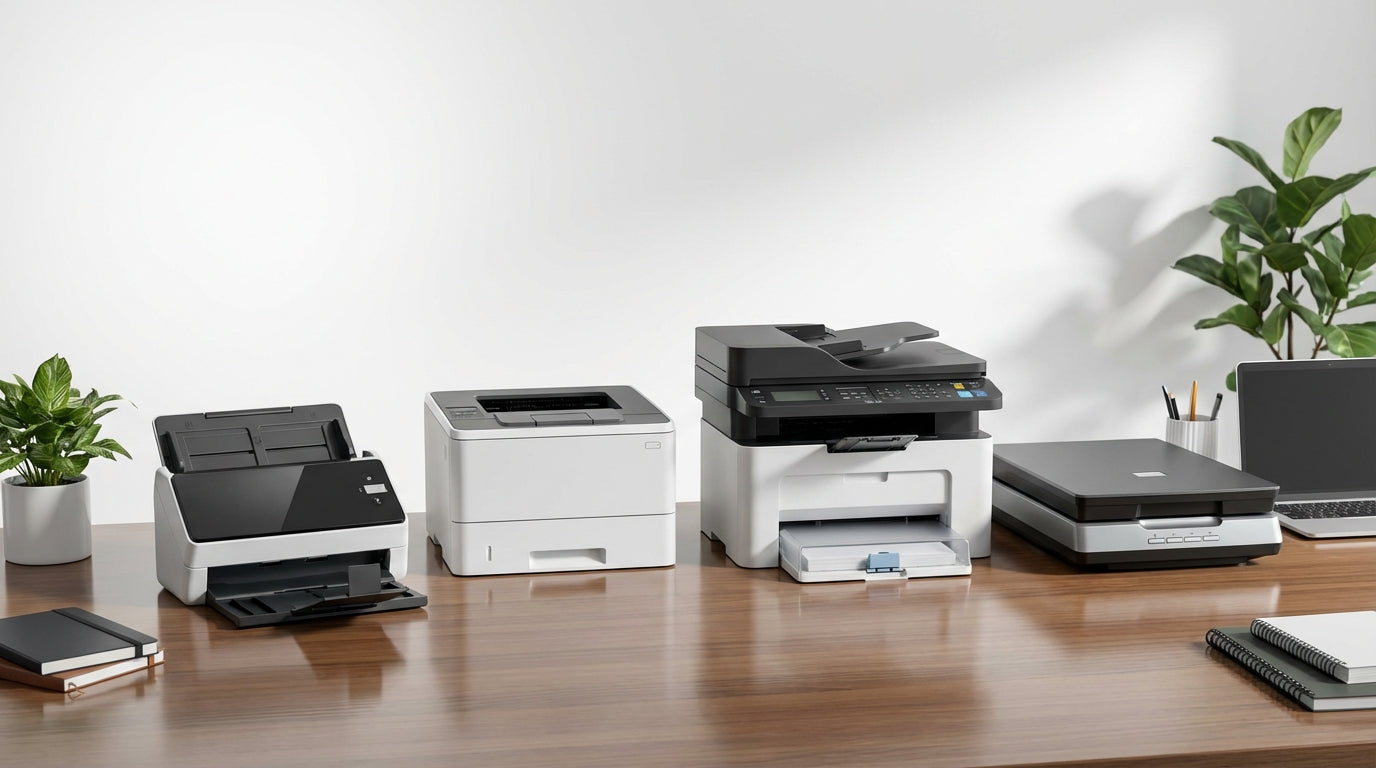
Printers & Scanners Buying Guide: How to Choose the Right Device
Finding the Right Printer and Scanner for Your Needs
Choosing between inkjet, laser, or multifunction printers can feel overwhelming when you're staring at dozens of models with technical specs that all blur together. The key isn't comparing every feature—it's understanding what you actually print, how often, and what your real long-term costs will be.
Whether you're setting up a home office, equipping a small business, or replacing an aging device, this guide will help you navigate the core decisions that matter most. At Tecisoft, we've helped countless customers match their printing and scanning needs to the right technology, so you can choose confidently and avoid costly mistakes.
Key Decision Factors: Match Technology to Your Work
Print Volume and Duty Cycle
Your monthly print volume drives almost every other choice. Don't just estimate your current needs—think 12-24 months ahead:
- Light use (under 500 pages/month): Basic inkjet or compact laser
- Moderate use (500-2000 pages/month): Business inkjet or mid-range laser
- Heavy use (2000+ pages/month): Workgroup laser or high-capacity ink tank
Always check the recommended monthly duty cycle, not just the maximum. Running a device at its upper limit constantly will shorten its lifespan and increase maintenance issues.
Content Type Determines Technology
Mostly black and white text? Laser printers excel here with crisp output, fast speeds (25-40 pages per minute), and low cost per page.
Mixed documents with color graphics? Business inkjets or color lasers handle this well, though lasers cost more upfront but less per page over time.
Photo-heavy printing? Dedicated photo inkjets or 6-color tank printers deliver superior image quality that color lasers can't match.
Inkjet vs Laser vs Ink Tank: When to Choose What
Laser Printers: Built for Business Text
Best for: High-volume office documents, shared workspaces, infrequent printing
Advantages:
- Very fast text printing (30-40 ppm common)
- Crisp, durable prints that resist smudging and water
- No printhead clogging during idle periods
- Lower cost per page than cartridge inkjets for black and white
Consider the trade-offs:
- Higher purchase price than basic inkjets
- Color lasers cost significantly more than monochrome
- Limited photo quality compared to inkjets
Cartridge Inkjets: Flexible All-Rounders
Best for: Low to moderate volume, mixed content, occasional photo printing
Advantages:
- Excellent color and photo quality (up to 4800×1200 dpi)
- Lower entry cost than most lasers
- Handles diverse media types (photo paper, labels, envelopes)
Watch out for:
- Higher cost per page, especially with standard cartridges
- Printhead clogging if unused for weeks or months
- Slower speeds than workgroup lasers
Ink Tank Systems: High-Volume Color Champion
Best for: Very high color printing volume in cost-sensitive environments
Advantages:
- Extremely low cost per page (often 0.1-0.3 cents per mono page)
- Large included ink supplies (thousands of pages in the box)
- Good color quality for business graphics
Limitations:
- Higher upfront investment
- Still susceptible to ink system issues if rarely used
- Generally slower than comparable laser printers
Multifunction vs Single-Function: Space and Workflow
Most buyers benefit from multifunction printers (MFPs) that combine printing, scanning, copying, and often fax in one device. They save space and typically cost less than buying separate devices.
Key Scanning Features to Evaluate
- Automatic Document Feeder (ADF) capacity: Look for 30-50+ sheets for office use
- Single-pass duplex scanning: Scans both sides simultaneously—faster and more reliable than reversing ADFs
- Flatbed size: Standard letter/A4 is common; some business models support legal size
- Scan-to destinations: Email, network folders, cloud services, and mobile devices
When to Consider Separate Devices
Choose dedicated scanners only if you need:
- High-end photo or archival scanning (>2400 dpi optical resolution)
- Heavy document scanning workflows with specialized feeding requirements
- Maximum reliability (one device failure doesn't kill all functions)
Connectivity That Actually Works
Essential Connection Options
USB: Reliable for single-user setups but limits sharing
Ethernet: Best for business environments—more stable than Wi-Fi for shared printers
Wi-Fi: Essential for home offices and flexible device placement. Look for dual-band support and Wi-Fi Direct for router-free printing
Mobile printing: Native support for AirPrint, Mopria, and manufacturer apps saves setup headaches
Business Security Features
If you handle sensitive documents, prioritize:
- User authentication and access controls
- Secure print (PIN-release printing)
- Administrative lockdown of settings
- Encryption for network communications
Understanding Total Cost of Ownership
The sticker price is just the beginning. Smart buyers focus on cost per page over 3-5 years:
Calculate Running Costs
- Ink/toner yields: Check pages per cartridge at 5% coverage for realistic estimates
- High-yield cartridges: Often reduce cost per page significantly
- Maintenance cycles: Some inkjets consume ink during cleaning; lasers may need drum or fuser replacements
- Energy consumption: Lasers use more power during printing but less when idle
Hidden Costs to Avoid
- Cheap printers with expensive cartridges (common inkjet trap)
- Under-spec'd devices that jam frequently or fail early
- Subscription lock-in that limits your cartridge choices
Common Buyer Mistakes to Avoid
Choosing price over total cost: A $100 inkjet with $50 cartridges that last 200 pages costs far more long-term than a $300 laser with 3,000-page toner cartridges.
Mismatching volume to duty cycle: Using a home-grade printer for office volumes leads to jams, failures, and frustration.
Ignoring scanning workflow: A cheap ADF that can't handle duplex scanning will slow down document processing.
Wrong technology for usage: Buying inkjet for very infrequent printing often results in clogged heads when you finally need it.
FAQ
What's the difference between recommended and maximum duty cycle?
Maximum duty cycle is the absolute upper limit before damage occurs. Recommended monthly volume is the realistic target for reliable operation and normal lifespan. Stay within the recommended range for best results.
Should I buy separate ink cartridges or combo packs?
Separate cartridges are usually more economical because you replace only the colors you actually use. Combo packs waste ink when one color runs out first, though they're convenient for low-volume users.
How important is print speed for small offices?
For shared printers, speed matters more than you think. A 15 ppm printer vs 30 ppm printer means double the wait time for multi-page documents, which adds up when multiple people are printing.
Can I use third-party ink and toner safely?
Quality varies widely with third-party consumables. Stick with compatible cartridges from reputable suppliers, and be prepared for potential warranty implications. Original cartridges offer the most predictable results.
What scanner resolution do I actually need?
300 dpi handles text and basic graphics well. 600 dpi works for detailed documents and small text. Only use higher resolutions for photo scanning or when you need to enlarge scanned images significantly.
How can I prevent inkjet printhead clogging?
Print at least once per week, even if it's just a test page. Store the printer in a moderate temperature environment, and use the printer's maintenance functions regularly. If you print very rarely, consider a laser printer instead.
Making Your Decision
Start by defining your core requirements: monthly print volume, primary content type (text vs graphics vs photos), number of users, and workspace constraints. Then match these needs to the appropriate technology.
Use this simple checklist:
- Estimate your realistic monthly page volume
- Identify your primary print content (text, color documents, photos)
- List must-have features (duplex, ADF, wireless, security)
- Calculate 3-year total cost for your shortlisted options
- Check duty cycles and paper capacity against your workload
Ready to find the perfect printer and scanner combination? Explore our comprehensive Printers & Scanners range at Tecisoft, where you'll find devices matched to every business and home office need.
Ready to find the right solutions for your needs?
Explore Collection




